bozs69853029
Participant
March 5, 2019
Question

how to gain volume and get thicker spectrum?

  • March 5, 2019
  • 1 reply
  • 480 views

how to gain volume and get thicker spectrum on Adobe Audtion?

can any one give me some trick please

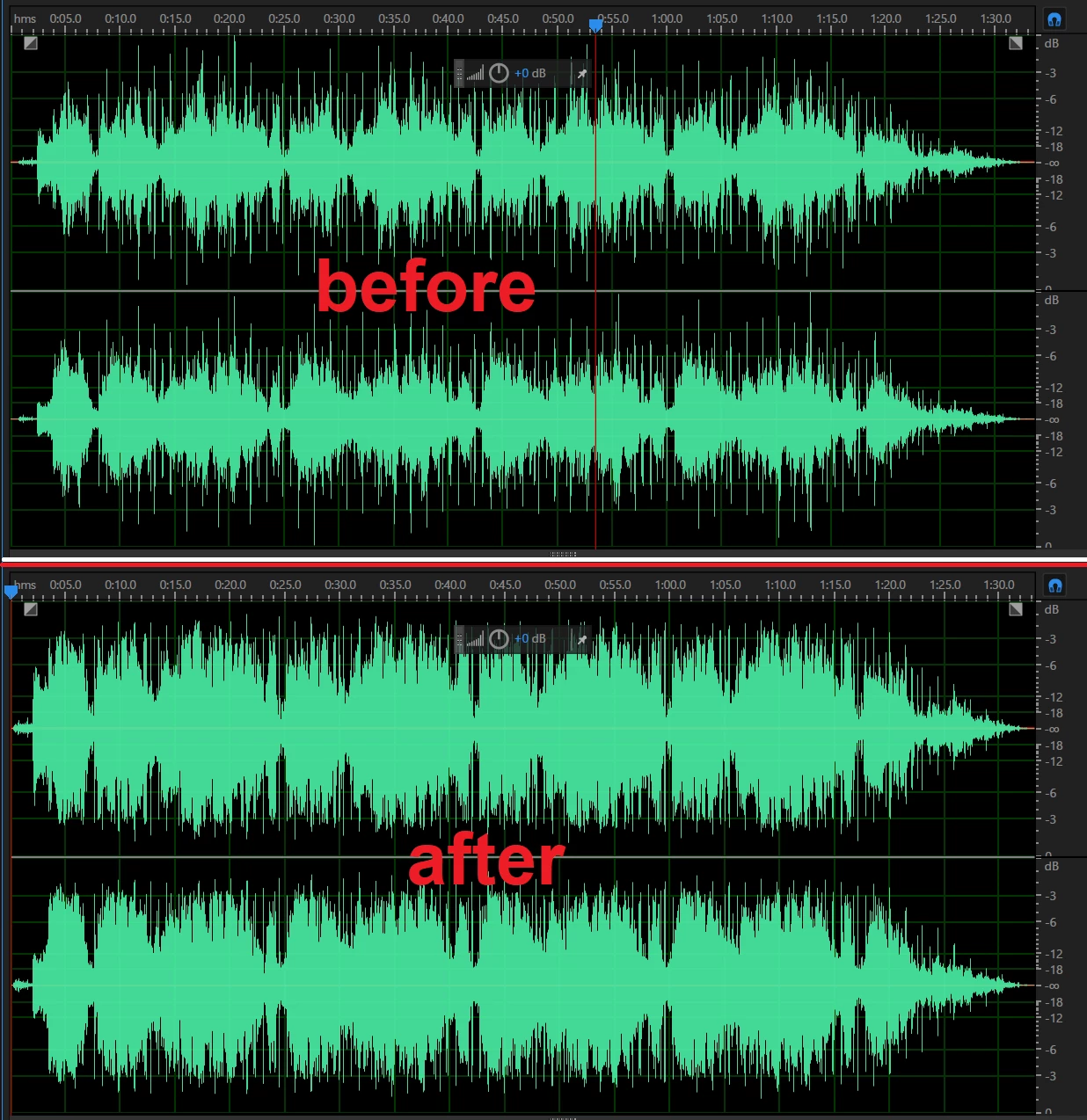
in the photo below is the same audio file

"before" is the original file that i've gained +3dB

and "after" is someone gained my track, but it's look thicker than me

p.s. someone who gain my track, he not tell me how to do idk why

This topic has been closed for replies.

1 reply

Inspiring
March 5, 2019

You can increase the gain of your track with the little HUD tool that's in the top-middle of both of your screenshots. The wheel icon and +0 dB text can be scrubbed up or down to increase or decrease gain. Your waveform looks thicker because quieter frequencies have been boosted.

Using this tool is fine to increase gain, but it's not very flexible and you don't have any control of levels that will clip. I use this tool to boost very quiet audio, then I use the effects and the track mixer to mix my audio to proper levels and to ensure that nothing clips.

bozs69853029
Participant
March 5, 2019

thanks a lot for the answer davidarbor

can you pls tell me how to "boost quiet frequency" to make waveform looks thicker in Audition?

Inspiring
March 5, 2019

I did in the previous answer. See the attached screenshot.