collen
Known Participant
October 18, 2018
Answered

How to make Audio Channel Mapping settings stick after interface re-plug or power cycle

  • October 18, 2018
  • 1 reply
  • 982 views

Hi

I use Audition CC (currently on 11.0.2.2) with an Audient ID14, and I work as a voiceover artist.

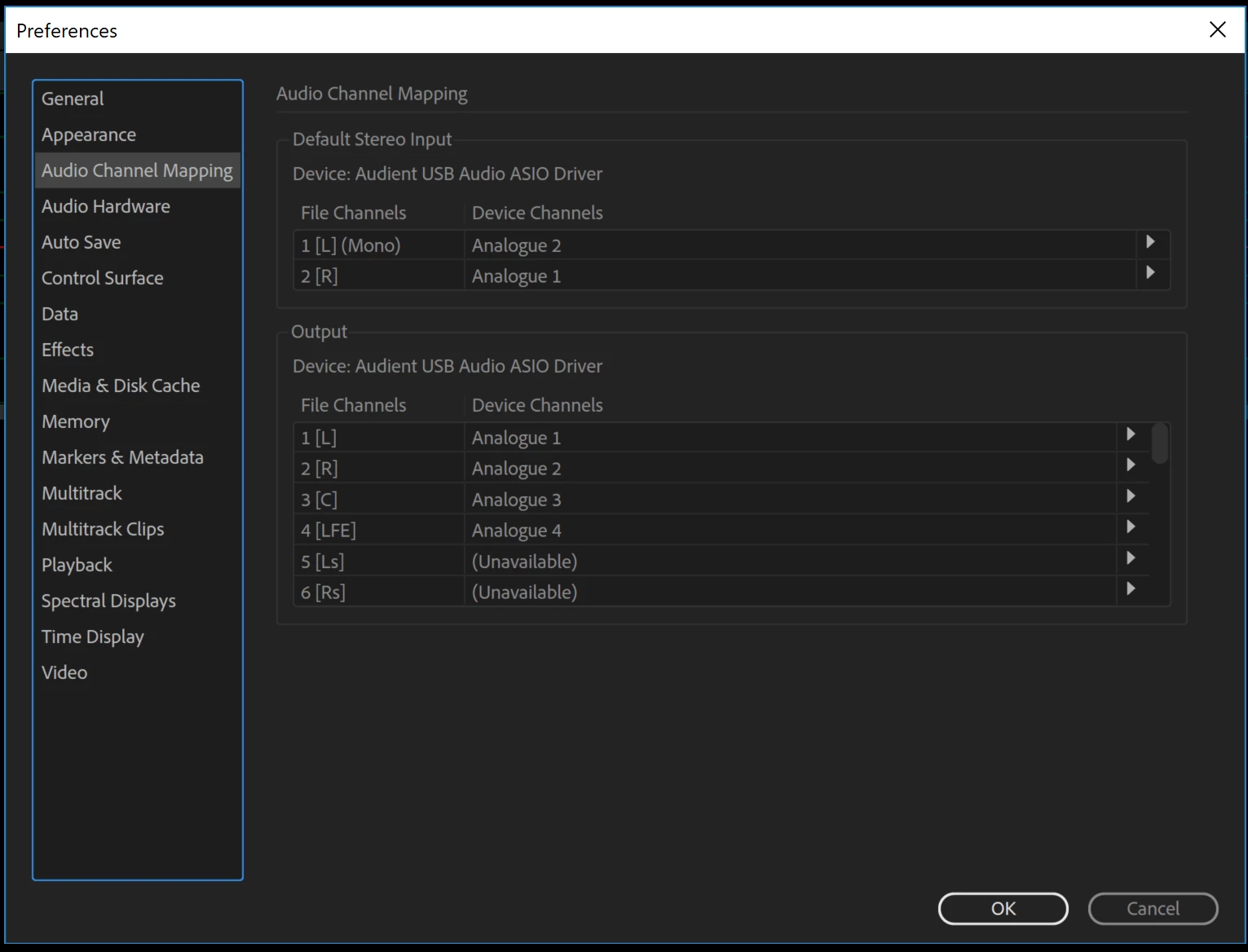
I nearly always record straight to the single track, not multitrack, waveform viewer.  For my studio setup, I need my Audio Channel Mapping screen to be set to:

1 (Mono) Analogue 2

2 Analogue 1

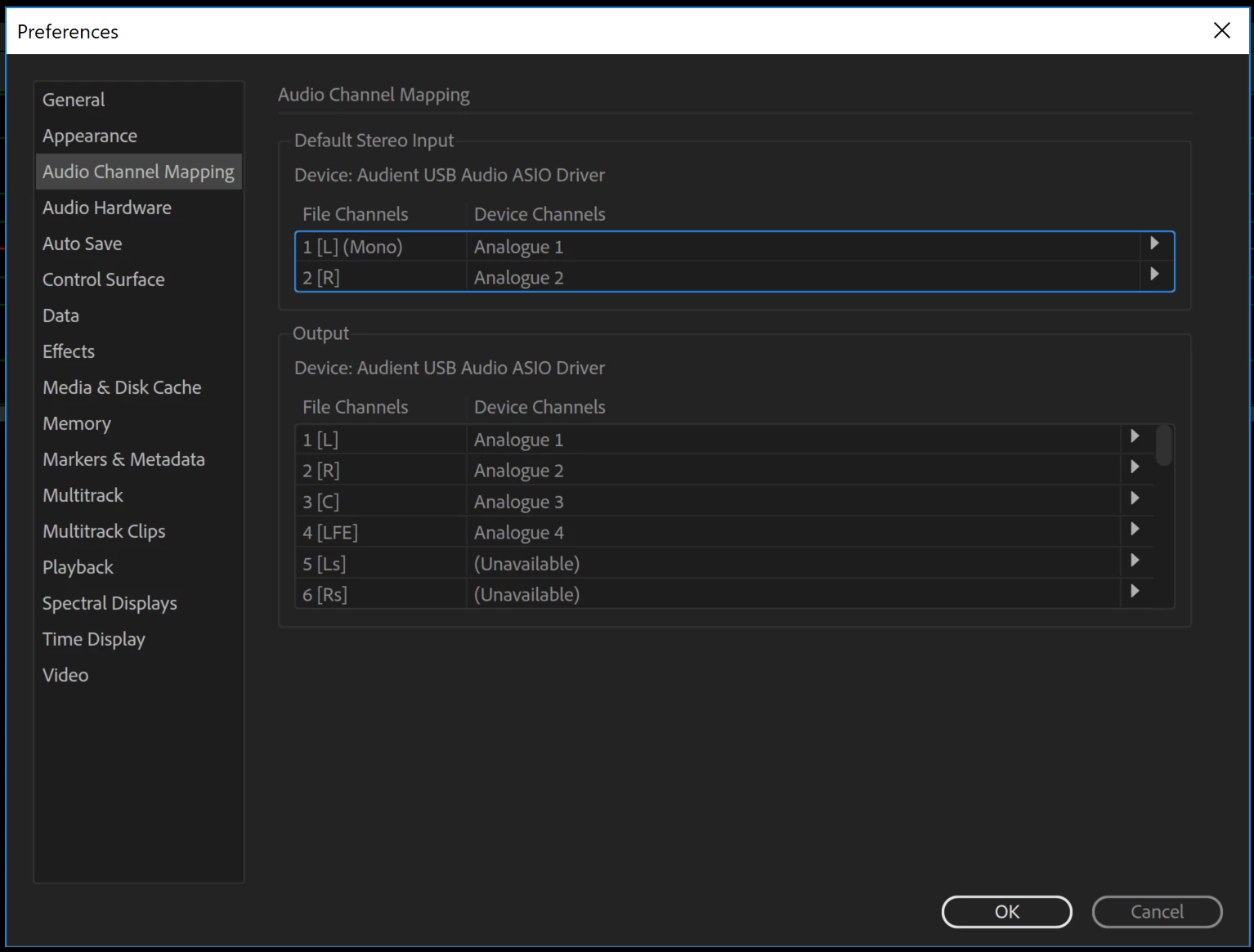
Whenever I unplug and replug my audio interface, or power-cycle my computer, these settings reset to the default of:

1 (Mono) Analogue 1

2 Analogue 2

Is there any way I can save these settings so each time I reconnect my Audient, it resumes the previous settings?

Many thanks

    This topic has been closed for replies.
    Correct answer ryclark

    Audition should save that setting in it's Settings folder when you close down Audition. However it appears that it doesn't. I would log it as a bug with Adobe.

    However you are running a fairly old version of Audition. There have been several v.11.1 versions since yours and we are now up to v.12. So perhaps you ought to update your installation. But I don't think that this will get rid of your problem because I just tried in v.12 and it still came back with the default channel mapping order I.m afraid.

    1 reply

    ryclark
    ryclarkCorrect answer
    Participating Frequently
    October 18, 2018

    Audition should save that setting in it's Settings folder when you close down Audition. However it appears that it doesn't. I would log it as a bug with Adobe.

    However you are running a fairly old version of Audition. There have been several v.11.1 versions since yours and we are now up to v.12. So perhaps you ought to update your installation. But I don't think that this will get rid of your problem because I just tried in v.12 and it still came back with the default channel mapping order I.m afraid.

    collen
    collenAuthor
    Known Participant
    October 19, 2018

    Thanks for taking the time to replicate for me ryclark.  I've logged as a bug here:

    Make Audio Channel Mapping settings stick after audio interface re-plug or power cycle – Adobe video & audio apps

    Also downloading v12 of Audition now.  Thanks