
How to merge punch in back to track without doing a mix down in CC 2018?
Hello,
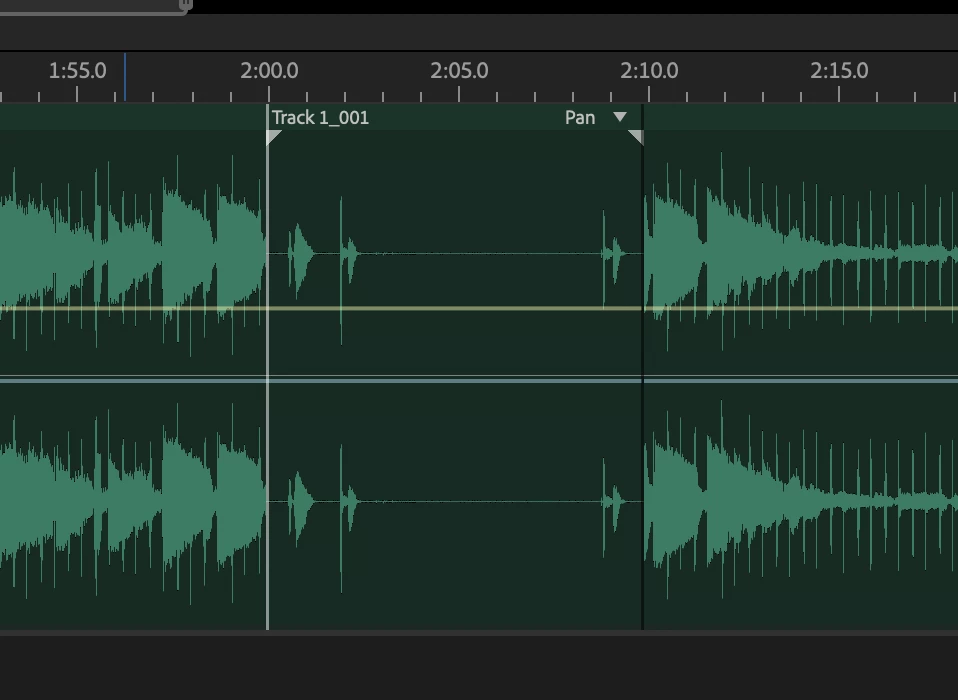
I use Audition for music recording in my home studio. When I need to do a punch in/out, I simply select the area I need redo (highlighted selection) back the playhead back to where I want to start from, arm the track for record and then start via the record button. This works great, where I get a new audio file overlaid in the track for each punch in. In the past I've just taken the time to do a 'mixdown' of just the track with the punch ins so I have one audio file with all the correct takes and so I don't have to manage more files than I need to. However, I believe there must be a simple way to just merge the punch in back to the track without needing to do a mixdown? If you look at my attached image, is there a way in CC 2018 to commit "Track1_001" back to the track it is overlaid onto?


 AdChoices