
Participant
November 15, 2023
Question

How to repair an audio stretching artefact?

  • November 15, 2023
  • 1 reply
  • 487 views

Each time I use Audition for a project, I find a new way to ruin hours of work without even noticing. Clearly, I am the idiot that beat the idiot-proofing.


On this occasion, the last 5 minutes of an audio dialogue track have acquired a strange and displeasing robotic sound. I have applied no effects, and by studying the waveform I can trace the problem back to something I did about 4 hours ago: using Global Clip Stretching to speed up the workflow to 64%, then merging two clips, before restoring all clips to original speed of 100%.


As a result, the merged clips at the end have been permanently ruined. Some audio information from the last 5 minutes of the track has been lost by the speed-up, resulting in robotic distortion.
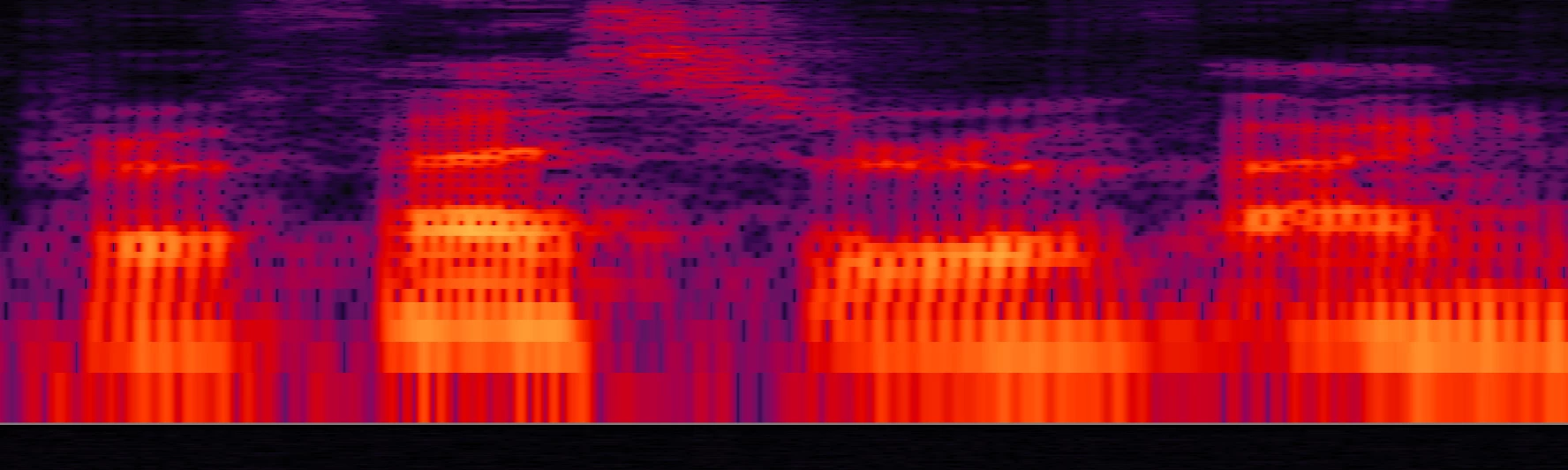
On the above image, you can see how the waveform has been finely chopped up. After much searching I can't find a way to repair this (or even restore the original dialogue track!). Is there a tool or a trick to do this?


Any help would be greatly appreciated, thanks.

This topic has been closed for replies.

1 reply

SteveG_AudioMasters_
Community Expert
Community Expert
November 15, 2023

That's clearly a mixed-down result, and there's no way you are going to be able to correct that; it's distorted and you have no reference to clean it against. But since this has come from a Multitrack session, I would have thought that unless you've done something really bad, then clicking on the original waveform that the dialogue came from should reveal it to be clean. But if you have done the unthinkable and saved, in Waveform view, any of the changes you made to the original dialogue file, then I'm afraid you are comprehensively stuffed.


Rule 1 of any editing project where you have irreplaceable material is never, ever, edit the original copy. Always edit a copy of it. Audition isn't fool-proof; it may give you the impression that it is, and it certainly makes many attempts to stop you doing something stupid (or at least asking you whether that's what you really meant to do), but ultimately it assumes that you actually know what you are doing. Even if you don't, and don't realise the implications of it.


All of the foregoing notwithstanding, if you really have lost the original, it might be worth putting the offending section into Adobe's speech enhancer - although I think that there are limits to what even this can do with severe distortion. You'll find it here. 


I'm not going to ask you what you've learned at this stage, as I don't think you've quite finished learning it yet... 😉