

Question
How to suppress "Pe" noise, characterized by decibel jump ?
Hi everybody,
I noticed some "pop" sounds in my voice audio, that i'm trying to remove or at least reduce.
I already use the noise reduction process, working for background sounds.
I also use the dynamics processing, doing a good job for managing loud souds.
But now i still have this "Pe" noise, like a litte tapping, each time I have this drop, this jump of dB (first part) : 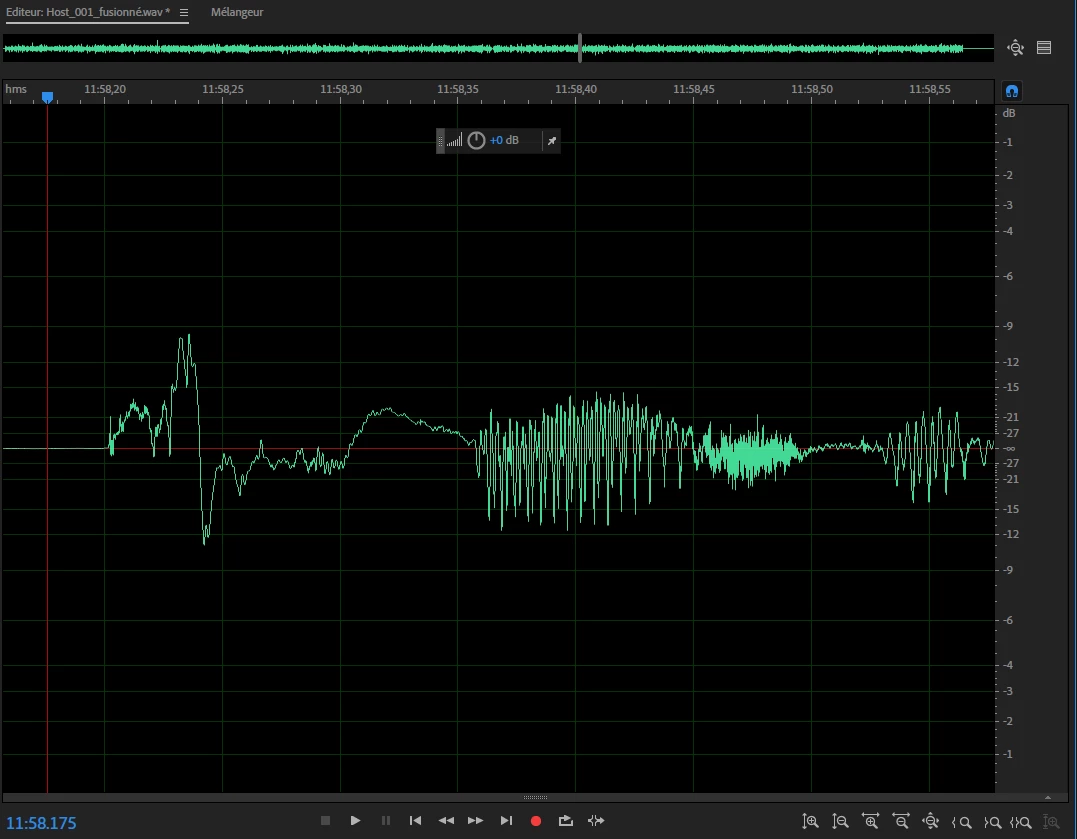
Here you can easly see normal sounds on the second part, and my "Pe" souds i'm trying to remove.
I can't use the dynamics processing again, because the jump has pretty similar dB than normal sounds.
Does anyone have an idea or know something that can help me ?
Thank you for your time !


 AdChoices