


Artista LE
Participant
April 22, 2020
Question

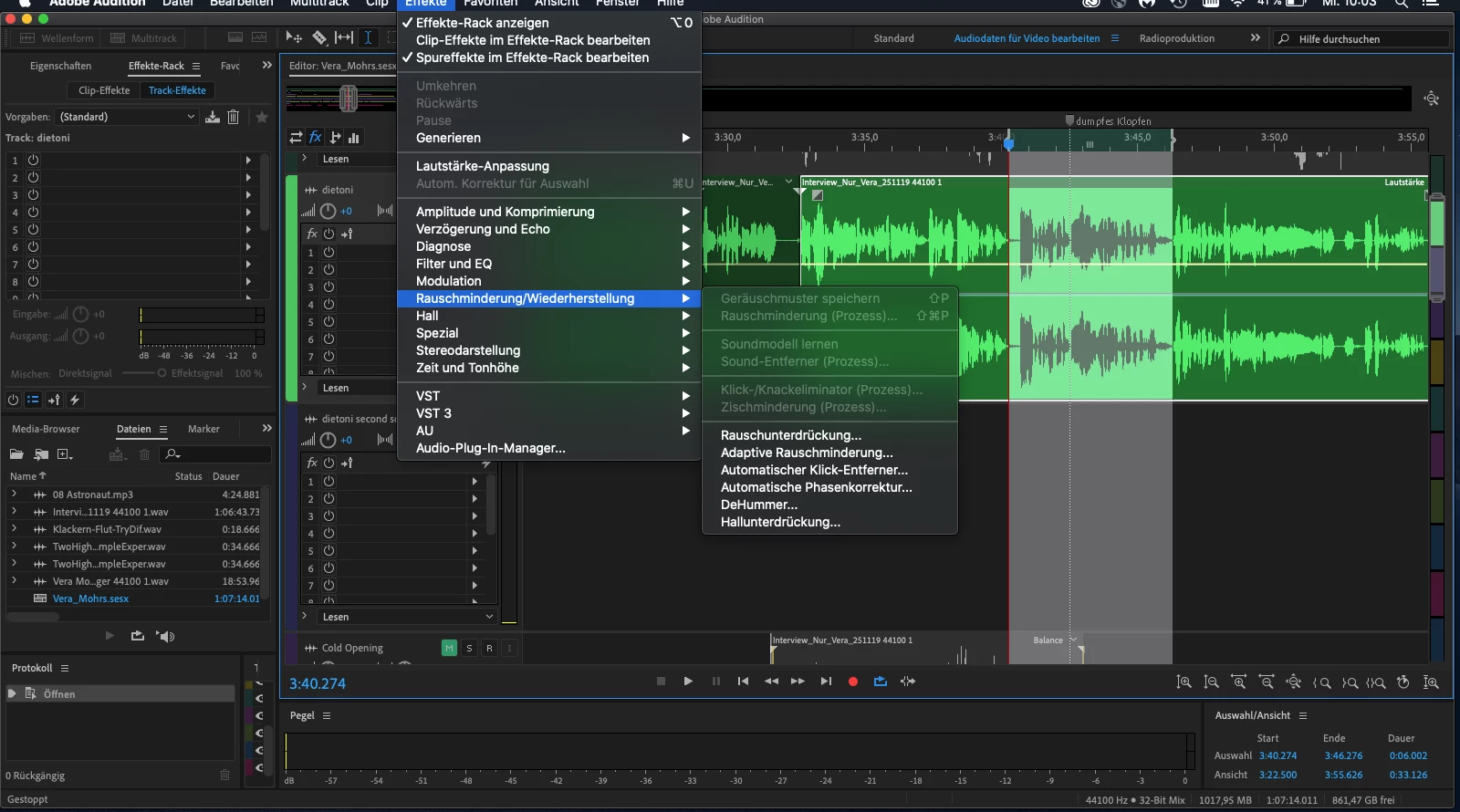
I can't select "Sound remove", what do I do wrong?
  • April 22, 2020
  • 1 reply
  • 286 views

Hello everybody,

I need help: I can't select "sound remove", why? Above you can see a screenshot, I hope you see the necessary information what I do wrong.

Thanks and kind regards!

This topic has been closed for replies.

1 reply

SteveG_AudioMasters_
Community Expert
Community Expert
April 22, 2020

Whenever anything is greyed out in the menu system, it means that it is not available in that view - in this case, Multitrack. Since the primary function of multitrack view is to assemble material from files and play it at the appropriate time, it doesn't have anything to do with effects that require an actual alteration of the original file to happen - and that's all of the effects marked as 'process' -  these invariably need a reference from within the file to operate, and if you don't have that reference as a part of the file you are using in multitrack (think - a noise sample from a quiet part that you didn't include) then there would be insufficient information for the process to work.


So if you want to use that 'effect' (although personally I wouldn't call it an effect as such), you have to double-click on the file and open it in Waveform view and process it there. This means that the process has the whole of the file to operate on, and your reference selection can be included, even though it's not necessarily a part of your multitrack mix. The adaptive processes don't have this problem, as they work on the material actually present - but there's a price to pay; they don't work anywhere near as well.

Artista LE
Participant
April 22, 2020

Thank you SteveG for your fast answer =),

I try it!