

christineavatar
Legend
February 4, 2017
Question

I cannot find the 'record' panel

  • February 4, 2017
  • 2 replies
  • 404 views

I recently downloaded the 2017 release of Audition. When I went to use it today I could not find the the panel that has the record, playback, ect., buttons on it. I looked and looked until I finally uninstalled and downloaded a new copy.

The new on doesn't have it either.
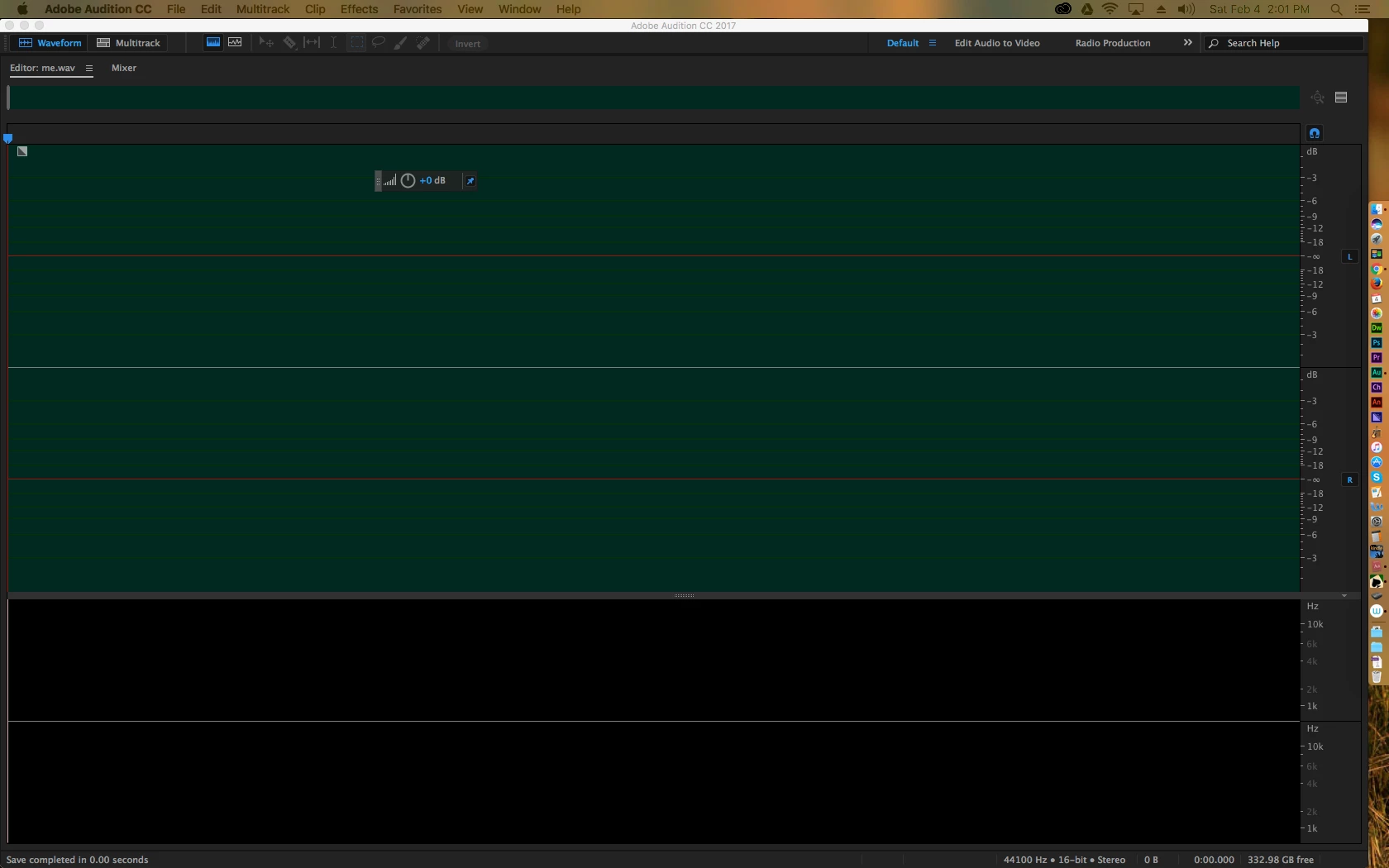
What don't I see?

    This topic has been closed for replies.

    2 replies

    christineavatar
    Legend
    February 4, 2017

    I tried the 'default' button and that worked

    SteveG_AudioMasters_
    Community Expert
    Community Expert
    February 4, 2017

    Go to the Window menu, and put a check against 'Transport' and a separate pane will appear. Although I have to say that you don't need them - if you shrink that enourmous waveform display you've got, you'll find a set at the bottom.

    The other thing you could try doing is clicking on the three lines to the right of that blue 'default' button at the top of the screen. It's blue because you've changed the pane layout. There should be an option that says 'revert to saved layout' and with a bit of luck, by clicking on it you'd get the normal default layout back...