
Aytze
Known Participant
October 4, 2017
Answered

Is there any way which i can extend the duration of a track?

  • October 4, 2017
  • 1 reply
  • 789 views

So i have this simple sound which i want to extend out to give it a future bass vibe. So is there any way which will allow me to stretch out the track and still making it sound normal? I don't want to slow-mo it because it will mess up the sound. SO kind of like a fade-out effect that doesn't fade out for a bit longer, hence increasing the duration of the track.

if there are any questions you need to ask me regarding this issue to make it clearer, please do. Thanks
    This topic has been closed for replies.
    Correct answer SuiteSpot

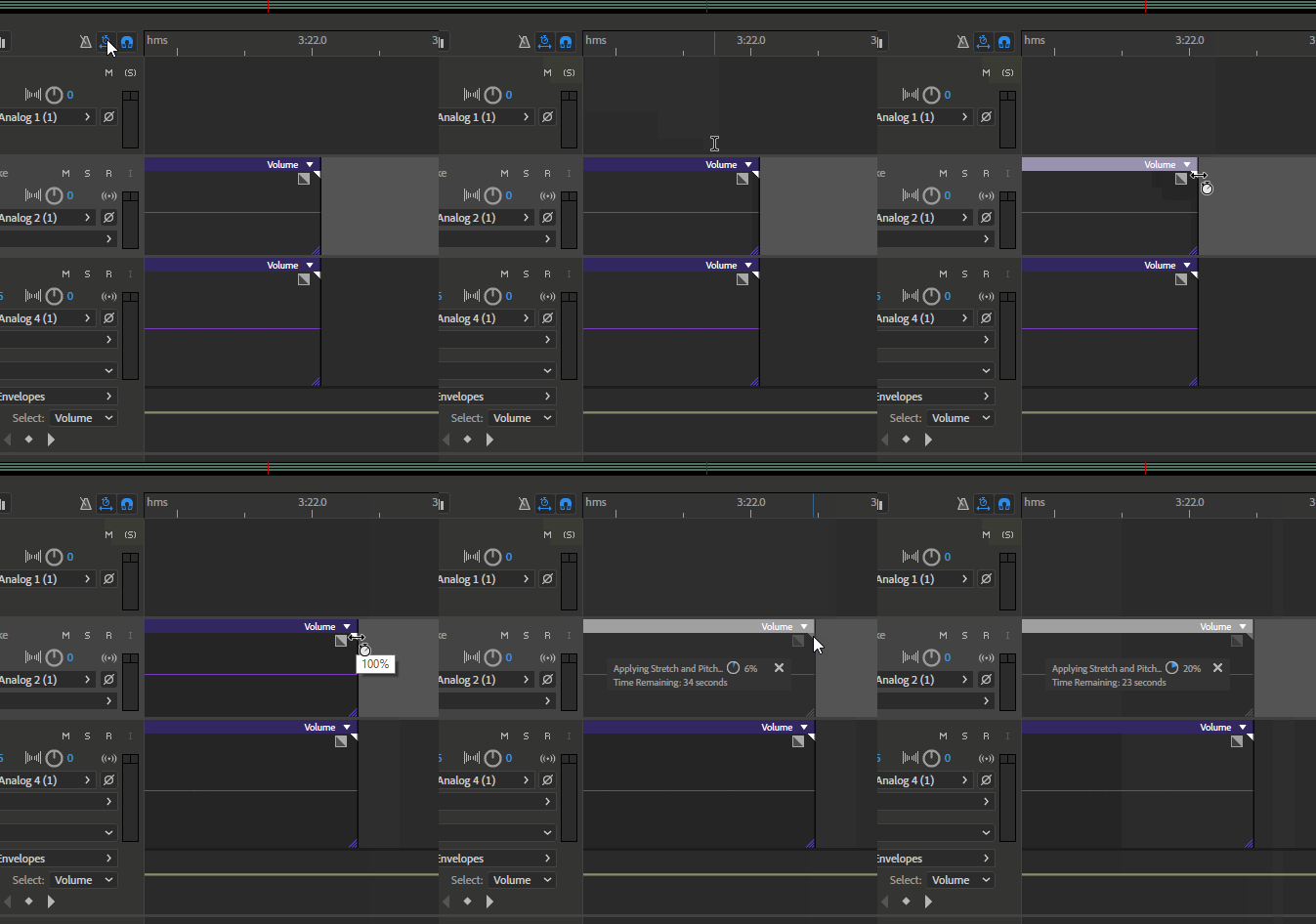
    Make sure global stretch option is on and then position mouse cursor over top part of the end of the clip

    When you get the stretch symbol grab the edge of the clip and drag

    1 reply

    SuiteSpot
    SuiteSpotCorrect answer
    Inspiring
    October 4, 2017

    Make sure global stretch option is on and then position mouse cursor over top part of the end of the clip

    When you get the stretch symbol grab the edge of the clip and drag

    ryclark
    Participating Frequently
    October 4, 2017

    It really depends on how long the track is to start with and how far you want to stretch it by. If by only a little bit then SuiteSpot's method is the easiest. Otherwise it may mean finding a suitable point and looping it. But again it depends on the type of content it is.