
Participant
March 24, 2018
Answered

Making Audio Constant Across Whole Track

  • March 24, 2018
  • 1 reply
  • 237 views

Hey everyone,

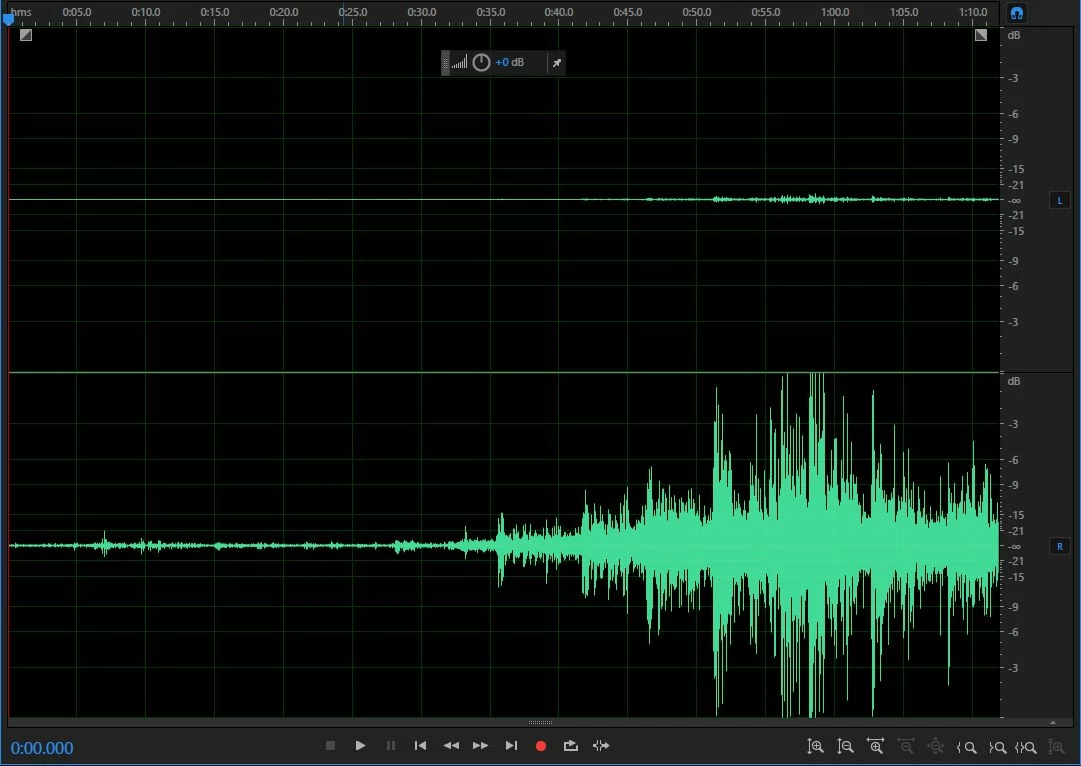
I'm editing some wedding vows and I've ran into an issue. When I was recording, I made the mistake of increasing the dB as the groom was reading his vow. It starts very quiet and over time ramps up. Is there any way I can at level out the track before I start removing the background noise?

Here is the clip:
Thank you!
    This topic has been closed for replies.
    Correct answer SteveG_AudioMasters_

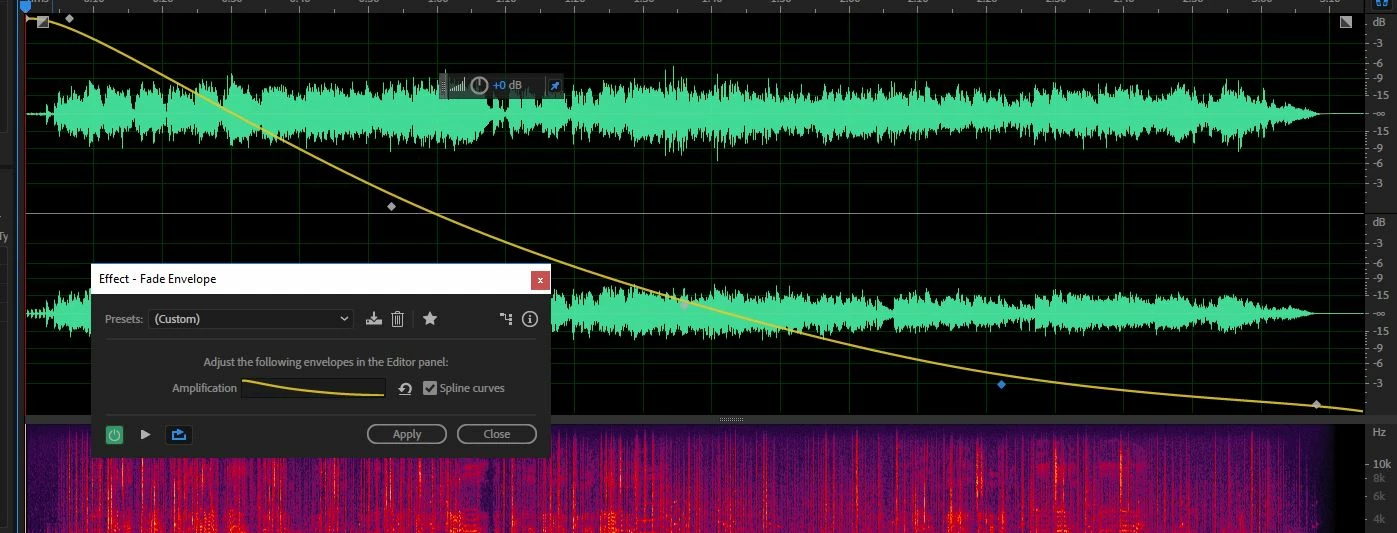
    In Waveform view, you need Effects>Amplitude and compression>Fade Envelope. Just about everything you need to know is shown here:

    You may need to play around with the points a bit, and you may find it better not to spline them, as that inevitably makes any rapid change rather slower. When you've got it back to acceptable, just apply it. You should also be able, using the channel controls to grey out the other one, just to apply this to a single channel.

    1 reply

    SteveG_AudioMasters_
    Community Expert
    SteveG_AudioMasters_Community ExpertCorrect answer
    Community Expert
    March 25, 2018

    In Waveform view, you need Effects>Amplitude and compression>Fade Envelope. Just about everything you need to know is shown here:

    You may need to play around with the points a bit, and you may find it better not to spline them, as that inevitably makes any rapid change rather slower. When you've got it back to acceptable, just apply it. You should also be able, using the channel controls to grey out the other one, just to apply this to a single channel.