
Participant
April 5, 2019
Answered

Malfunction?

  • April 5, 2019
  • 3 replies
  • 1275 views

Hi,

After I updated to Adobe Audition Version 12.1.0.182 I get a weird error.

I mix something in multitrack. Then I match the loudness settings and then I "Save all"., After doing that a couple of my files show this error message:
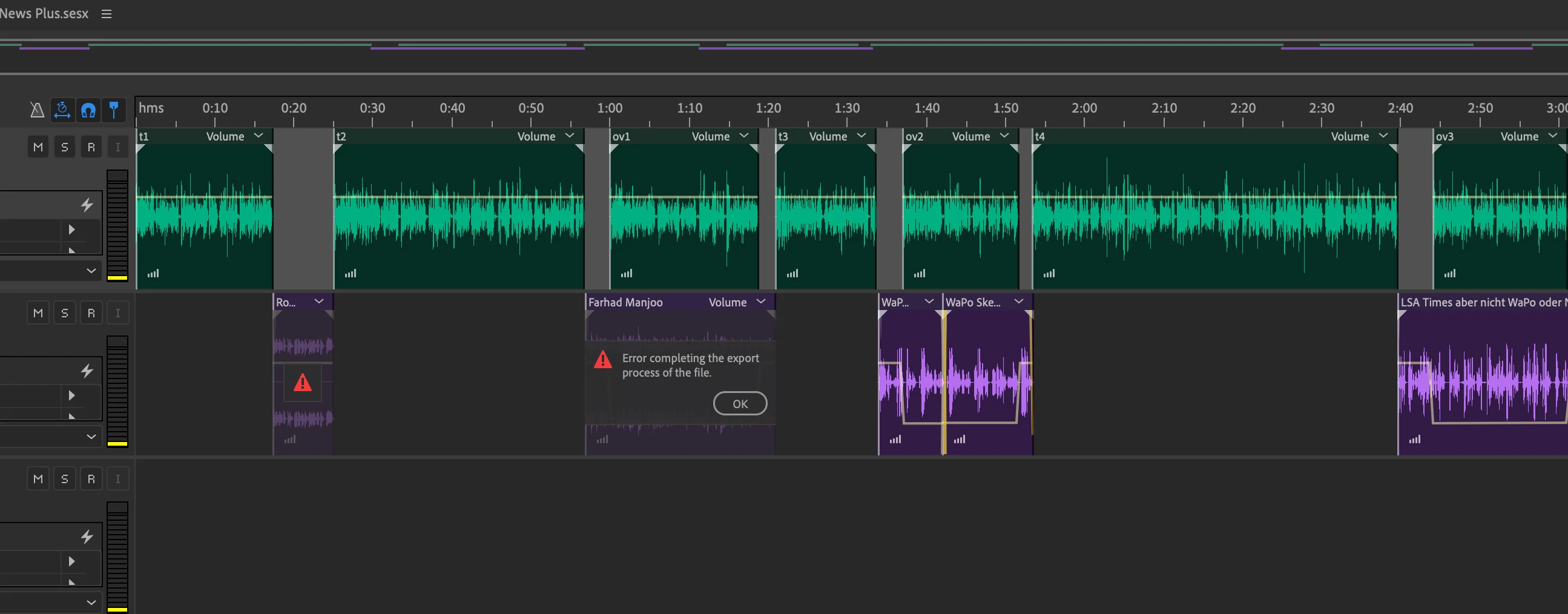
This NEVER happenerd before and only started to appear after upgrading this week to the latest version of Audition.

    This topic has been closed for replies.
    Correct answer Charles VW

    We can now repro this bug and now have it logged in our database.

    3 replies

    Participating Frequently
    April 13, 2019

    From the screenshot it looks like only a subset of the clips are affected.

    Does it always happen with the same clips (or rather the underlying media type)?

    It would be interesting to know what audio format the affected clips have. I.e. mp3, acc or whatnot. The information can be found in the Properties Panel -> Info -> Format.

    Maybe choosing a different importer for these media types fixes the problem. You can enforce the selection of the importer when opening the media file by selecting the importer in the Open File dialog (dropdown list next to the "name" field).

    Charles VW
    Inspiring
    April 15, 2019

    Or, you (@marcus10192960) can send your *.sesx file to audbugs@adobe.com and we can see if there's anything obvious.

    Charles VW
    Charles VWCorrect answer
    Inspiring
    April 17, 2019

    We can now repro this bug and now have it logged in our database.

    Participant
    April 5, 2019

    Nope. It was on the local harddsik. I'm a radio journalist, I work 10 hours a day with Audition. And this never happened before - only after I updated Audition this week.

    SteveG_AudioMasters_
    Community Expert
    Community Expert
    April 5, 2019

    Was the export location inside or outside your computer? Direct saves to external or networked drives have always been fraught with difficulties...