

Answered
Marked as Read only or locked would you like to preform Save as???
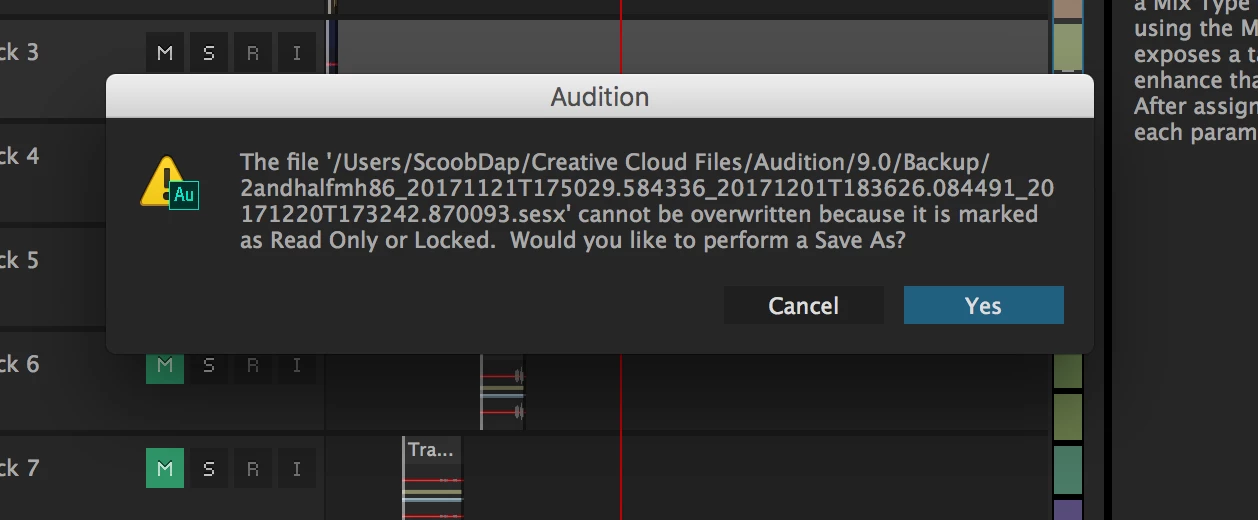 Recently I've tried to save a .sesx & this prompt appears. I have not personally locked or marked anything as read only nor do i know how. I AM AFRAID to complete the action save as because in doing so on another .sesx, that gave the same prompt, the program merged some of my tracks in the editor panel i wasn't working on with the current multitrack session. Meaning after i completed the action 3 different sessions became one i do not know how nor care because I'm sure it was a bug that needs addressed apparently. what i need to know is how to unmark the session from being "Read only or Locked" so i can save or command+s normally without this prompt appearing. Thank you for your time & consideration.


 AdChoices