
September 8, 2012
Question

"Microsoft Visual C++ Runtime Library runtime error" - Help?

  • September 8, 2012
  • 1 reply
  • 30235 views

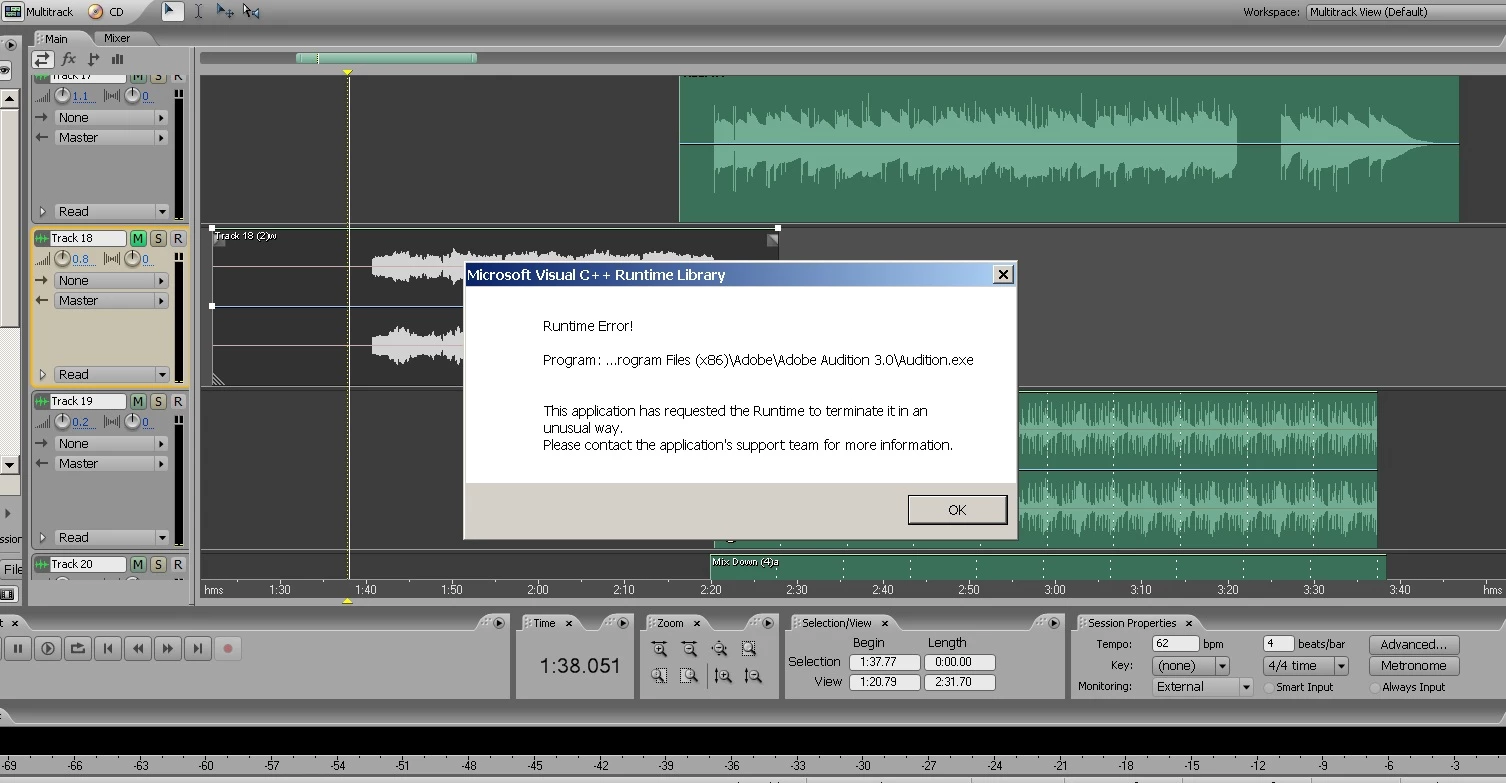
I purchased Adobe Audition 3.0 a couple of months back for my Windows 7 laptop and overall I enjoy it. When it works, it works great. However, I have encountered a "Microsoft Visual C++ Runtime error" at least three time which prevents me from being able to continue with a session.

The latest occurence seems to have been triggered by my machine going into sleep mode. I have the laptop set to never go into sleep mode while open because if it does while I have a session up, the playback glitches when I come back to resume the session, BUT, a relative saw my open laptop and thought I accidentally left it open and closed it. Sure enough, the playback went wonky so I saved the session and closed it out. When I re-opened the session and pressed play in multi-track view I got the runtime error message and the program shut down. I can't continue using Audition if I can't fix this problem. Please help!

System details: Custom HP, Windows 7 Home Premium 64-bit, Intel Core i3-330M Dual Core processor (2.13 GHz), 8 GB RAM.
This topic has been closed for replies.

1 reply

SteveG_AudioMasters_
Community Expert
Community Expert
September 8, 2012

If you get C++ runtime errors, the only possible solution is to uninstall and reinstall Audition.

When you say 'I purchased Adobe Audition 3.0 a couple of months back' - where from? It hasn't been on sale officially for absolutely ages.

September 8, 2012

Thanks, but I tried that and I still get the errors.

To answer your question, yes, it was hard to find. I purchased it from an individual seller on Amazon.com who had one copy. The only reason I wanted 3.0 and not one of the newer versions was because I was switching over from the older Cool Edit Pro program and was very familiar with it (the only reason I stopped using CEP was Windows 7 compatibility problems). I downloaded a trial of Audition 3.0 and saw that the interface was pretty much the same as CEP so I decided on Audition 3.

I really hope there's another solution to this problem. I did a search and found that renaming the preferrences file/folder might work, but I'm not sure how to go about doing that.

SteveG_AudioMasters_
Community Expert
Community Expert
September 8, 2012

Spencer R wrote:

I really hope there's another solution to this problem. I did a search and found that renaming the preferrences file/folder might work, but I'm not sure how to go about doing that.

It won't help, otherwise I would have suggested it. The C++ library has to be in place correctly in your machine before the Audition run-time will execute properly - it interprets Audition's C++ code into something that your PC can run. If Audition doesn't think it's there, then it will reinstall the run-time version required upon installing - but if it finds it already, then apparently it won't - according to your experience - even if it's corrupted.

Fortunately you do have one other option - it's possible to remove the runtime quite easily, the same way that you uninstall Audition. If you go down the list somewhat to the Microsoft entries, you'll find at least one entry for it there, possibly more. Try uninstalling all of them, and then reinstalling Audition - it will replace what was previously there with a new, hopefully not corrupted, version.