Participant
Mar 17, 2018 3:06 PM UTC
Answered

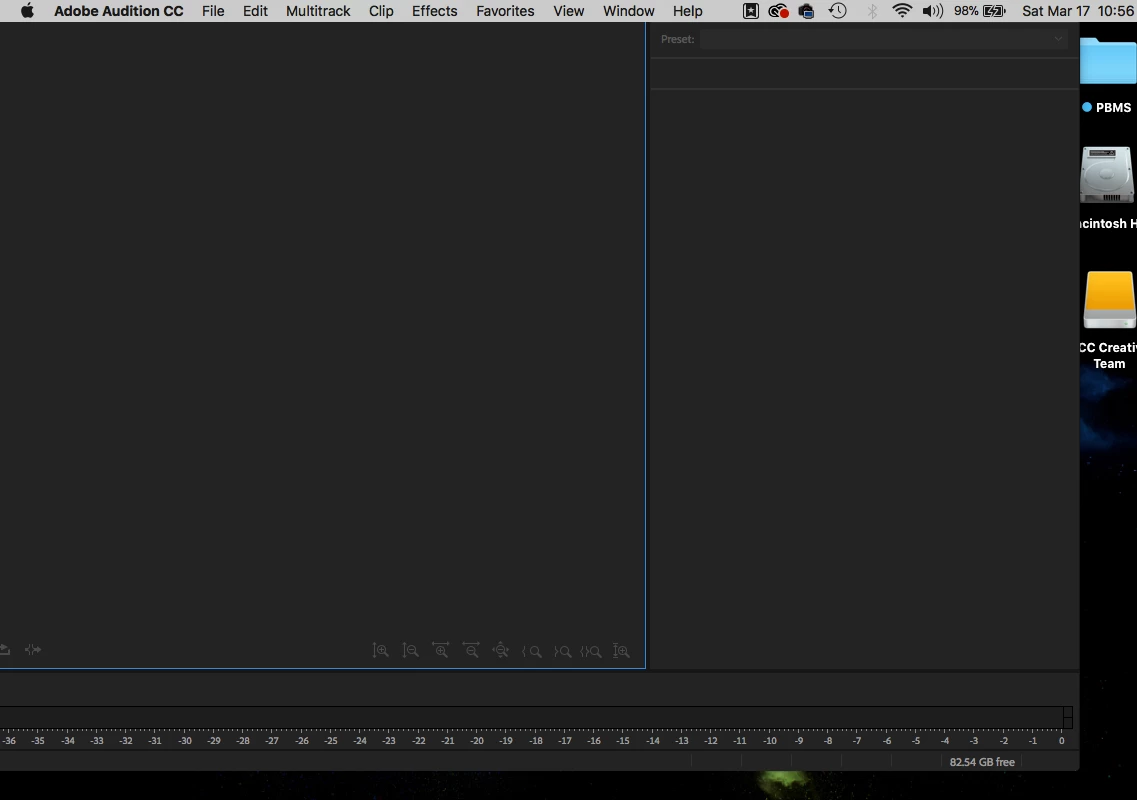
Minimize, Maximize Buttons are Off Screen

I generally edit audio on a second screen.  I do not have access to that today.  How can I get my program back on the full screen?

    This topic is closed to new replies. Start a new post to keep the conversation going.
    SteveG_AudioMasters_
    SteveG_AudioMasters_Correct answer
    Community Expert
    Mar 17, 2018 3:24 PM UTC

    Well it's on a Mac, so I have no first-hand experience, but a quick search reveals this:

    How to Move an Off Screen Window Back Onto the Active Mac Screen in OS X

    2 replies

    SteveG_AudioMasters_
    Community Expert
    SteveG_AudioMasters_Community ExpertCorrect answer
    Community Expert
    Mar 17, 2018 3:24 PM UTC

    Well it's on a Mac, so I have no first-hand experience, but a quick search reveals this:

    How to Move an Off Screen Window Back Onto the Active Mac Screen in OS X

    Translate
    ryclark
    Participating Frequently
    Mar 17, 2018 4:41 PM UTC

    This shows a similar problem to that in the thread Software opens outside of my Mac's screen and I can't move it back on-screen!? .

    Translate
