
Known Participant
June 5, 2018
Answered

Moving multiple tracks do not stay in sync!

  • June 5, 2018
  • 4 replies
  • 2491 views

Hi,

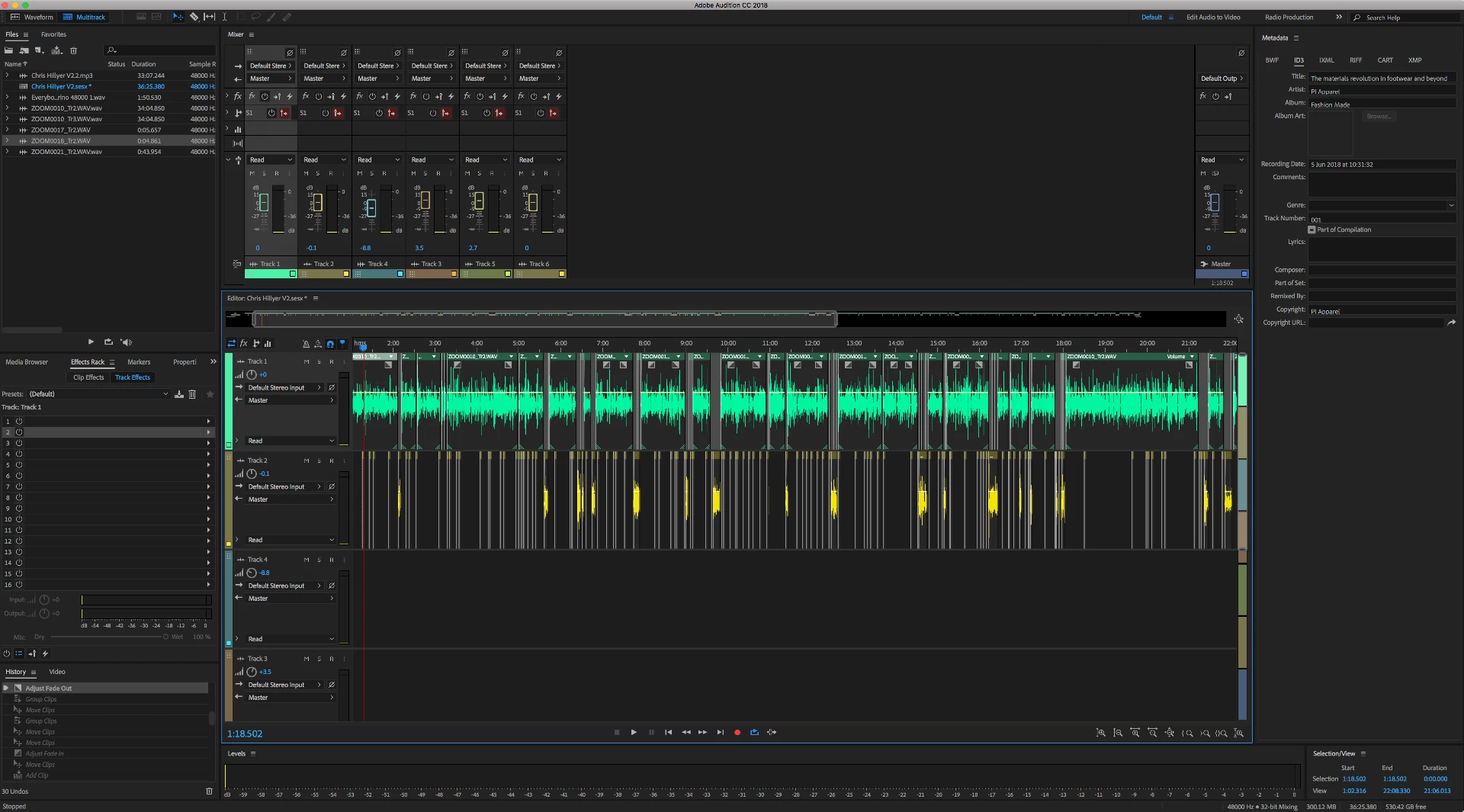
I have an audition project with multiple clips on multiple tracks. When i go to move multiple clips at the same time they slightly go out of sunc/ jump as i move. This happens even when it is grouped together and still doesnt make any sense.

I do not understand why it does this regardless, in what case is this even a practical option?

To repeat... I have 2 tracks with over 40 clips across them. Everytime I make an edit and want to drag the rest of the clips together to close a gap the clips dont smoothly move together but jitter and oddly dont stay exactly how they were before i highlighted them and moved them. Also to combat this I tried looking for a nudge key to move all the clips by a keyframe each time but I cant seem to find one... much like in premier pro with nudging a video clip.
This topic has been closed for replies.
Correct answer Kevin J. Monahan Jr.

maeves,

Sorry for the frustration. Can you please file a bug here? Audition: Hot (135 ideas) – Adobe video & audio apps

Thanks,
Kevin

4 replies

Sam JaeAuthor
Known Participant
July 29, 2018

Hi All,

Still no update on this and it has been reported. However, a work around on MAC would be to just hold "cmd" when dragging highlighted clips. Ripple delete is not an option unfortunatly with my projects as I need the clips to retain position right till the end as I use the timecode against editing notes. I was new to podcasting at the time of posting this but have since got much better and dont have horrendous projects that look like my orginal post when editing a podcast.

Thank you all and I hope this can be fixed/ made aware of the use case for it being like it is.

Sam Jae

DanielJonce
Participant
September 17, 2018

I ran into the same issue, I couldn't find exactly where it was reported so I reported it (again?) here:

[BUG] With snapping enabled multiple clips moved together may lose sync – Adobe video & audio apps

Kevin J. Monahan Jr.
Kevin J. Monahan Jr.Correct answer
Legend
July 27, 2018

maeves,

Sorry for the frustration. Can you please file a bug here? Audition: Hot (135 ideas) – Adobe video & audio apps

Thanks,
Kevin

Kevin Monahan - Sr. Community and Engagement Strategist – Adobe Pro Video and Audio
Participant
September 27, 2018

I encountered this bug just now when i switched to windows 10 (from windows 7)

SuiteSpot
Inspiring
June 5, 2018

It is a bug and you can get around it in the meantime by toggle snapping to off

ohitsbigron
Participant
June 26, 2018

thanks for the tip, it helped me.

Has someone logged this as a bug?

SteveG_AudioMasters_
Community Expert
Community Expert
June 26, 2018

ohitsbigron  wrote

thanks for the tip, it helped me.

I think this one's known about, yes. But it doesn't hurt to report it again...

ryclark
Participating Frequently
June 5, 2018

This may very well be a bug in the latest version of Audition. I think I have heard something similar happening elsewhere. It would be helpful if you could log it as a bug.

In the meantime you might find that using Ripple Delete/Time Selection in all Tracks will help to move all the clips to the left in sync when you have made a gap by editing.