
Question
Multitrack editor problem (possibly stereo v mono, no idea)
Hello,
This is really baffling to me, I have no idea what I did. For some reason all of a sudden in my mutltitrack session all three tracks I am working with are showing up in each track, and not separately.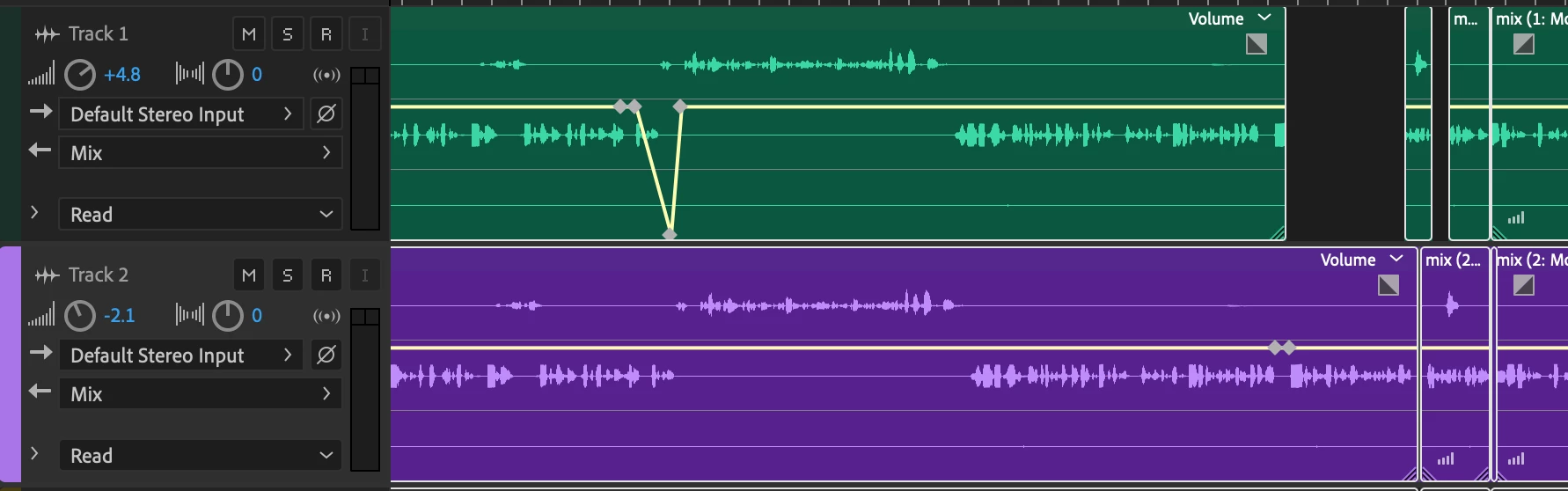 Obviously this is NOT what I want, I have on idea how I did, I have no idea how to undo it. Each track of audio should be separate. PLEASE HELP!!! I am so stumped and DO NOT want to have to start over 😞
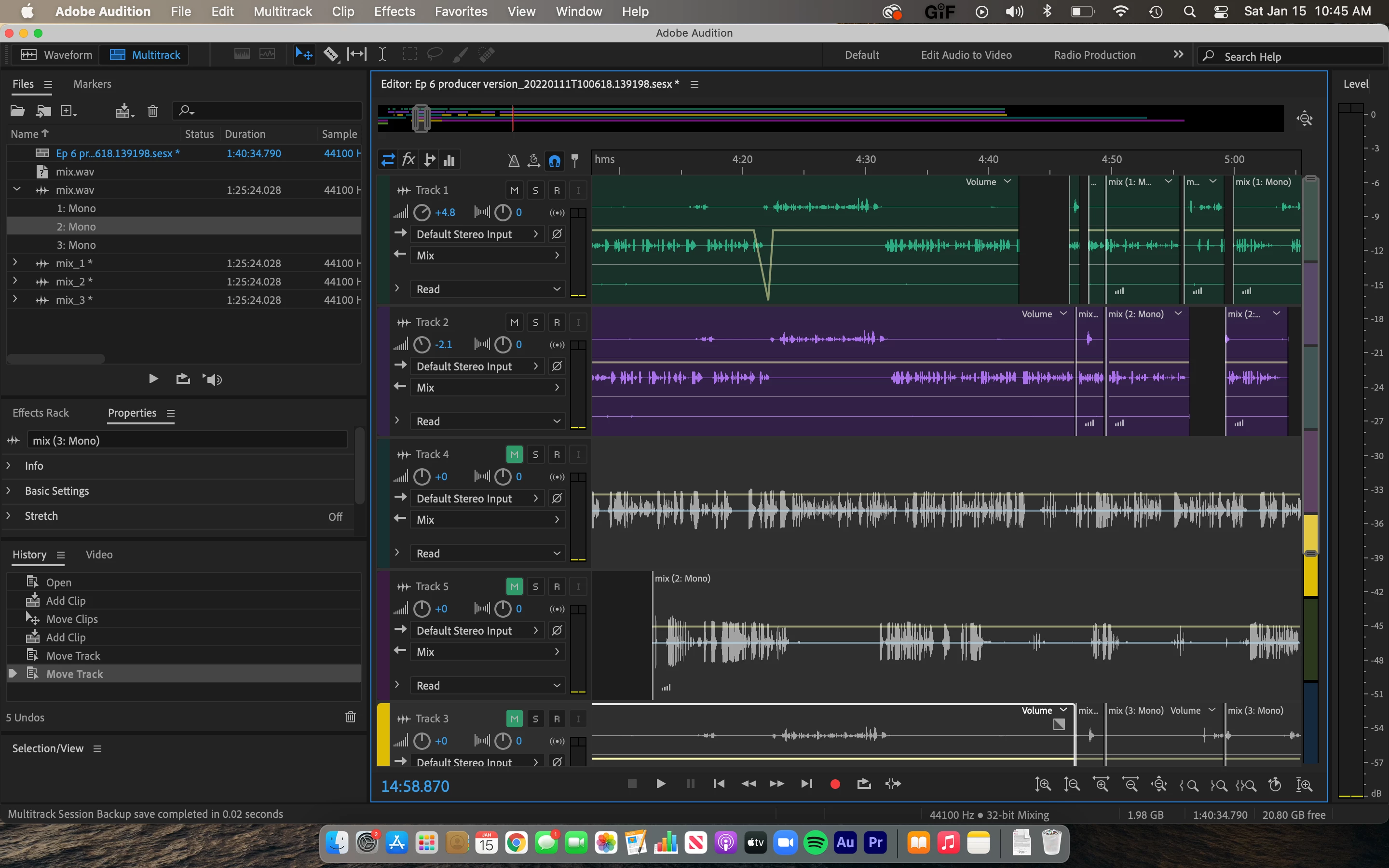
Visual of the full workspace, Tracks 1&2 are wrong, 3&4 are what it should look like.


 AdChoices