Participant
July 15, 2021
Question

[Multitrack] I'm having trouble recording into two separate audio tracks with my 2-channel mixer

  • July 15, 2021
  • 1 reply
  • 162 views

Hey everyone! 


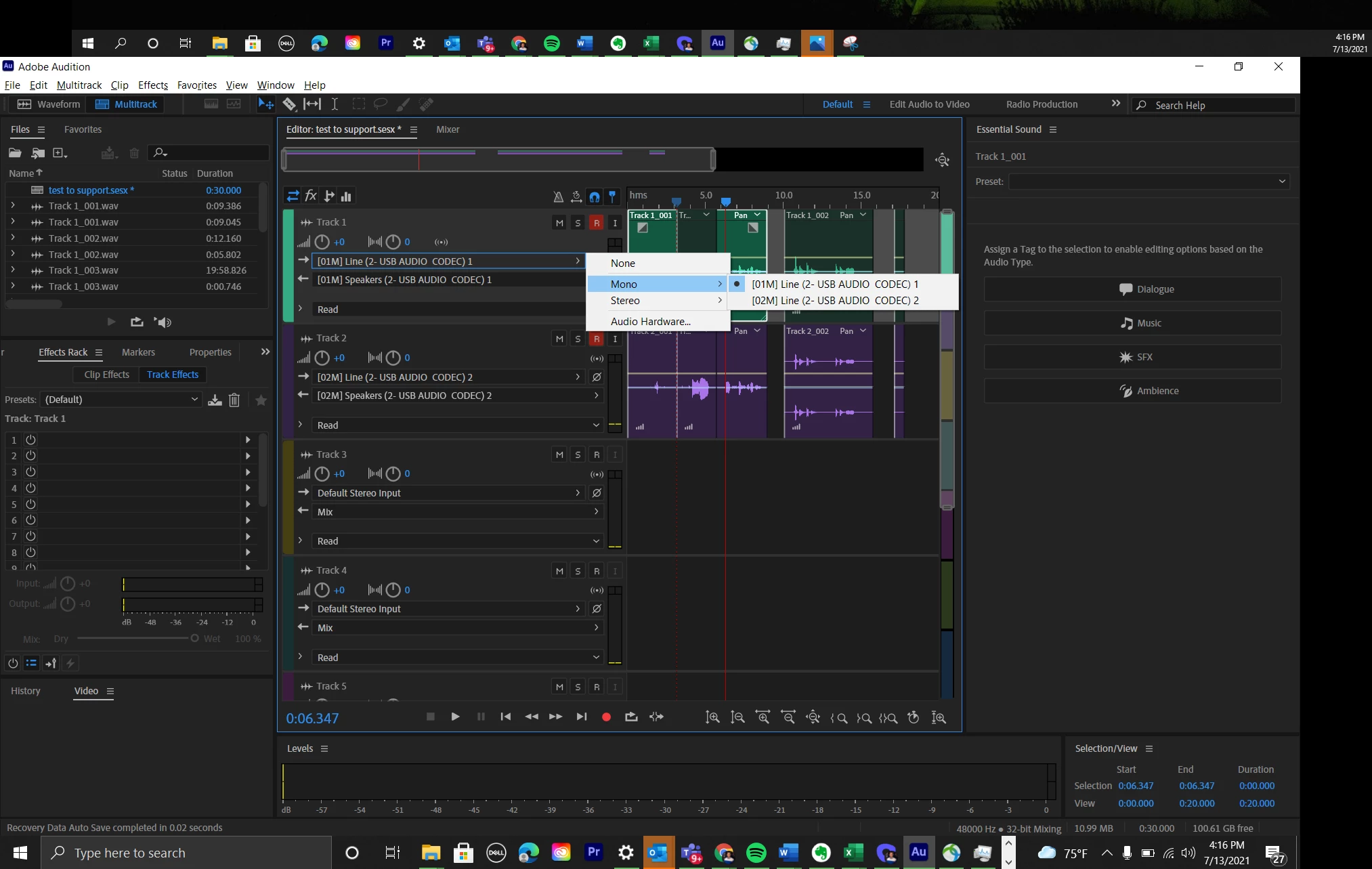
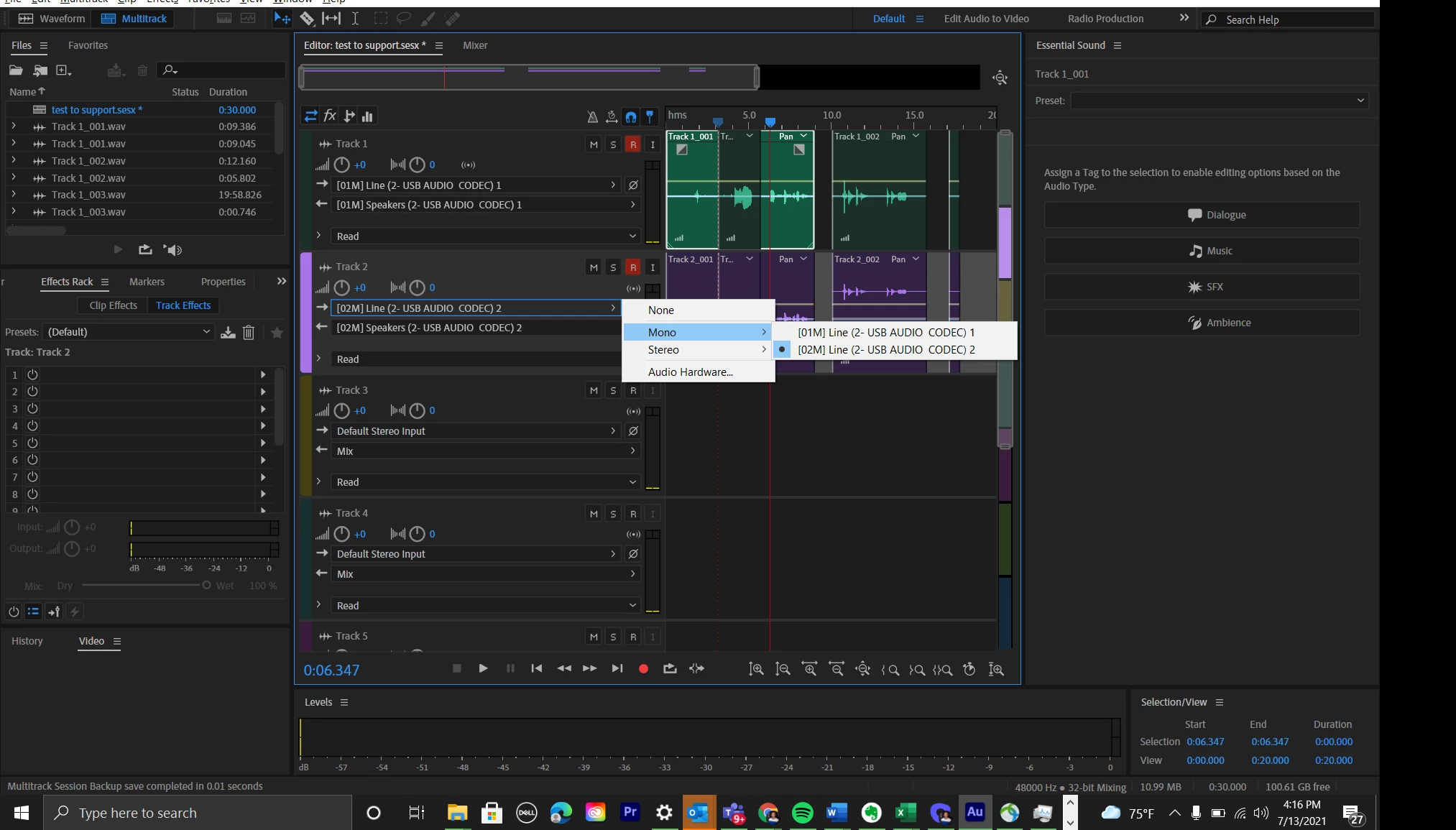
I just bought a mixer/USB interface and two XLR mics (Rode Procasters, specifically) to start a podcast. However, even after assigning the Audio Channels to the proper Tracks (1>1 and 2>2, respectively), and hit record, the Audio from each mic is being recorded simultaneously into both tracks. 


In other words, we can't record my voice into one track and my co-hosts voice into a separate track; we're both in the same track.


Screenshots below.


Can anyone help?


Best,

Zach
This topic has been closed for replies.

1 reply

SteveG_AudioMasters_
Community Expert
Community Expert
July 15, 2021

On that mixer you have Pan sliders. Set one of them all the way to to Left and the other all the way to Right, and try again...


If  both pan sliders are set in the middle, then both mics get mixed together in the mixer.

Participant
July 15, 2021

Thanks! I tried that but unfortunately, even when Channel 1 is Pan=L, it's still coming through both. Is there a Multitrack setting I'm missing? 

SteveG_AudioMasters_
Community Expert
Community Expert
July 16, 2021

If one mic is panned hard to the left, then none of it should be coming from the right ouput. Same for the right - none should bleed into the left. Other than that, if you use Mono inputs for each track and just select the mic you want, then it should work fine.