


Inspiring
September 17, 2024
Answered

Multitrack mode: selecting tracks results in opening tracks.

  • September 17, 2024
  • 1 reply
  • 586 views

What do I do wrong currently? While working in multitrack mode and trying to move individual items, audition constantly opens that track. In preference settings I have this checbox, multitrack clips, bring clips to front, off! What elso can I do?  There is no option for double click to open tracks. Thanks for reading and hopefully answering. Best René
This topic has been closed for replies.
Correct answer hdp_rene

It got less, but it still isn't solved. Even pressing the standard V shortcut doesn't resolve opening instead of moving the files unexspectedly in the multitrack mode.  Maybe it's a W11 issue. There is an option to replace all drivers to the W11 standard. Or an upgrade to w11 24H2. I will keep you posted on this.


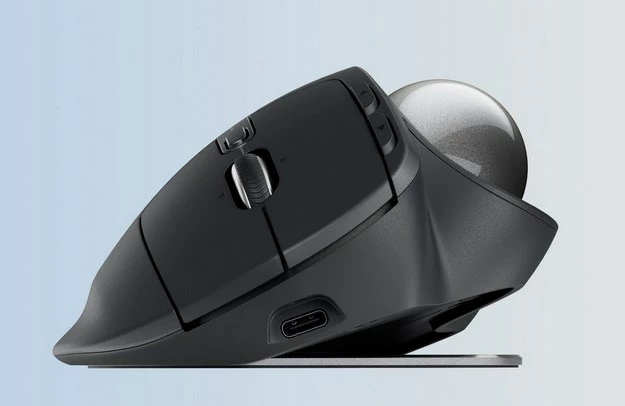
The problem is solved. After a test with another, wired and very simple mouse, it turned out that the cause is in my Logitech Ergo Trackball. Has always worked fine but the micro switches have become inaccurate after almost seven years and generate double clicks. Ordered a new one today. now with a better battery and USB C connection. Thank you Steve for trying to solve it. Best, René

1 reply

SteveG_AudioMasters_
Community Expert
Community Expert
September 17, 2024

It's really quite simple; don't double click on it! That is what opens the file that the clip comes from in Waveform view. If you are using the Time Selection tool, then just a single click on a clip will pick it up and let you move it.

hdp_reneAuthor
Inspiring
September 17, 2024

I don't Steve. It happens while I try to move the item in multitrack mode.  I brought the double click thing up since IF there was a option for it in Audition, it probably wouldn't happen in the first place. I currently use version 24.6.0.069

SteveG_AudioMasters_
Community Expert
Community Expert
September 17, 2024

Then you might want to check your mouse settings outside of Audition - this behaviour in Multitrack is hardwired into it and can't be altered. The settings you need to look at are repetition time, and also, if you have clicklock enabled, try disabling it.


Incidentally I think that you should have the 'bring clips to fron when selecting them' button turned on, because if you don't, this could potentially result in more clicking.