



Multitrack Time Offset on Track Import
Greetings,
I know that Audition's multitrack feature has a nice option to import multiple tracks either on a single track in the editor, or if you hold the alt key when you drop in the imported tracks, they all go to their own track.
Importing Multiple Tracks
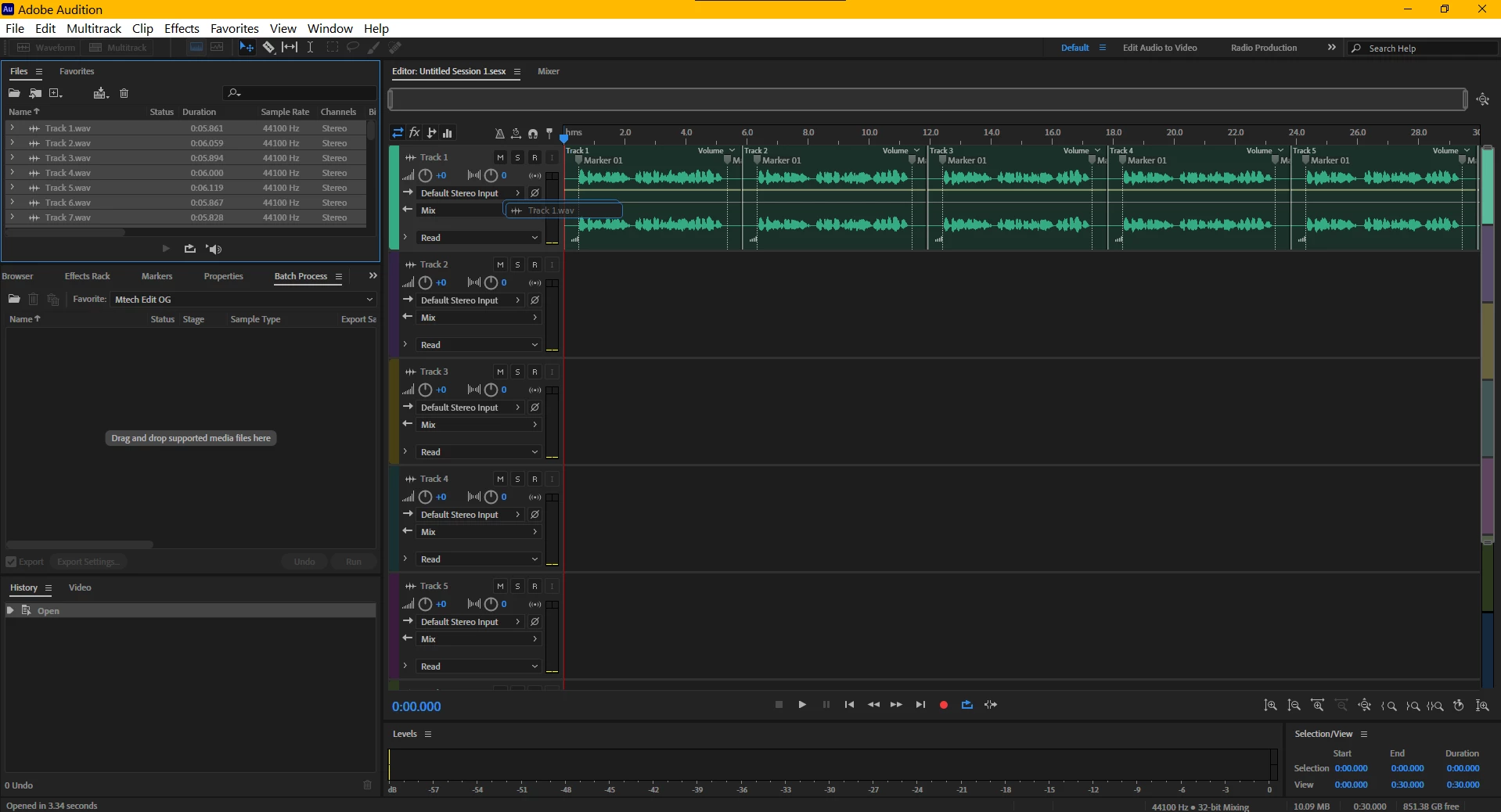
Importing Multiple Tracks while holding the Alt Key (or Option, for mac users)
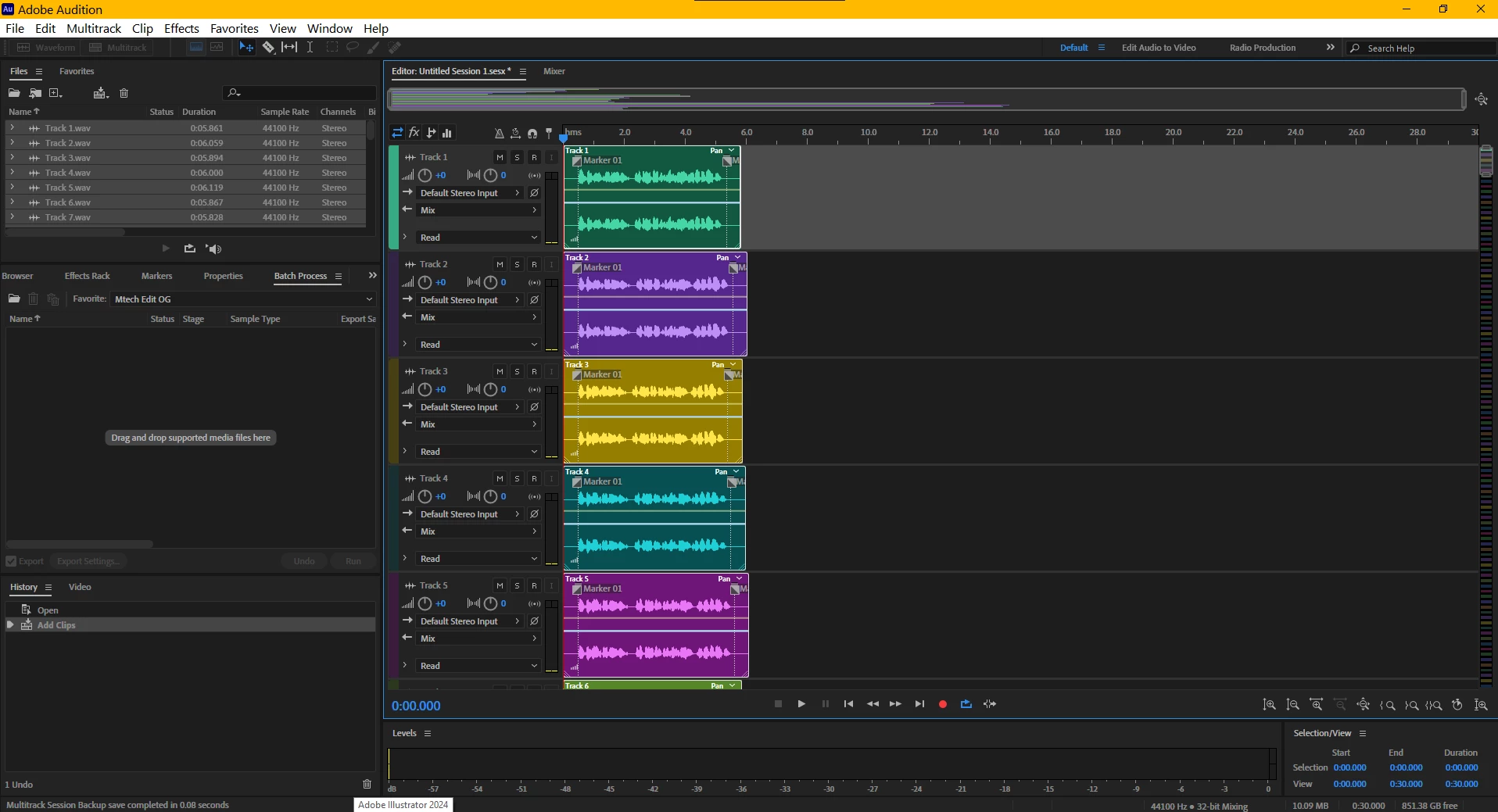
What I am wondering if there is a way to import tracks to the multitrack editor such that each import is on its own track and adjusted in the timeline to the end time of the track directly above it? Like this:
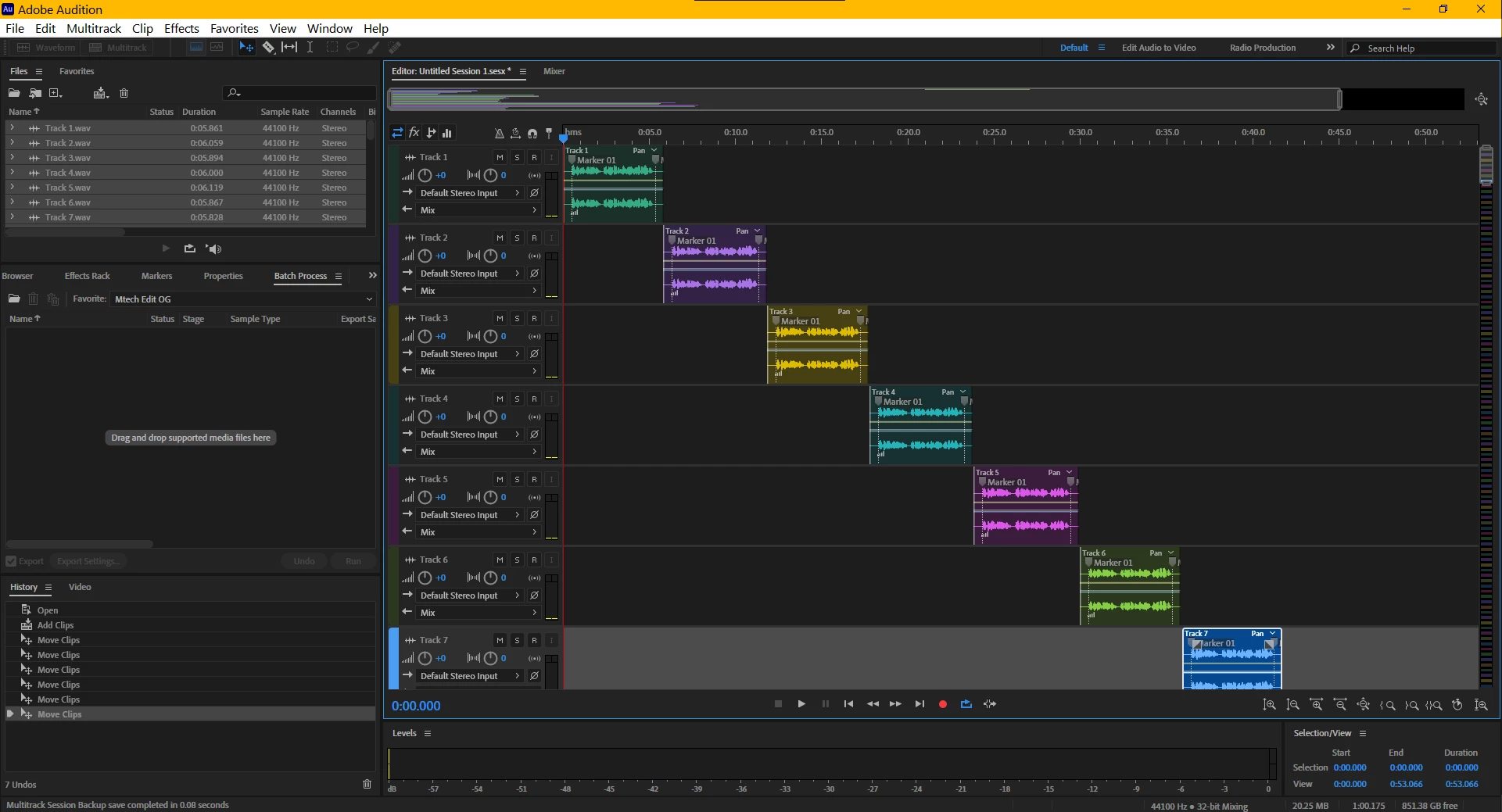
For context, I'm editing recordings consisting of multiple takes. I've already spliced them up and ran a batch process on filters for them and the easiest method for me to listen to the takes when choosing the best one is to stack them like this. However it gets time consuming to adjust their location in the timeline.
If there isn't a way to do this, would Adobe consider implementing a feature like this given that the lengths of the tracks are already handled by the program?
Any advice would be greatly appreciated!
Thanks!

 AdChoices