
Known Participant
January 11, 2018
Answered

Muted clips become unmuted upon merge

  • January 11, 2018
  • 1 reply
  • 533 views

Hi all!

I'm editing a podcast that was recorded in stereo with the two hosts balanced on opposite channels with the intention of a clean edit. As it is, the hosts were sitting about 6' away from each other and are still audible in the other's microphone. I've split the stereo channel into two mono channels:
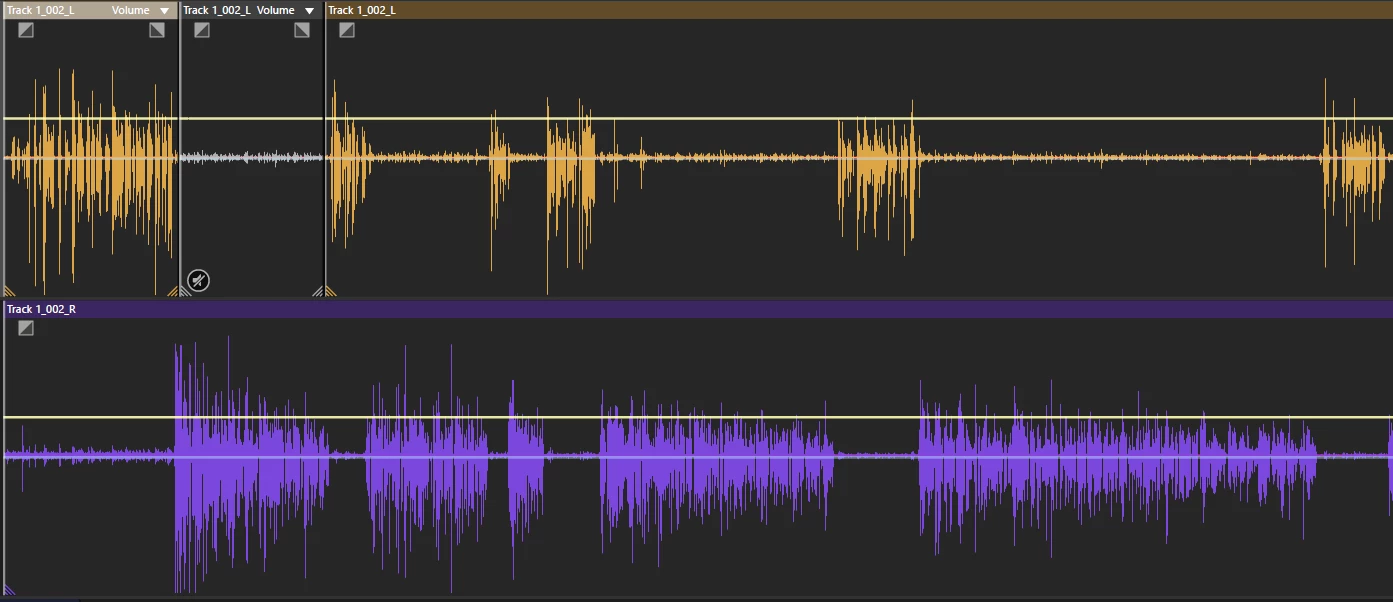
What I'd planned on doing is making edits and muting clips where a host isn't talking into their microphone, but when I merge the track full of muted and unmuted clips (to begin effects processing), it just unmutes everything and essentially reverts to the original, single clip.

My question: Is deleting the clips (like the muted one above) the only way to achieve silence in that section when I merge everything on the track? I really prefer not destroying anything.

Thanks!

Andrew

This topic has been closed for replies.
Correct answer SteveG_AudioMasters_

Well, there are several ways of assembling clips - what you actually do rather depends on you; there isn't really a 'right' way to do it, as such. A lot of people, though, tend to assemble stuff in multi-track view by selecting what they want whilst the track is open in Waveform view and using marker ranges - this generally works quite efficiently, but not necessarily for a podcast.

I haven't yet figured an easy and effective way to set this up yet, but it ought to be possible to do what you want automatically, using the presenter track to 'duck' the guest track - that would save you having to do very much at all! But generally, just dragging the yellow elastic band down is pretty effective.

1 reply

SteveG_AudioMasters_
Community Expert
Community Expert
January 11, 2018

The normal way to mute part of a clip so that the automation reads it correctly is like this (and it survives saves...):

How have you been doing it?

Known Participant
January 11, 2018

I've just been deleting the unneeded clips. Not optimal, I know, but I've always had the master stereo track to fall back in the even that there's an issue.

SteveG_AudioMasters_
Community Expert
SteveG_AudioMasters_Community ExpertCorrect answer
Community Expert
January 11, 2018

Well, there are several ways of assembling clips - what you actually do rather depends on you; there isn't really a 'right' way to do it, as such. A lot of people, though, tend to assemble stuff in multi-track view by selecting what they want whilst the track is open in Waveform view and using marker ranges - this generally works quite efficiently, but not necessarily for a podcast.

I haven't yet figured an easy and effective way to set this up yet, but it ought to be possible to do what you want automatically, using the presenter track to 'duck' the guest track - that would save you having to do very much at all! But generally, just dragging the yellow elastic band down is pretty effective.