
Participant
December 16, 2021
Question

My Adobe Audition Multitrack file which has been linked to pr pro keeps crashing when I open it

  • December 16, 2021
  • 1 reply
  • 348 views

I used dynamic linking, to link my edit from premiere pro to audition in order to edit and adjust the sound, I linked it sucessfully and worked on it for about an hour, then I saved and closed the session to take a small break. After I returned I am now unable to open the Audition file, it opens and when the loading bar reaches 100% it just hangs.
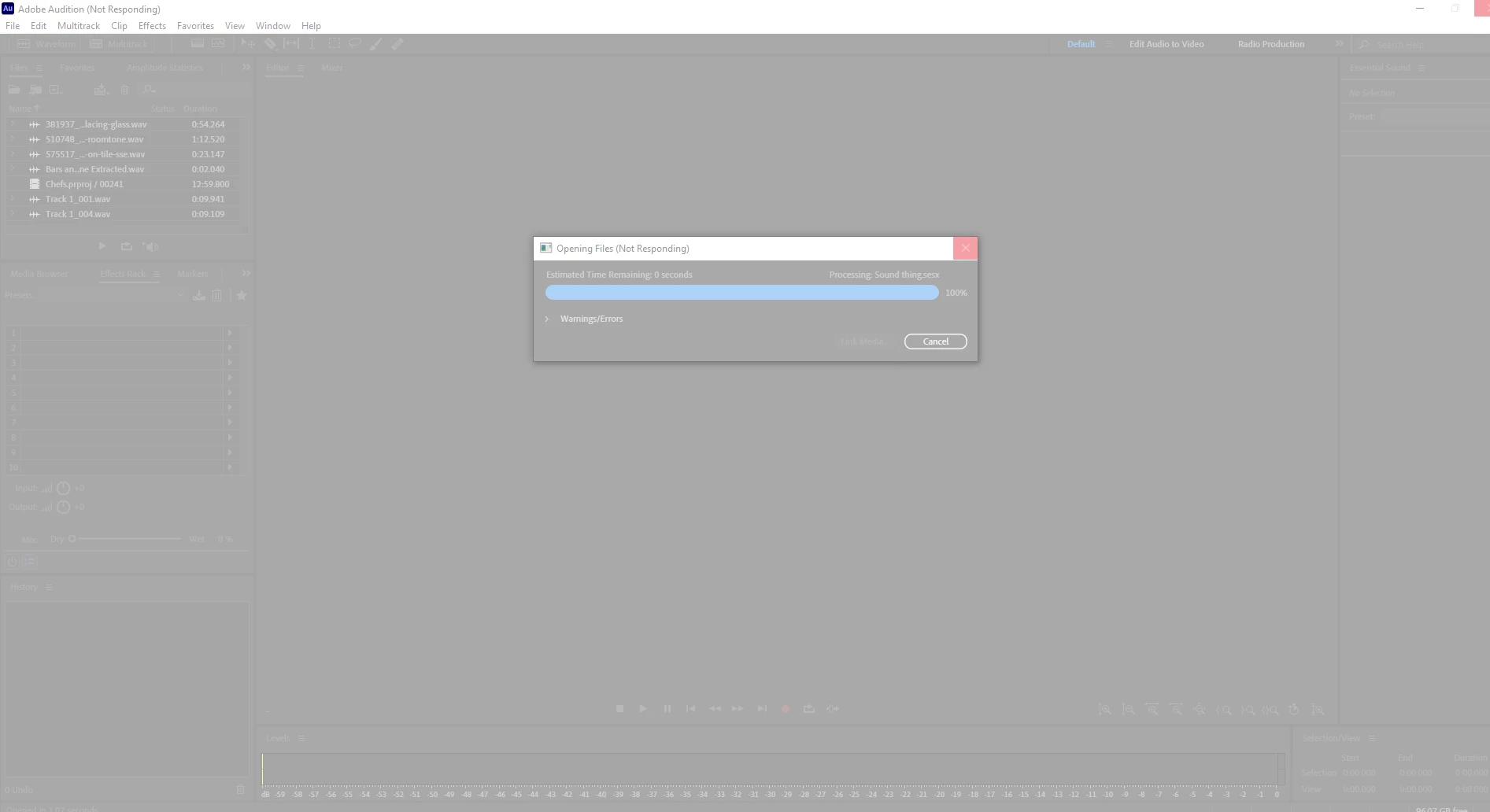
I am not able to do anything about it. Both my softwares are up to date and I restarted my computer three times already. I am using a windows 10 Dell G3 Laptop with an Nvidia GTX 1650 graphics card and an Intel i7 10th gen processor.


This happened two times before and I just relinked everything and started from scratch, but now it's happened again and I can't afford to start from scratch again.

This topic has been closed for replies.

1 reply

SteveG_AudioMasters_
Community Expert
Community Expert
December 16, 2021

A couple of things: if you click on the warnings/errors twirldown in the message, what does it say. This is likely to give a clue as to what's failing. The other thing is - where is the audio data being stored? Is any of it in remote files? It only takes one file briefly not to be available at the moment you re-open the session for it to fail.

Participant
December 16, 2021

I am unable to click the twirl down button, because audition just stops responding the moment I click anything. All files are stored on the computer. I have added bars and tones from premiere pro in order to sync, but that also got extracted from premiere pro.

SteveG_AudioMasters_
Community Expert
Community Expert
December 16, 2021

How exactly are you trying to open the file? I haven't tried, but you may find that it's not going to open the sesx as a stand-alone session, and that it needs the link back to Premiere in order for it to work. Whenever I do anything like this, I try to get it all done in a single session, and even if I have to leave it, I don't close the session.


The other thing that might be worth doing is reposting this on the Premiere forum - there are going to be a lot more people there who do this regularly, and may be able to pinpoint the problem. I've noticed on that forum that there are a few people having re-linking difficulties, and there's even a possibility of a bug although that's unconfirmed.