
Participant
September 23, 2026
Question

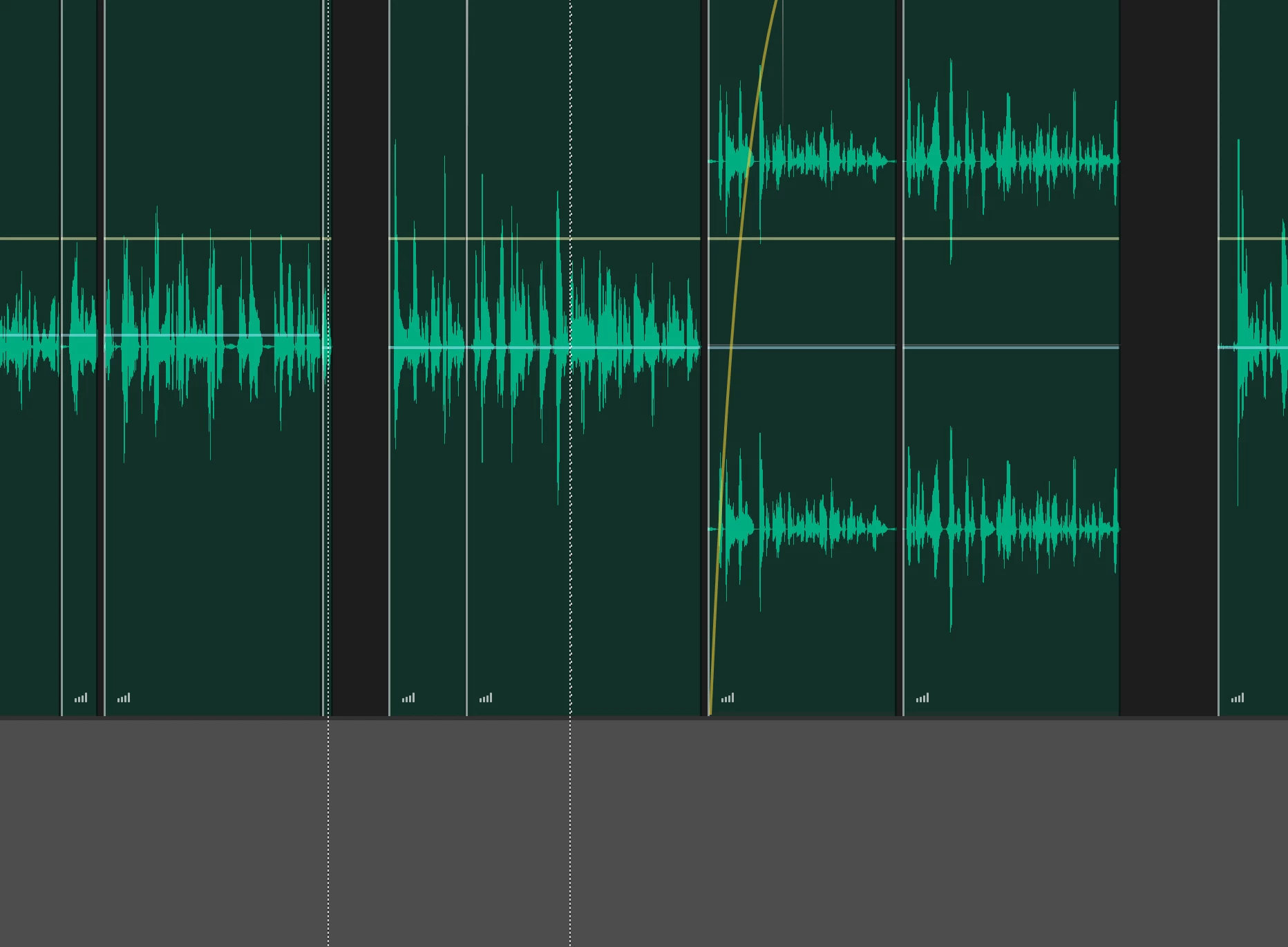
my audition displays stereo tracks as if they were mono
  • September 23, 2026
  • 4 replies
  • 19 views

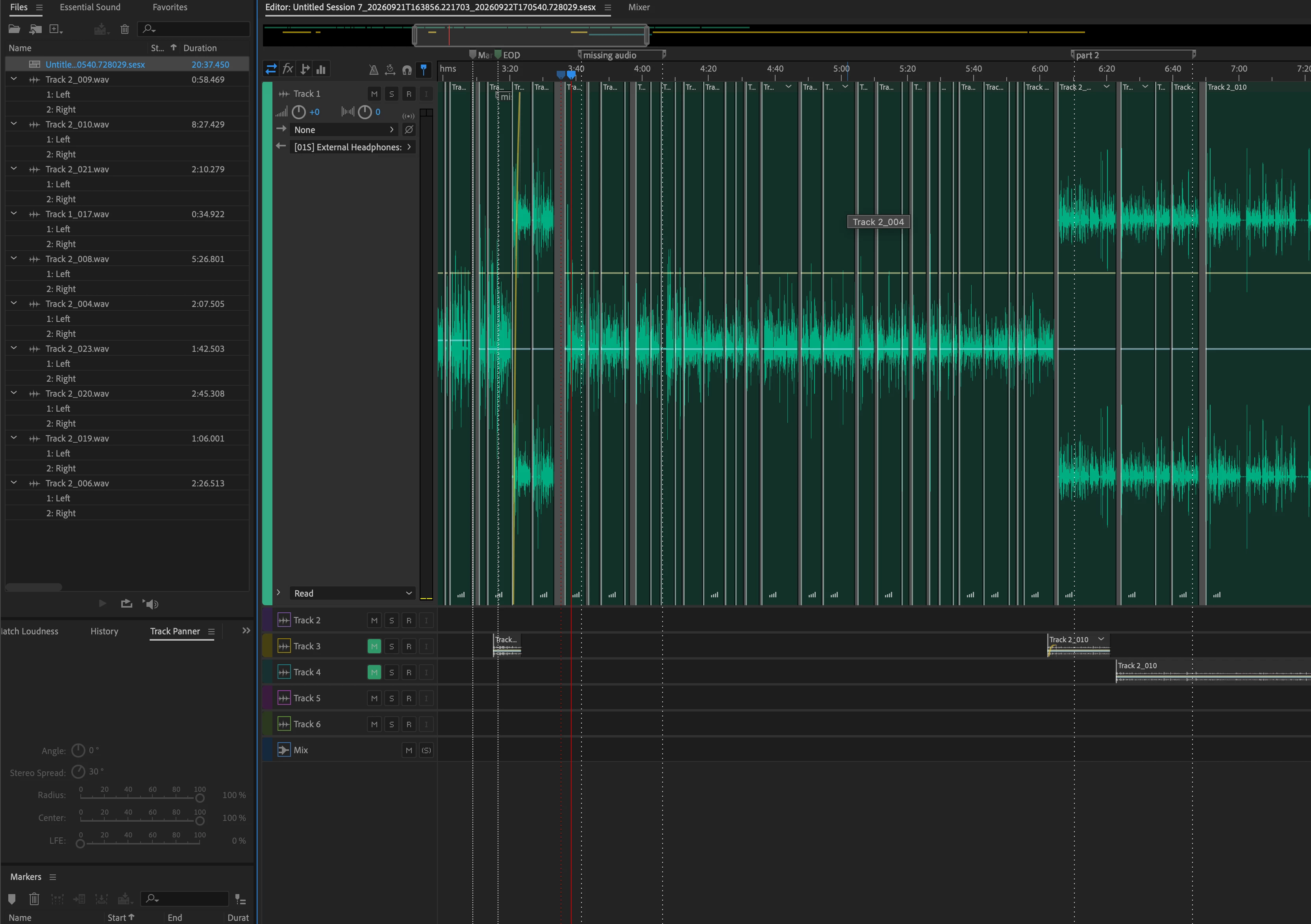
i think i may have misckicked somemething, all of my audio was in streo and half of it turned into mono, i tried going to  Edit > Convert Sample Type, set Channels to Stereo, and click OK. and saved and it still displays them as mono even when they are shown to have a left and right channel in the files panel 
please help, im a bit on a newbie, so i dont understand everything 

    4 replies

    CORCTON34033231
    Community Expert
    Community Expert
    September 24, 2026

    Good news: I watched your video, and the audio itself is fine — in the Waveform editor (around 0:56 in your recording) the file clearly shows both left and right channels. So this is not a bug and the files are genuinely stereo.


    What I can see in your Multitrack session is the real cause: those clips are sitting on mono tracks, and a stereo clip placed on a mono track plays and displays as mono — which matches exactly what you describe (half your audio "turned into mono").


    The fix: add stereo tracks to your session via Multitrack > Add Tracks, choose Stereo, then drag the affected clips onto them. You can spot a mono track by its meters (one meter = mono, two = stereo).


    Adobe documents the mono/stereo track configurations here:

    https://helpx.adobe.com/audition/desktop/mixing-multitrack-sessions/basic-multitrack-controls.html


    Let me know if the waveforms show both channels after moving the clips!

    CORCTON34033231
    Community Expert
    Community Expert
    September 23, 2026

    Hi! It sounds like one channel of your stereo file got disabled — that's easy to do by accident, since Ctrl+Shift+L and Ctrl+Shift+R toggle the left and right channels on and off in the Waveform editor.


    Open the file in the Waveform editor (double-click it), then press Ctrl+Shift+B to enable all channels again. The grayed-out channel should come back and the file will display and play in stereo again.

    Participant
    September 23, 2026

    thanks thats helpful but you can see for your self here, could it be a bug and the audio is fine and in stereo? 


    https://streamable.com/nxkxcc