

My tracks changed during my project from mono to stereo
Hello-
I am EXTREMELY new to audition, so bear with me in my question.
I am quite familiar with Adobe Premiere but have started a podcast that I want to edit in Audition. I had set up a multitrack clip (48000, stereo, 32 (float) that looked like this:

Track "Amber" and "Ryan" are from a single stereo recording (recorded using a Zoom H4N) , however, I had set up Amber to be the right channel only, and Ryan to be the left.
After I had finished the edit, I must have pressed something - though for the life of me I cannot figure out what, because my tracks suddenly looked like they were stereo channel. NOTE: there was no "undo" option or level to go back to in the history panel. I may have hit a keyboard stroke mistakenly, but I need to know what I did so as not to make that mistake again.
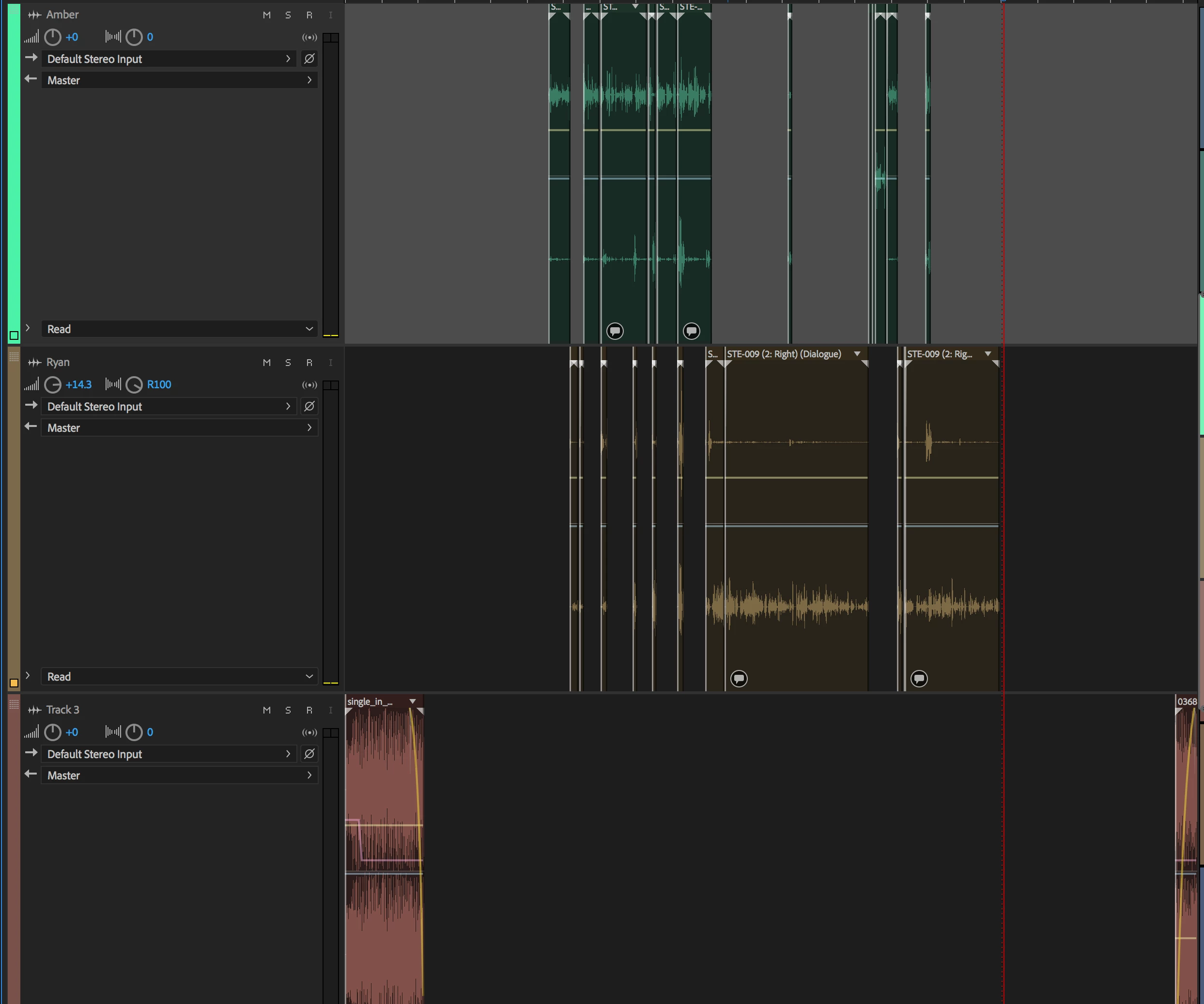
The only way this newbie could figure out how to fix this, was to cut and paste and rebuild the segment. But if you can believe it, after rebuilding the mono tracks over the stereo ones, it actually happened AGAIN!
So what could I be doing, and is there a way to undo this change?
My experience with working in Adobe Premiere has taught me to constantly do a "save as" on the project so that you can revert to a previous version. So that is my new workflow.


 AdChoices