


SSP
Known Participant
April 2, 2020
Question

Naming Clips (Context: Creating Podcast Highlights)

  • April 2, 2020
  • 1 reply
  • 210 views

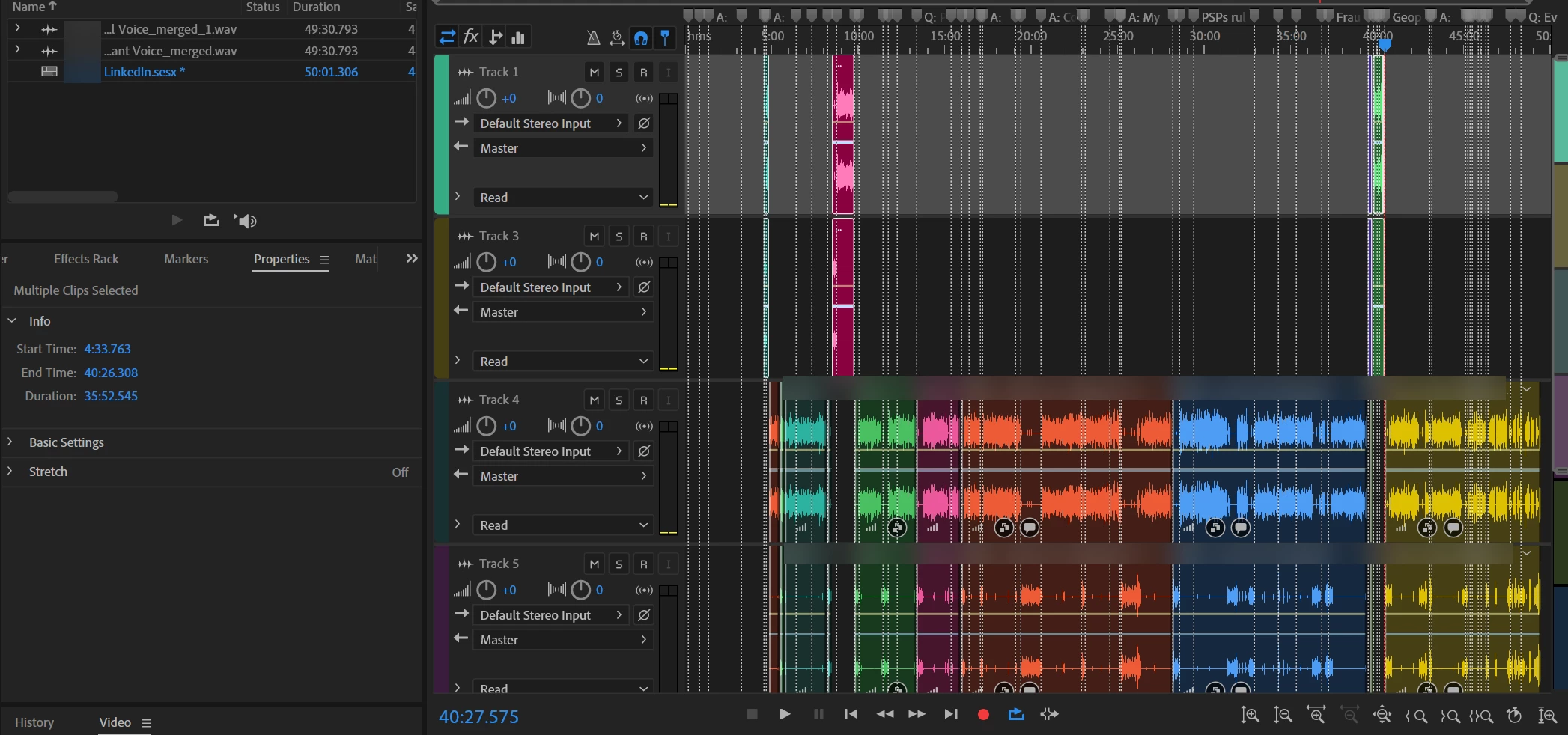
I create short highlights versions of my Podcasts for Social Media using clips (see attached screenshot where a clip I need to use is on Track 1 and the rest of the full Podcast is on the lower Track).


Can I name the clips so that when I move them around I know what they are? (i.e what questions or conversations they are).


The problem is that the Markers don't move with the Clips. I can't figure out a way to permanantly link the markers to the clips. I don't know how to solve this problem.


This is really important because, for example, LinkedIn has a 10-minute video limit, Twitter has a 2m:20sec limit for video. I need to be able to quickly re-arange content with questions that make sense and flow properly.
 

This topic has been closed for replies.

1 reply

SteveG_AudioMasters_
Community Expert
Community Expert
April 2, 2020

You can only attach a name to a marked section of a file in Waveform view. If you use markers in Multitrack, then it's just the timeline you are marking, not the clips.


In a way, in your case this has come about because you are sort-of using Audition backwards. The way that it was envisaged to be used from the POV of clip naming was that you made your selection from the original in Waveform view as a range, and gave that range a suitable name in the marker panel. If you right-click on any given range in the list, there's an option to export it, with the name attached, into your Multitrack session. When you export a clip like that though, it's only the marker and name that you export, not the actual clip itself. This means of course that you can modify it in Multitrack if you need to, but it doesn't make it any easier to use in a different session.


The only way I can see of doing what you want to may not actually be a bad solution - you'll have to see. If you right-click on any clip, you get an option to save it as a unique copy. This will create a new wav file of just the trimmed contents of that clip. The only real snag with this is that it really is just the trimmed contents - you won't be able to increase the length of it like you could with the original. But it would give you the option to create a highlights session without difficulty, I would have thought.