
Need setting so I can drag 2 or more files into timeline with each file adding to separate track
Hello!
I would like to select 2 or more Zoom dialog files (in this instance, it's 3 files from 3 different mics) and drag them into the timeline, where they drop onto separate tracks (I then group tracks to retain the sync). See below...Zoom files on my computer at left and them on the timeline as desired on the right.
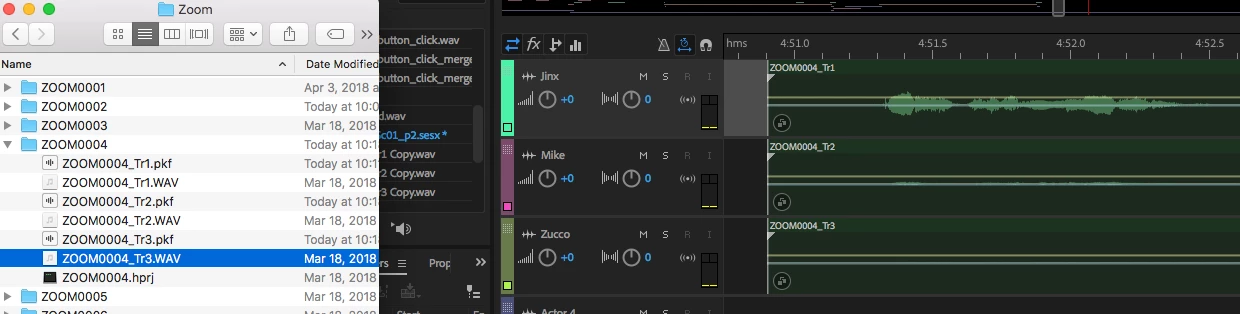
I used to be able to do this -- I used to select the 3 files together and drag them into the timeline and they appeared on 3 separate tracks. I assume I accidentally messed up some setting, but I don't know how to fix it. Currently if I select the 3 files and drag them over, they drop onto 1 track sequentially.
Does anyone know the setting to drag multiple files into timeline and have them drop on separate tracks?
Thank you!!!!
Aimee


 AdChoices