

Question
New Mac's audio channel settings won't record one mono track as needed
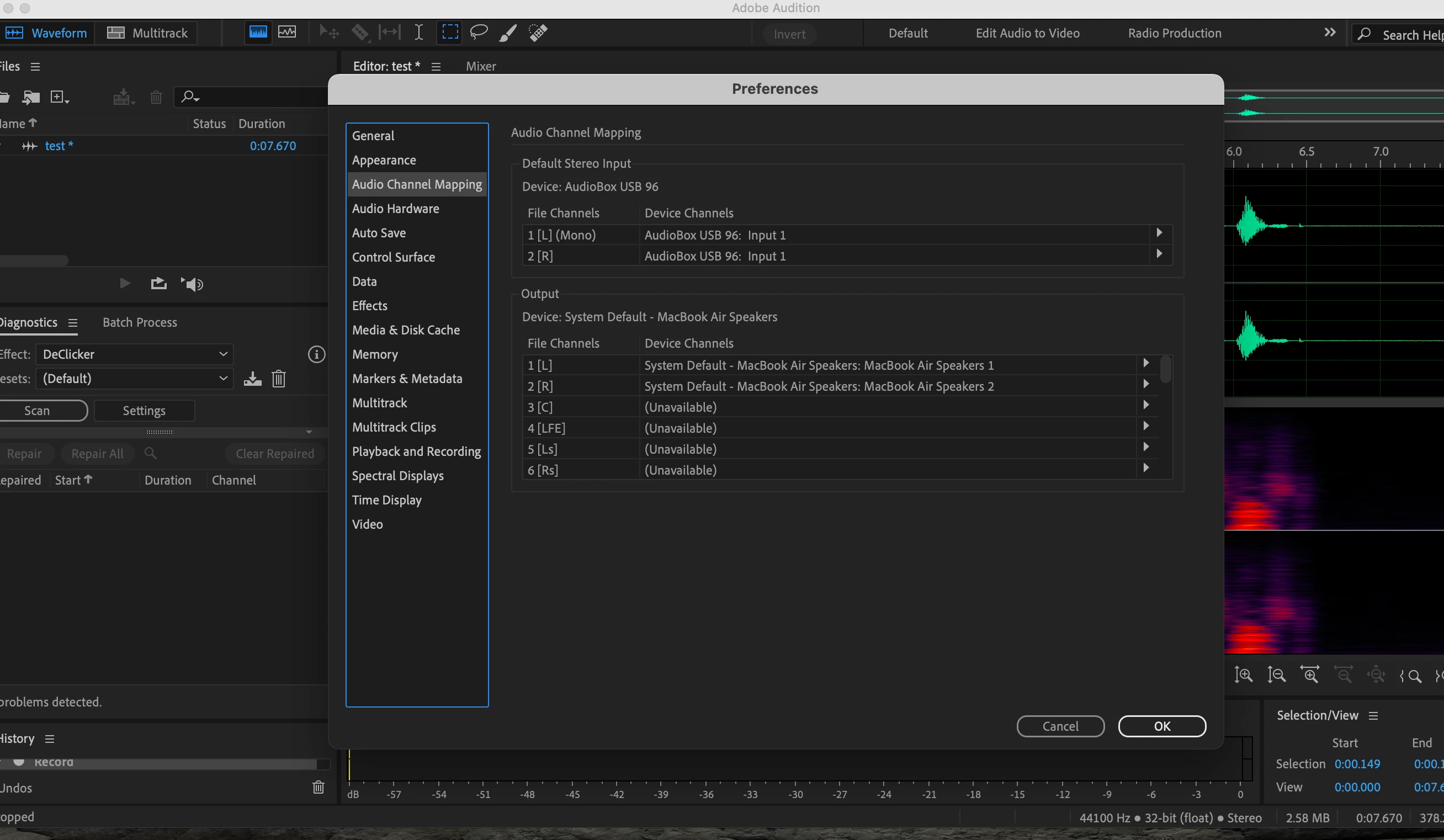
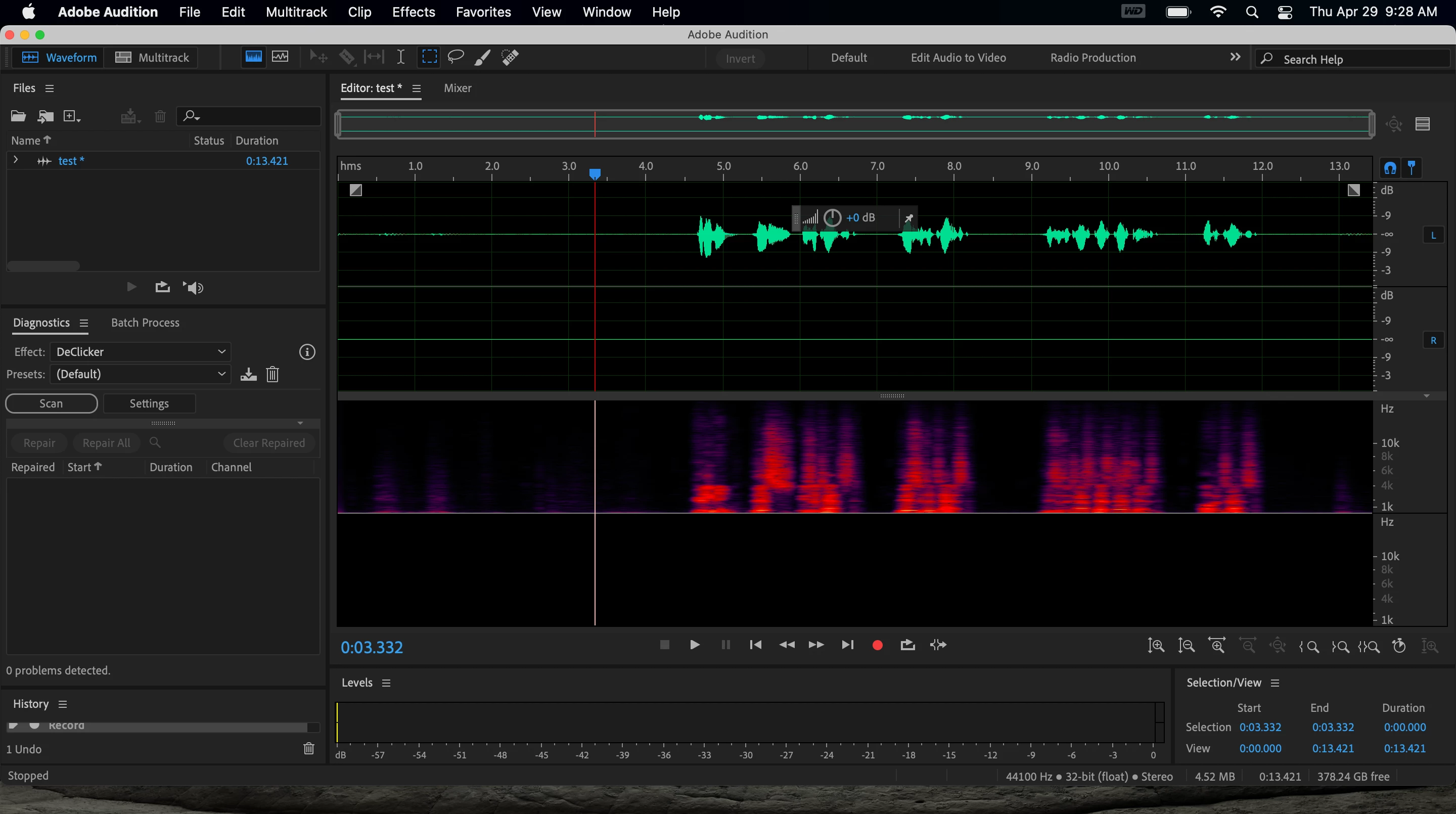
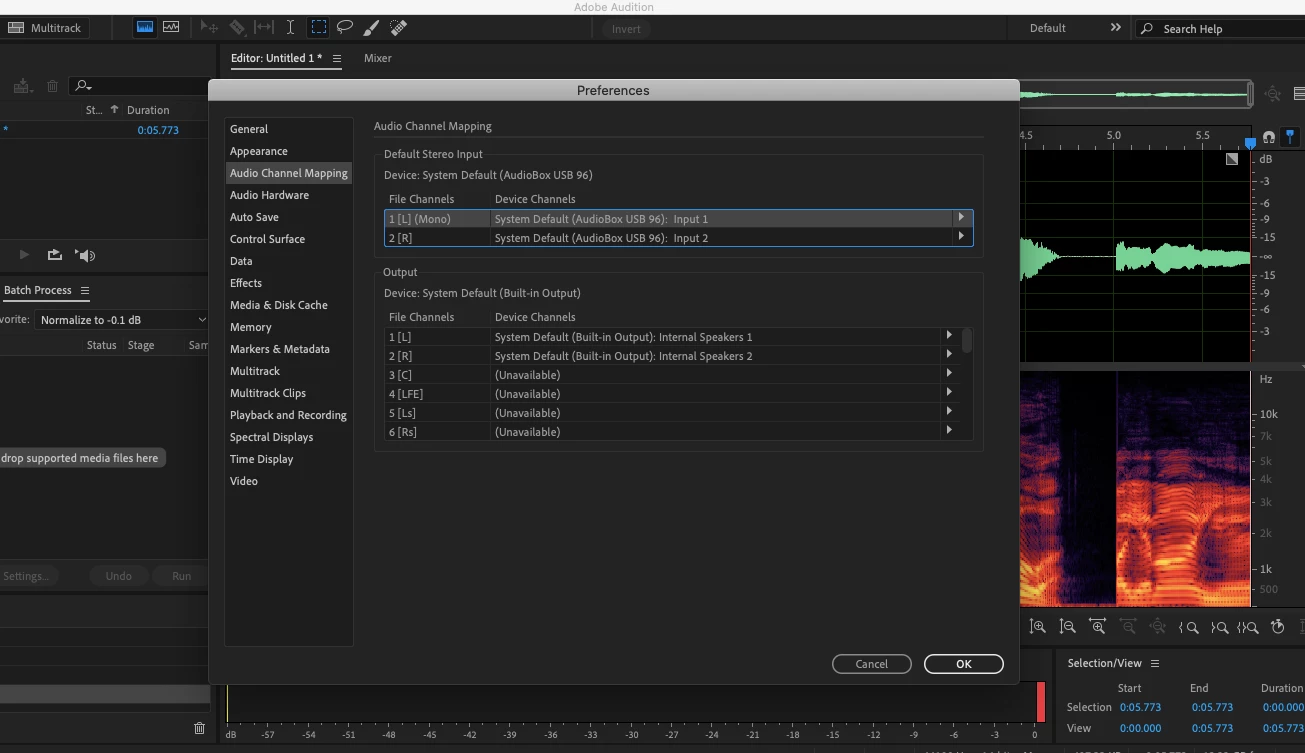
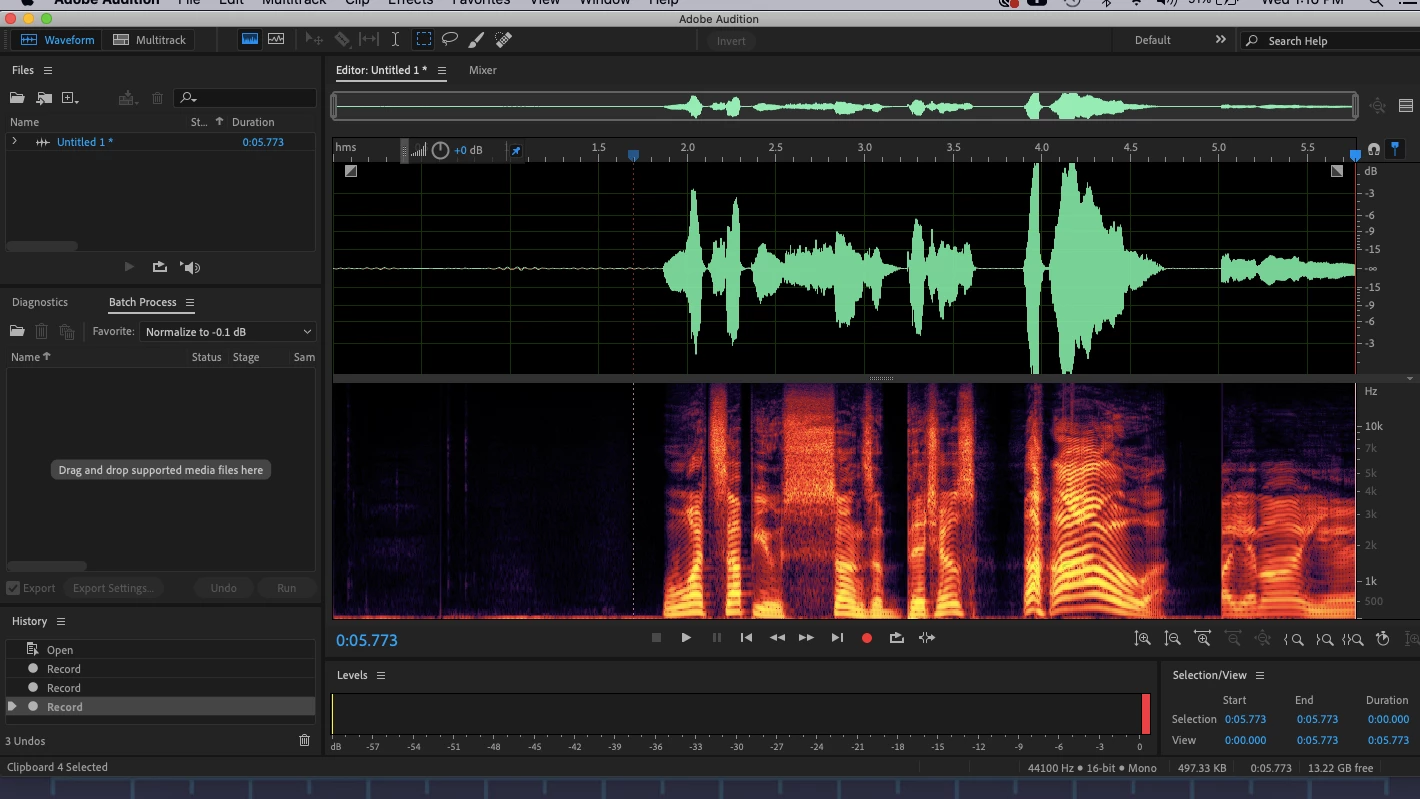
Hello. I'll start off by saying I'm new to the world of audio engineering. I'm a voice actor and I use Adobe Audition to record voice tracks. I just bought a new Macbook Air with macOS Big Sur 11.2.3. I've tried to setup Audition to begin using the new Mac for work, but somehow even with matching settings to the old Mac (Macbook Air OS Cataline 10.15.7) ,Adobe Audition is showing two channels of audio as if recording in stereo. I want to record in mono but it's not letting me? I am confused. I'm attaching screenshots of the settings and audio waves from both the old and new Mac to see if anyone can help me figure out how to fix this issue and record the way I always have. Thanks!


 AdChoices