Inspiring
September 18, 2019
Question

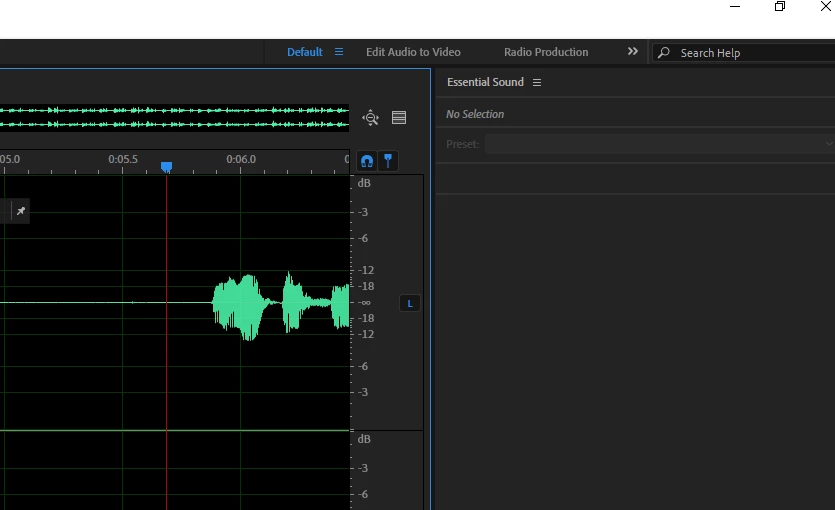
New to Audition. How do I use the Essential Sound panel?

  • September 18, 2019
  • 1 reply
  • 1988 views

I cannot figure out how to use this panel. No matter what I do it says "no selection" even though I have a recording open. 
    This topic has been closed for replies.

    1 reply

    SteveG_AudioMasters_
    Community Expert
    Community Expert
    September 18, 2019

    It only works in Multitrack, not Waveform view - and you have to make a selection.

    Inspiring
    September 18, 2019

    Got it! Thanks. So...dumb questions as I'm a total newbie. After I apply the presets from Essential Sound, how do I get it back to WAV form to edit? When I switch back and forth between the windows currently, the tracks do not sound the same.


    Or do I cut the track up and then apply the presets to each clip?


    Essentially I have one long wav file that needs to be broken up into about 25 seperate tracks (of files) as each one will be inserted into a seperate PowerPoint slide. 


    SteveG_AudioMasters_
    Community Expert
    Community Expert
    September 18, 2019

    I think that you need to look a little more closely at how Audition works - there are huge differences between what happens in Multitrack and Waveform views. If you open a file in Multitrack and apply effects to it, this won't affect the original file at all - you'll only get a file with effects if you mix down what you did - that you can open in Waveform view. When you think about it from that point of view, it's easy to see why they sound different - one has multitrack playback effects added and the original one (which is in Waveform view) doesn't.


    The reason for this is that Multitrack is non-destructive - basically it's a posh file player with effects added. When you've got it sounding the way you want, you either export or mix the file.


    For doing what you want, there are several alternatives - it rather depends upon what you want the result to be. For instance, there's nothing in the Essential Effects panel that can't be applied to a file in Waveform view - it's just that you don't do it the same way. You could, for instance create a preset in the Waveform Effects rack to do whatever processing you want, and not bother with Multitrack at all. Then you could apply it to the whole file, and cut it up afterwards. And you can make the cutting up process easier as well by using markers, and batch-processing them into individual files all in one go... there really are a lot of options here!
