
Participating Frequently
November 6, 2018
Answered

No monitoring in waveform editor

  • November 6, 2018
  • 1 reply
  • 6508 views

God evening!

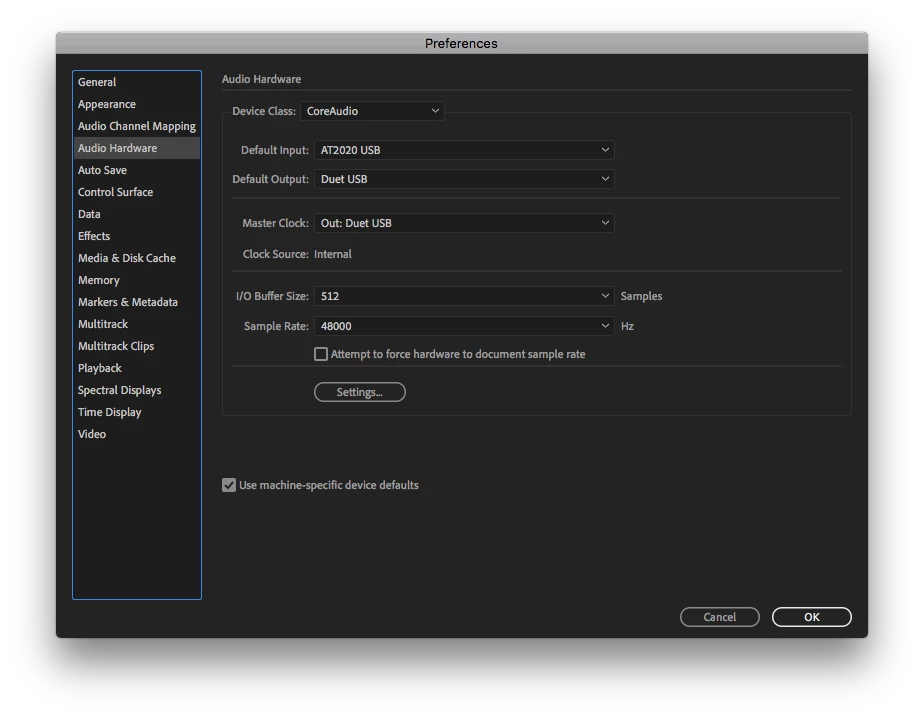
Late night here in Sweden and my Audition CC (latest update) no longer monitors sound when I create a new Audio File, I can only hear sound in my headphones after I have recorded something. Guess I must have pressed some button or key to disable monitoring incoming sound.

I'm on a mac 10.13.6

Latest version of Adobe Audition CC

Audio Technica USB-microphone for input

Apogee Duet 2 for output.

Also, I have not used Audition at home for quite som time so I guess it might be an update issue?
    This topic has been closed for replies.
    Correct answer ryclark

    Yes absolutely sure. Audition, and even CoolEdit before, has never had any means of directly monitoring the incoming audio whilst recording. The meters do show the incoming audio levels but there is no audio output from Audition whilst recording. it is all down to your audio interface device providing any input audio reaching your headphones or monitor speakers. The Multitrack view does however have input monitoring available. But it is not always good to use this since any latency between input and output may be noticeable and undesirable.

    1 reply

    ryclark
    Participating Frequently
    November 7, 2018

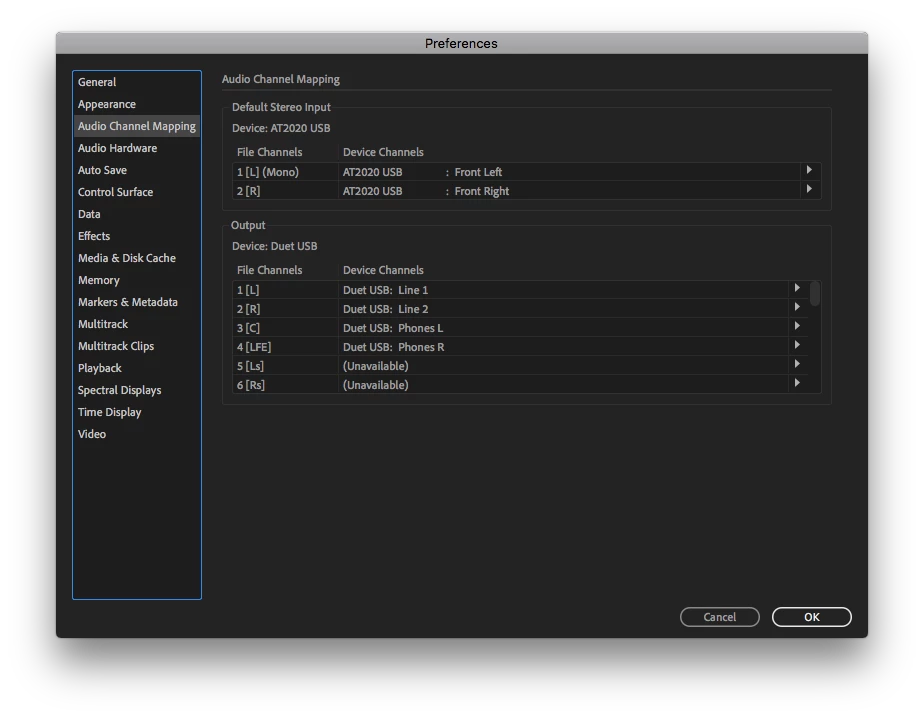
    Audition itself doesn't provide input monitoring when recording in the Waveform view. That is down to your Mac's Audio/MIDI set up to send 'what you hear' to the correct output. I notice in Audition's Audio Channel Mapper the Headphone output of the Duet is only selected for surround C and LFE. You should probably have the L/R output sending to Headphones also if you want to hear your normal stereo recordings.

    Participating Frequently
    November 7, 2018

    Are you sure?

    I have had the functionality for years. I'm doing mostly "radio" one track recordings and it has never been a problem before. I'ts a shame I haven't used Audition on my mac at home for some time, we have it running on a PC at work where I do most of my recordings. And as far as I can recall I have not updated the MacOS or done any changes in Audio/Midi Setup for a long time.

    I have tried to shift D, LFE, L and R, no luck.

    ryclark
    ryclarkCorrect answer
    Participating Frequently
    November 7, 2018

    Yes absolutely sure. Audition, and even CoolEdit before, has never had any means of directly monitoring the incoming audio whilst recording. The meters do show the incoming audio levels but there is no audio output from Audition whilst recording. it is all down to your audio interface device providing any input audio reaching your headphones or monitor speakers. The Multitrack view does however have input monitoring available. But it is not always good to use this since any latency between input and output may be noticeable and undesirable.