
Question
Noob question on manual pitch editing
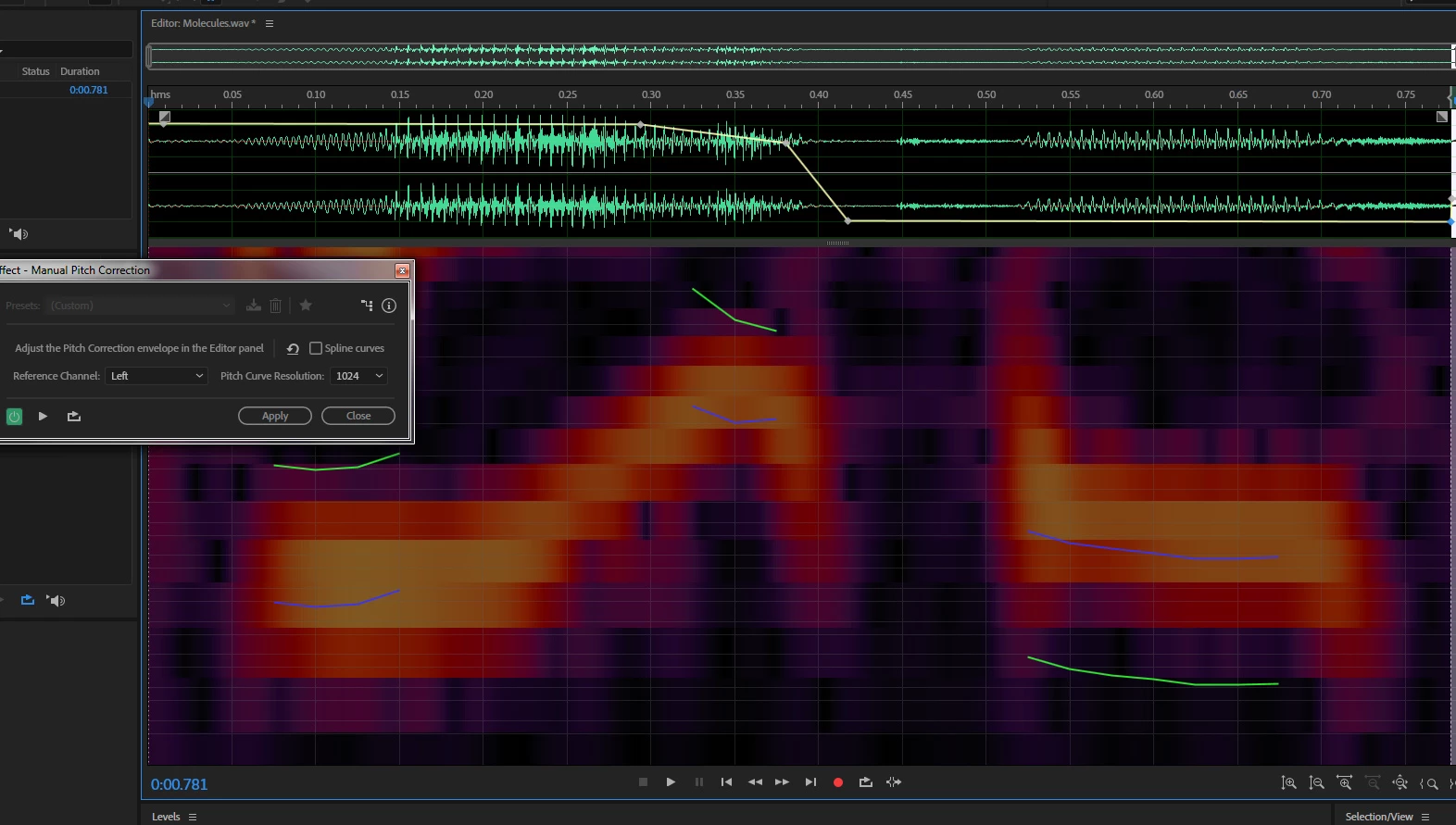 I have Abobe Audition CC 2018 and I'm trying to learn how to correct pitch manually. I'm following a youtube video ...
https://www.youtube.com/watch?v=Bu2EoniPMDQ
... that's based on CS6, but the interface looks the same as mine.
I can set all the keyframes and adjust the pitch using the yellow line and my changes show up on my spectral pitch display in the form of the blue and green lines. But I hear absolutely no audible difference in my audio! Whereas in the YT example you hear it right away when he makes them.
I've attached a screenshot of what I'm doing. I've also tried closing the manual pitch correction dialog box with the "Apply" button but that had no audible effect either.
Any suggestions? Thanks in advance!


 AdChoices