
Participant
May 24, 2018 12:17 PM UTC
Answered

Phonetogram: how can I analyse my voice with Adobe Audition?

I'd like to make a phonetogram* of my voice, in order to analyse what its reach and volume-per-semitone is. Is there an option in Adobe Audition to do this?

An example: Phonetogram-6-months-post-laser-treatment-showing-increased-frequency-and-intensity.png

*A phonetogram displays the dynamic range of the human voice in terms of both fundamental frequency ( pitch ) and intensity (loudness). This display can be useful in identifying the limits of vocal function. (source)

This topic is closed to new replies. Start a new post to keep the conversation going.
ryclark
ryclarkCorrect answer
Participating Frequently
May 24, 2018 3:21 PM UTC

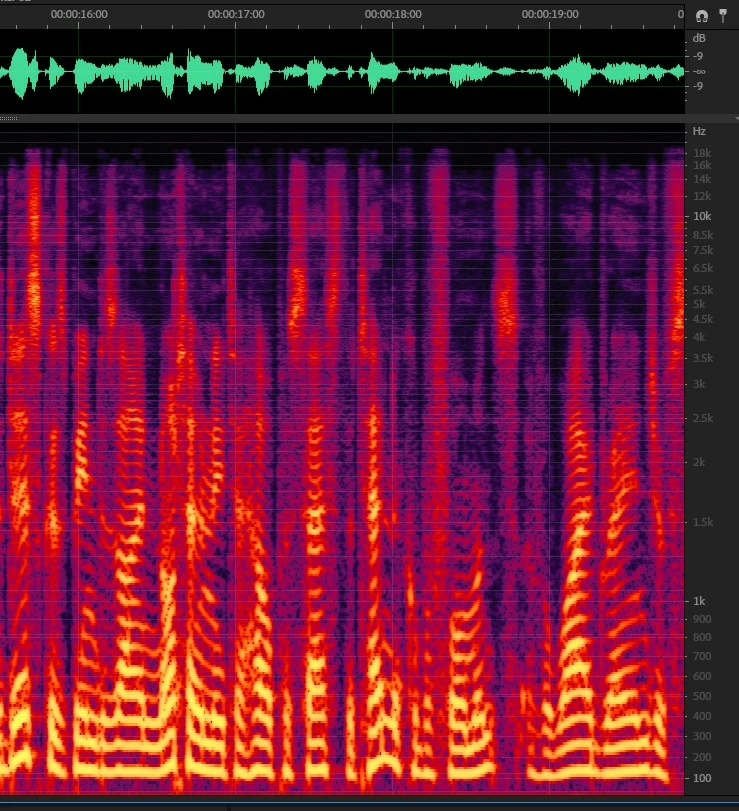
Audition doesn't have a 'phonetogram' feature as such. However it's Spectral Frequency Display can give you a time v. frequency v. level display.

5 replies

ryclark
ryclarkCorrect answer
Participating Frequently
May 24, 2018 3:21 PM UTC

Audition doesn't have a 'phonetogram' feature as such. However it's Spectral Frequency Display can give you a time v. frequency v. level display.

Translate
SteveG_AudioMasters_
Community Expert
Community Expert
May 24, 2018 6:44 PM UTC
Participant
May 25, 2018 7:50 AM UTC

Thanks! I'll try that (if I can find a Windows-machine somewhere laying around ).

Translate