VoiceGuy15265293
Known Participant
April 7, 2023
Question

Popping in Mix Paste

  • April 7, 2023
  • 1 reply
  • 594 views

I'm editing an audiobook narration on a Windows machine, audio is 44.1/16.   


I have a :30 sample of "room tone" on my clipboard.


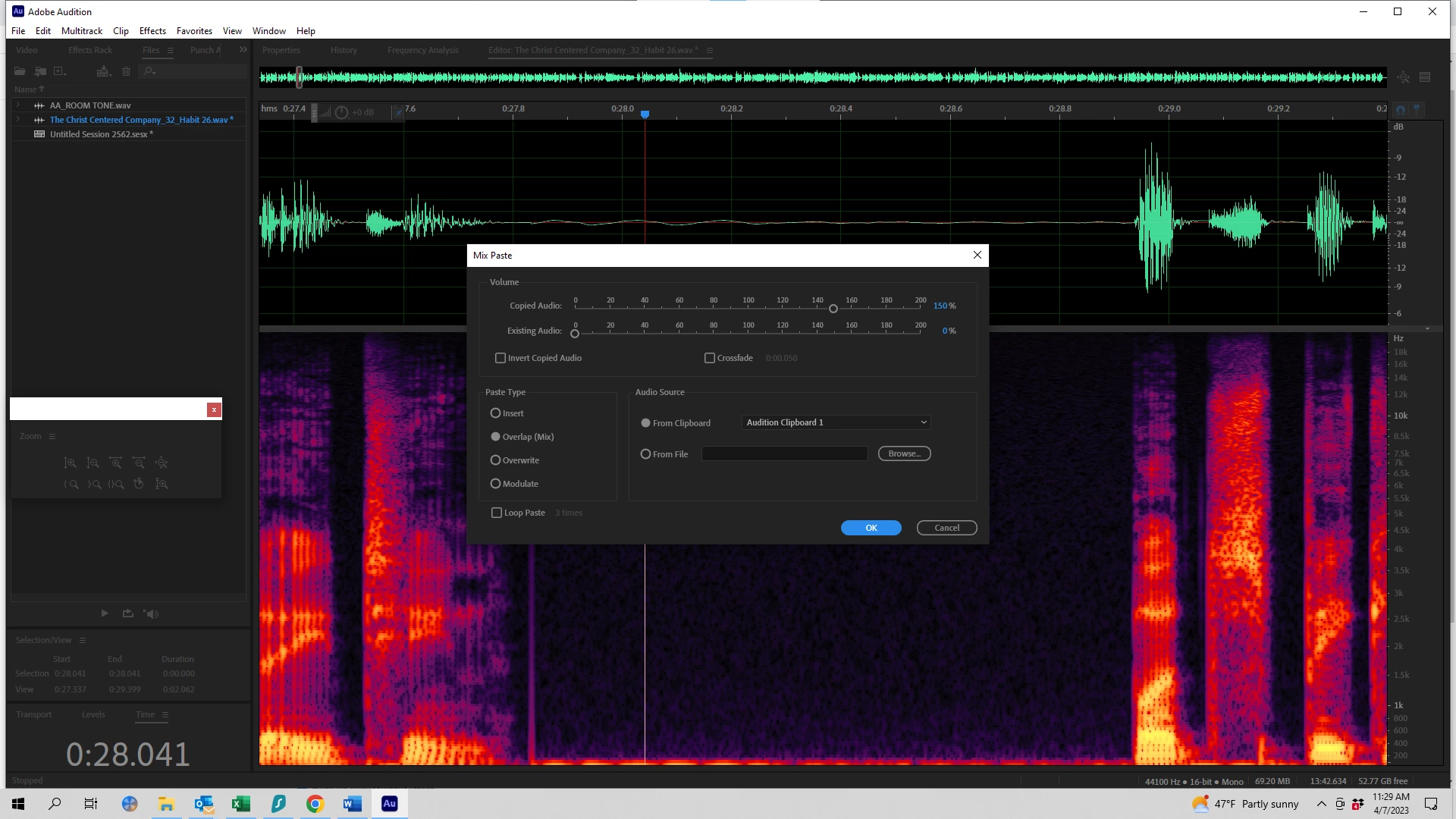
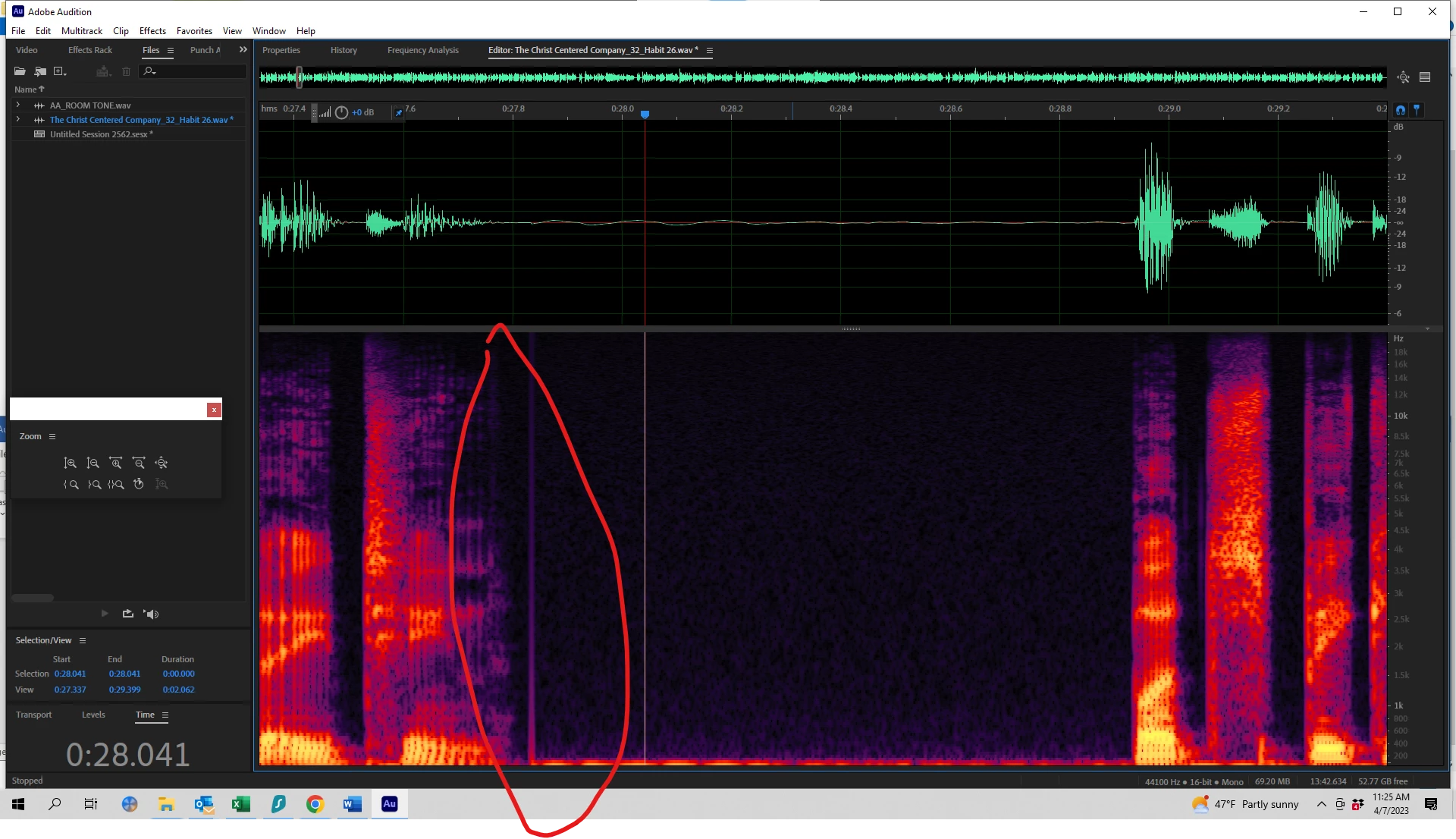
When I go to "mix paste"/auto heal a pause with a breath or booth noise, and "mix paste", I'm getting a "pop" in the filled segment (usually at the beginning of the segment).  Screenshots of an example of the "pop" as well as my mix-paste settings.  Thank you!


This topic has been closed for replies.

1 reply

SteveG_AudioMasters_
Community Expert
Community Expert
April 7, 2023

That looks like a zero crossing error - there's a step jump in the samples. You might be able to get rid of it by setting the snapping to 'snap to zero crossings', but there are two better things you can do; firstly make sure that your room tone file starts and ends with the signal at minus infinity (this is what a zero crossing is) and secondly, create more room tone in Multitrack view, where you can create it much more effectively by using two tracks and overlapping them - or using a single track and crossfades. Mix-paste can't do that!

VoiceGuy15265293
Known Participant
April 10, 2023

Hi Steve & thank you for the reply.   

Pardon my ignorance, but "start and end with the signal at minus infinity" - does that mean to bascially inject "silence" at the front and back of the room tone?   I like the multi-track suggestion and will look at that as well. 

Thanks again! 

SteveG_AudioMasters_
Community Expert
Community Expert
April 10, 2023

No it doesn't have to be silence. If you look at the waveform, you'll notice that positive excursions are generally followed by negative ones (where it dips below the centreline). The zero crossing point is where it crosses from positive to negative.  If what you are trying to loop starts and ends with a value that is different, then at the looping point there will be an abrupt jump, and that's what produces your artifact. Normally it's easiest to arrange the start and end point of your loop to be at a zero-crossing point, but they don't absolutely have to be - it just has to be a smooth transition. You do have to be a bit careful though, as the rate of change of the waveform at the looping point can also make a difference to what you get in the way of an artifact, and it's not unusual to have to spend some time getting good looping points with nothing dodgy happening.


But as I said, this is generally much easier to achieve in Multitrack view, using crossfades.