
Participant
July 16, 2025
Question

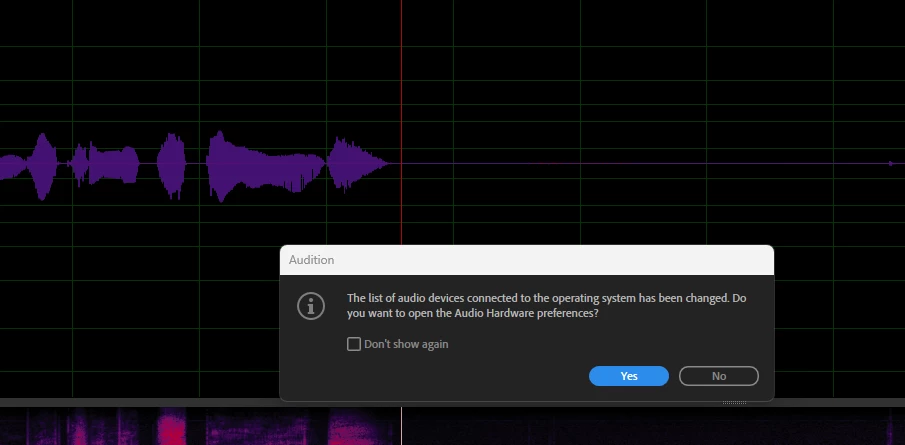
Popup stating audio devices has changed

  • July 16, 2025
  • 2 replies
  • 116 views

Hi team

I was on vaca for 2 wks, started up adobe audition versuin25.3.0.71 and now I'm getting a popup window about every two hours or so stating: 'The list of audio devices connected to the operating system has been changed. Do you want to open the Audio Hardware preferences? I did not have this message before my vaca. I click yes, and I have to re-choose Device class: ASIO / Device: Focusrite USB ASIO etc and then also correct my Audio Channel Mapping Device Channels.  What is causing this to happen and how do I fix this so that it doesn't happen again? I'm hardwired into my router and I have a new laptop. Thank you all!


2 replies

SteveG_AudioMasters_
Community Expert
Community Expert
March 16, 2026

If, when you turn the laptop off, you don’t unplug the Focusrite, and then turn the laptop on again and restart Audition, does the same thing happen?

If that works okay (ie, it starts with the Focusrite and the ASIO driver), then the issue would be that Windows isn’t finding the (Focusrite) device that was previously connected, and and reverting to the default one in the laptop. If this does turn out to be the case, then the only option is to make sure that the Focusrite is plugged in before you start the laptop. What causes this to happen is Microsoft’s Active Sensing, which appears to be behaving differently to the way it was. I have no idea why this would be, I’m afraid.

Known Participant
March 16, 2026

did anyone ever reply to this?   what was the solution?