jfl70592962
Participant
July 4, 2017
Question

Premiere Pro CC markers don't show up in Audition??

  • July 4, 2017
  • 2 replies
  • 1756 views

Bonjour, Hey y`all,

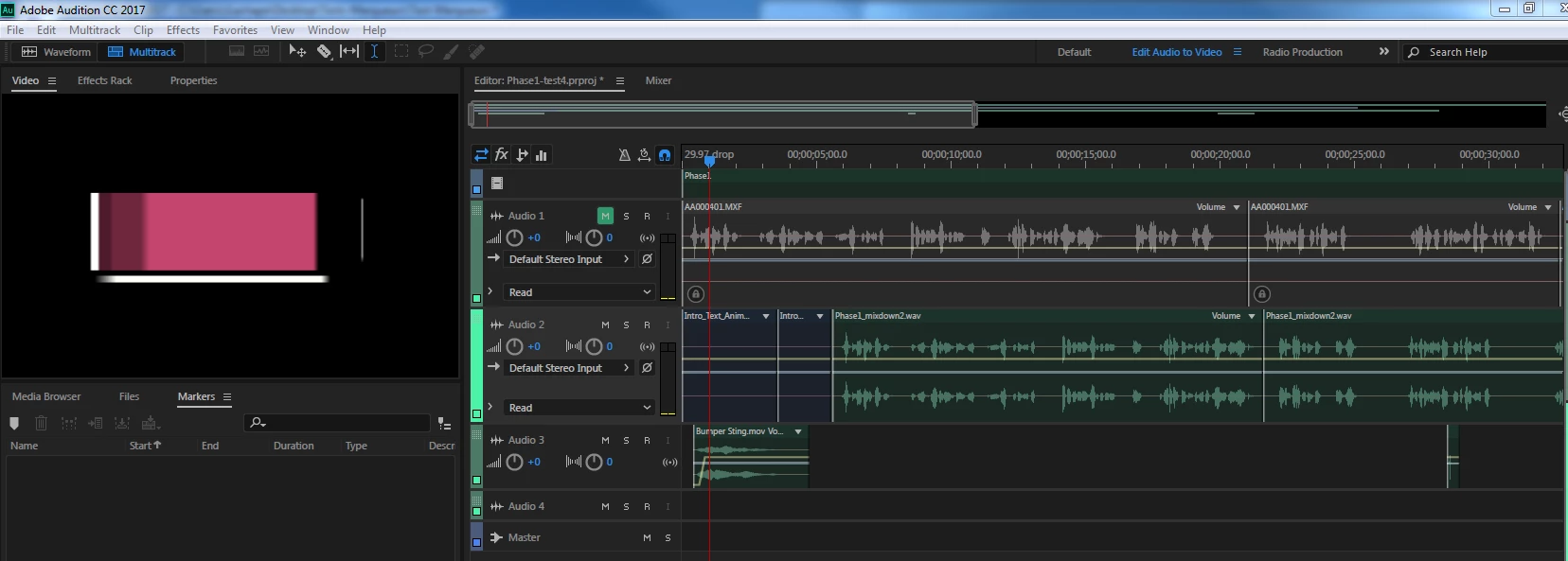
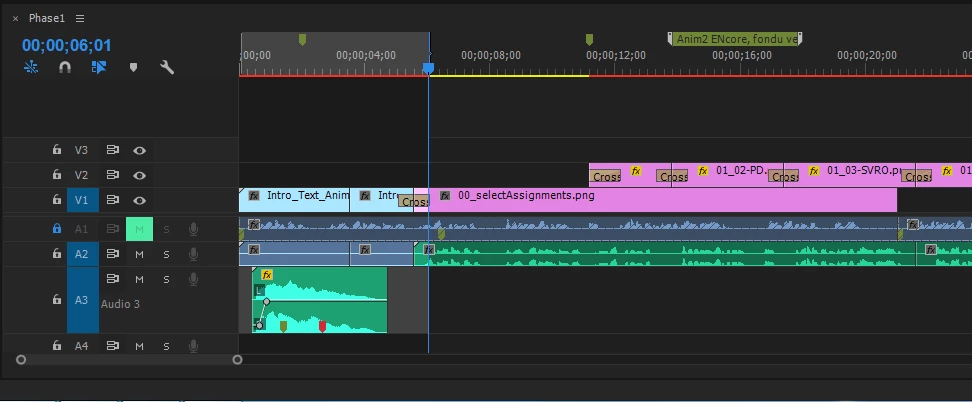
I've placed various test markers on my PP sequence and they won't show up in AA when I export said sequence using Edit > Edit in Audobe Audition > Sequence (see screenshots). I've tried different types of markers (Comment markers, then Chapter markers) as well as placing markers on the clips instead of on in the sequence. Niet.

I've done 20 min. worth of Googling & researching on this to no avail. Any tips or workarounds would be greatly appreciated.

Cheers,

JF

Premiere Pro CC 2017 Build 11.1.2(22)

Audition CC 2017 Build 10.1.1.11

Windows 7
This topic has been closed for replies.

2 replies

jfl70592962
Participant
July 6, 2017

@ryclark: Thanks for the info re. different marker system. Good news: I've managed to find a workaround from our friends at Prestopod: https://prestopod.com/import-markers-into-adobe-audition/. It's far from optimal...but it works

ryclark
Participating Frequently
July 6, 2017

Thanks for letting us know the work around. Can you export markers from Premiere into a .csv file in the similar way to Audition's Export Markers?

jfl70592962
Participant
July 10, 2017

Hey ryclark,

"Can you export markers from Premiere into a .csv file"

- See link to Prestopod's article above. It's all there.

'plaisir,

JF

Jeffrey_A_Wright
Community Manager
Community Manager
July 4, 2017

Moving this discussion to the Audition CS5.5, CS6 & CC forum.

ryclark
Participating Frequently
July 4, 2017

Unfortunately audio files use a different marker system than video files. So neither Comment nor Chapter markers will show up in Audition I'm afraid. Whether there are any other types available in Premiere such as Track markers which will come across I don't know since I am not a Premiere user myself.