

Clean Cities
Participant
November 1, 2022
Question

Problem recording audio

  • November 1, 2022
  • 1 reply
  • 132 views

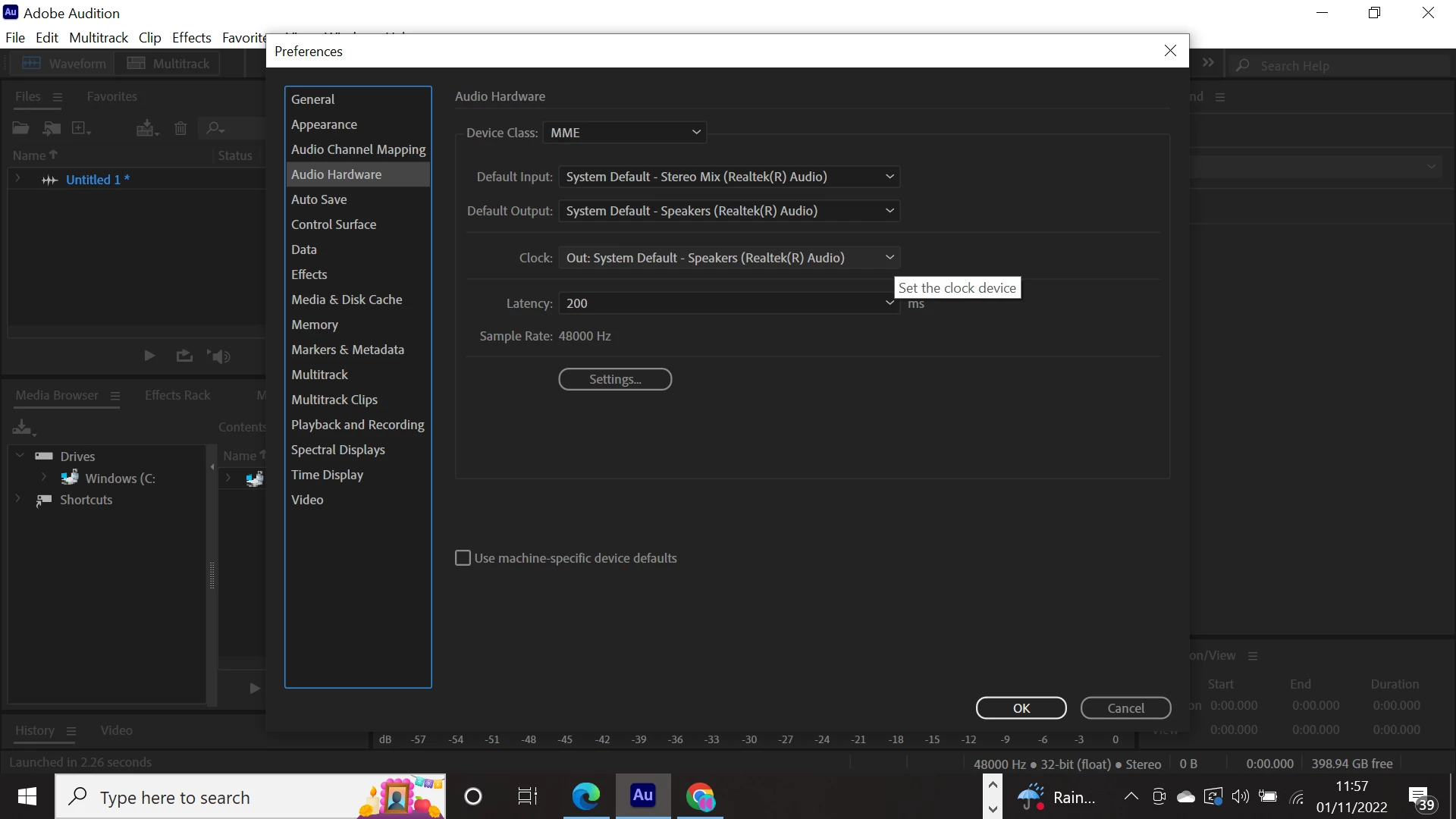
HI,  I've just downloaded Audition, and I'm trying to record audio from the computer (a Youtube live video).

I've got these settings, I've tried changing to all the avialable input options and nothing is working . I just keep getting an error message that there is a "problem with audio". Any ideas?
 

This topic has been closed for replies.

1 reply

SteveG_AudioMasters_
Community Expert
Community Expert
November 1, 2022

I'm afraid it's not unusual for this to happen - and it's quite deliberate on the machine manufacturer's part. Years ago, the RIAA put the frighteners on them, saying that it was effectively illegal,  because it let you download and record stuff without paying copyright royalties on it. Unfortunately this also stops people recording stuff legitimately, but the RIAA doesn't care about that. So you'll probably find that this was deliberate; Audition can only record what it's sent, as it has no control over what Windows and sound device manufacturers get up to.


The way around it is to use something like SoundTap Streaming Audio Recorder, which circumvents the restrictions completely, and is easy to use. To do the same thing with Audition is possible, but it requires the use of Virtual Audio Cable to link to the streaming source, and whilst this is comprehensive, isn't that easy to set up. SoundTap does the same thing automatically with no setup hassle at all.