This topic is closed to new replies. Start a new post to keep the conversation going.

7 replies

SteveG_AudioMasters_
Community Expert
Community Expert
Dec 16, 2021 11:34 PM UTC

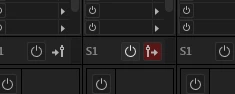
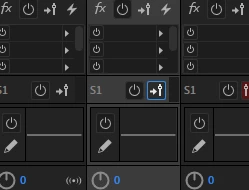
They flip the sends so that they are either taken from before or after the main channel fader. You need to look carefully, and you'll see that the arrow and fader swap positions when you click on it. Arrow on the left, pre-fader. Arrow on the right, and it's turned red, post fader. You will only get them to toggle and change colour if you actually have a send of some sort set up. By default they are set post fader, so red.

Translate
AntDX316
AntDX316Author
Inspiring
Dec 17, 2021 8:57 PM UTC

so because there is nothing that it's sent to, means it doesn't work?


How do you configure what it's being sent to?

Translate
SteveG_AudioMasters_
Community Expert
Community Expert
Dec 17, 2021 9:13 PM UTC

Correct. If you aren't sending a signal somewhere, then the send isn't working. Stands to reason, really.

Here I've sent S1 to Bus B, post-fader. There are 16 send routes available - that little grey bar immediately to the right of the red send indicator lets you scroll though all of them.

Translate