Bruce in Gold Beach
Inspiring
Jul 8, 2023 9:52 AM UTC
Answered

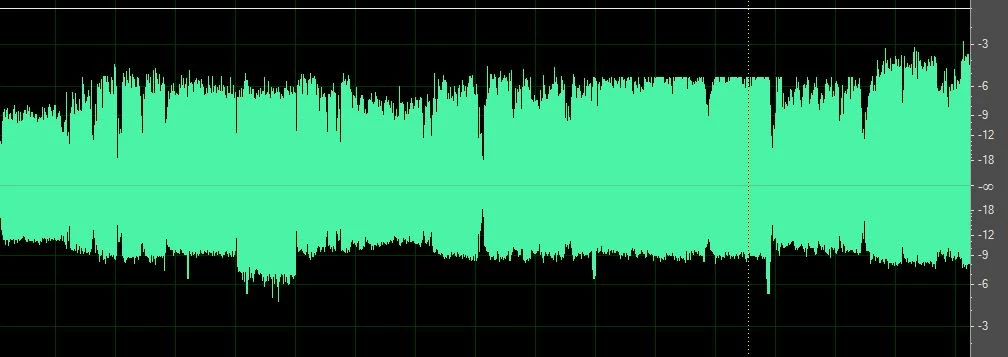
Recorded Music from infinity mark to -3 Db on top is greater than from infinity to the bottom

This is a recording live from 1971 and I want to clean it up but do not know how to even the track so from the middle to the top and from the middle to the bottom are equal any ideas?

This topic is closed to new replies. Start a new post to keep the conversation going.
SteveG_AudioMasters_
SteveG_AudioMasters_Correct answer
Community Expert
Jul 8, 2023 5:29 PM UTC

I will figure it out in time I am sure but in the mean time something else has happened and I don't know why, the amplitude adjuster I usuall see when I select a part of a recording in the edit section mot multitrack is missing this is what it used to look like....
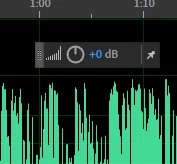
 Now it is gone and can't remember how I got it in the first place here is what I see now
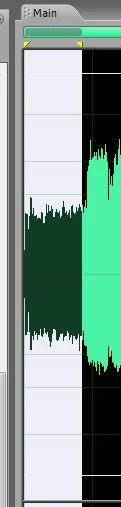
 i have clicked Amplitude where i can find it but do not see anyway to get it to be pinned when I select a section or for that matter the whole waveform. Sorry to be such a dork


View menu>On-clip UI - put a check in that, and it will come back!

6 replies

SteveG_AudioMasters_
Community Expert
Community Expert
Jul 8, 2023 10:28 AM UTC

This is asymmetry rather than a DC shift (read about the difference here ), and Audition used to have a tool that cleaned this up pretty well - but that was many versions and complete rewrites ago. If you have Audition 3 it's available in that. If you don't, then there are a couple of other options; There's iZotope's RX series of processors, as mentioned in the article I linked above, or for considerably less money (i.e., free) there's a suite of VST plugins available which includes one called PhaseNudge, which will almost certainly sort this out - you'll find them here. 

Translate
Bruce in Gold Beach
Inspiring
Jul 8, 2023 11:45 AM UTC

I do have Adobe 3.0 although after reading all the things you suggested I am more confused than ever, please know I am probably the oldest rookie radio host ever in history, so my learning curve is and has been quite steep. I only have been doing this for 5 years, my radio show is enjoyed by most of the folks in our community (super small market) So I guess what I need is help finding the correct place in Adobe 3.0 to click and fix this if that is even possible.

Translate
SteveG_AudioMasters_
Community Expert
Community Expert
Jul 8, 2023 12:48 PM UTC

In Audition 3 it's Effects>Restoration>Automatic Phase Correction. You will have to experiment - try the presets first. I don't know whether it will be of any help, but there's a YouTube video about it:

Translate