Participant
May 23, 2019
Question

Recording multiple tracks with Soundcraft Signature MTK 12

  • May 23, 2019
  • 1 reply
  • 1087 views

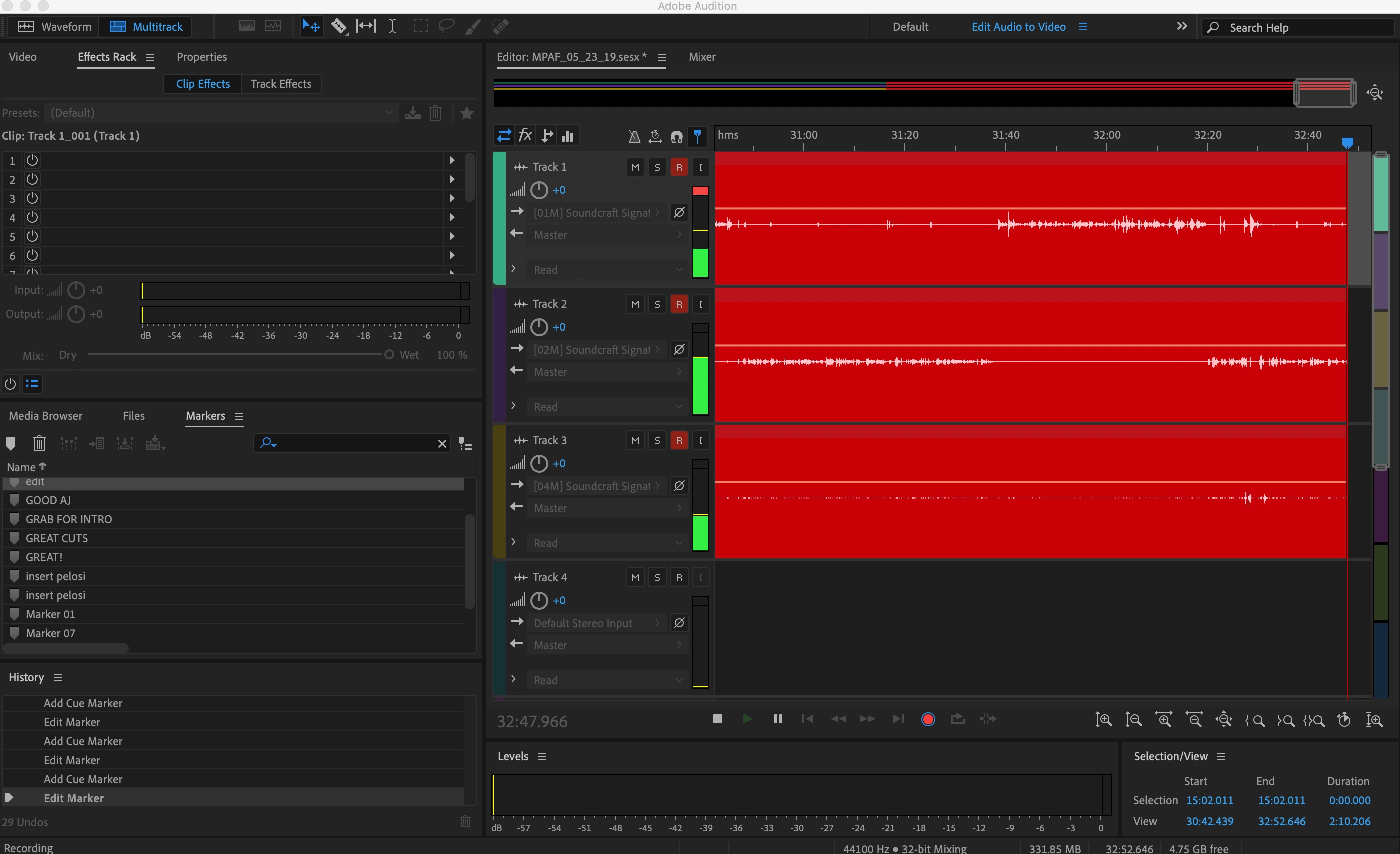
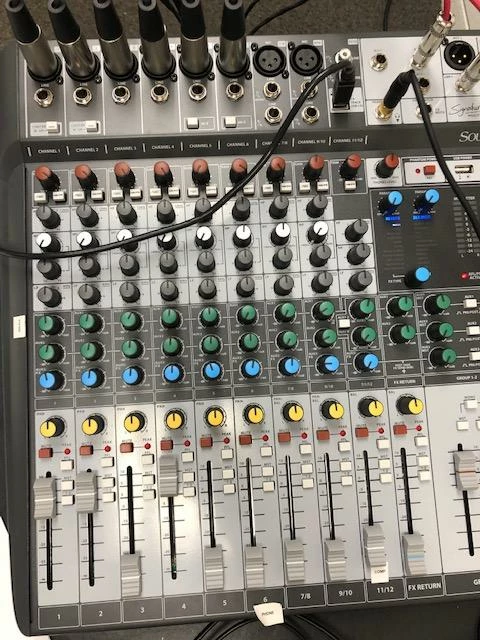
I have a professional studio that I don't think was wired right OR I don't have my adobe audition settings set correctly.  I'm recording 3 mic positions (for podcast only) into a multitrack session (using Soundcraft Signature MTK 12)  - 2 things are happening, the faders aren't working to control volume AND it records super LOW.  When I do a final mix in post it all ends up sounding fine but I think that's, just luck - if I'm honest.  Pics attached!
    This topic has been closed for replies.

    1 reply

    SteveG_AudioMasters_
    Community Expert
    Community Expert
    May 23, 2019

    The faders don't control the record volume. The feed to the USB outputs is directly from the back of the mic preamps, and apart from the gain control, none of the other mixer settings affect it. So you need to check that there's no attenuation at the point of the mics themselves (like a -10dB attenuator, switched in, or whatever). You haven't told us anything about the mics - what are they?

    Participant
    May 23, 2019

    So the only way I'm able to control mic volume is by using the gain - the mics are Electro Voice RE20.

    THANK YOU SO MUCH FOR RESPONDING!

    SteveG_AudioMasters_
    Community Expert
    Community Expert
    May 23, 2019

    tinan3121403  wrote

    So the only way I'm able to control mic volume is by using the gain - the mics are Electro Voice RE20.

    Yes - that's all you can do as far as the gain is concerned. It appears that you have it turned all the way up, which is why I'm wondering about the mics, because you shouldn't need the gain set that high for normal use. If you are talking at a reasonable level, about 6-9 inches from the mic, you should get plenty of level with it set to about 2 o'clock or thereabouts.

    If you have the faders set at 0dB, and the master fader set to 0dB, what do the meters on the mixer show? A healthy level or not? This won't affect what you record, but would be another way of assessing the general levels through the mixer, and would confirm that everything was working okay. The other thing is that if you suspect in any way the wiring of the mic lines, then get a normal XLR flylead and plug it straight into the mixer. If you get more level like that, then yes, suspect the wiring...