
penk
Participant
June 19, 2017
Question

Remove blue "pitch-correction" line in Spectral Pitch Display

  • June 19, 2017
  • 2 replies
  • 2249 views

Hey guys!

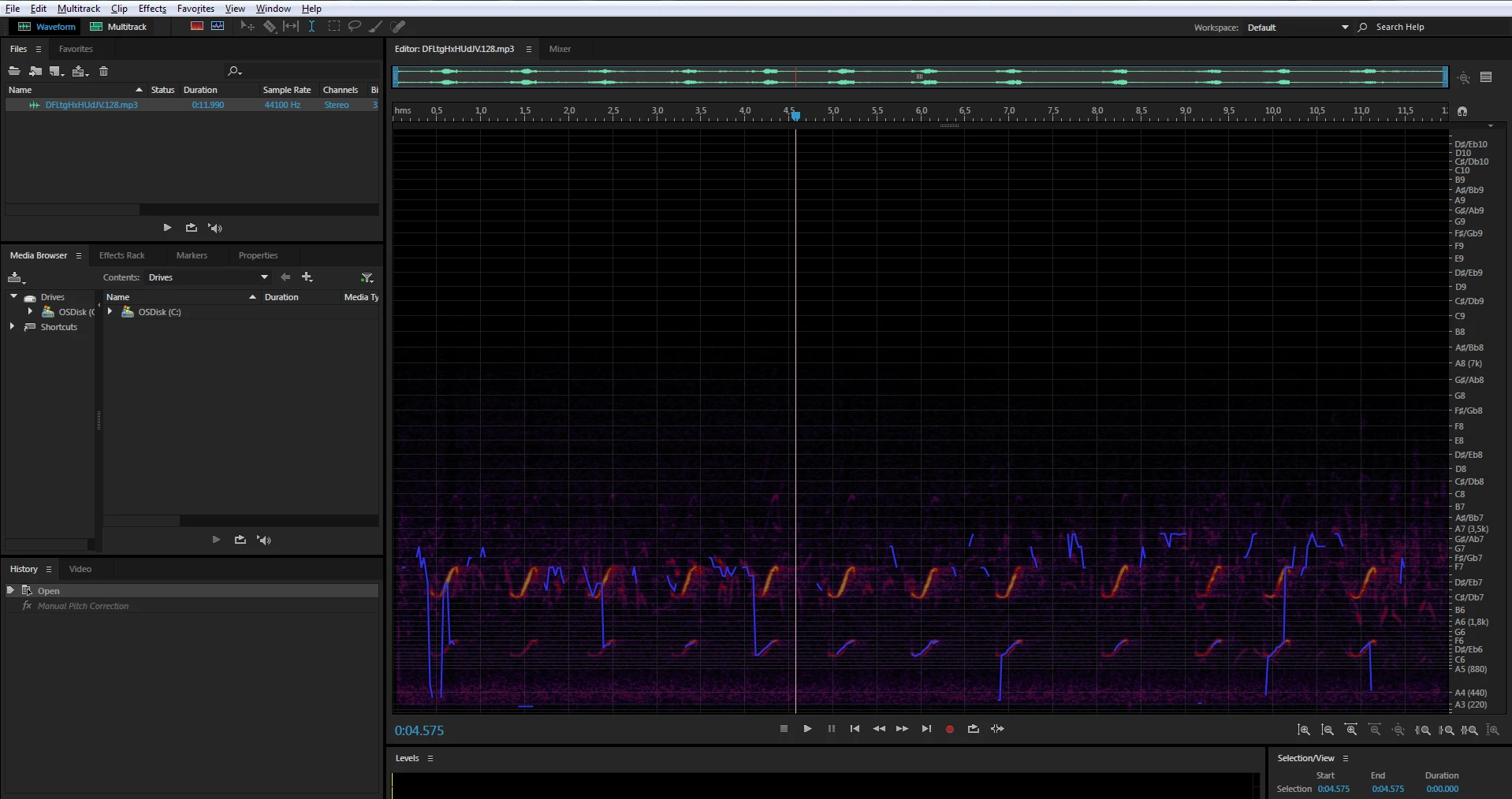
I am viewing a recording of a bird call in Audition, and want to view the recording in "Spectral Pitch Display", but blue "correction"-lines are placed all over the recording. Is there a way to view the recording like this WITHOUT the blue lines?

..and by the way, I do not mean "Spectral Frequency Display"! Notice the difference!
This topic has been closed for replies.

2 replies

Charles VW
Inspiring
June 20, 2017

You're in the Spectral Pitch Display, you want to be in the Spectral Frequency Display which is the button in the toolbar at the top which isn't bluefish and is just to the right of the one which reads "Multitrack"

ryclark
Participating Frequently
June 20, 2017

Charles please note the OP where the poster says he is already aware of the Spectral frequency Display and doesn't want to use it for some reason.

Charles VW
Inspiring
June 20, 2017

ryclark  wrote

Charles please note the OP where the poster says he is already aware of the Spectral frequency Display and doesn't want to use it for some reason.

Ooops, you're right.  Rookie mistake on my part.

So the question is, what does OP like about the Spectral Pitch Display over the Spectral Frequency Display? The two main differences are the musical scale ruler as opposed to frequency, and the scaling used for the amplitude. The latter can be changed for the Spectral Frequency Display via the preferences.

ryclark
Participating Frequently
June 19, 2017

No, I very much doubt that there is a way to remove the blue lines since they are there for a good reason with the normal operation of the Spectral Pitch Display and it's intended use for pitch correction.