


Removing noticeable clicks in Audition CC 2017.1.1 (Build 10.1.1.11)
Hi,
Summary
Somewhat a newbie, I am transferring some important old archived cassette recordings from family members to a digital format.
I am transferring the recordings from my old but good condition 16bit tape deck, into a 96khz .wav file in AA on my PC. I trust will allow me to work on them whilst maximising the chances of keeping the original quality as good as possible - right through to the final CD.
Problem
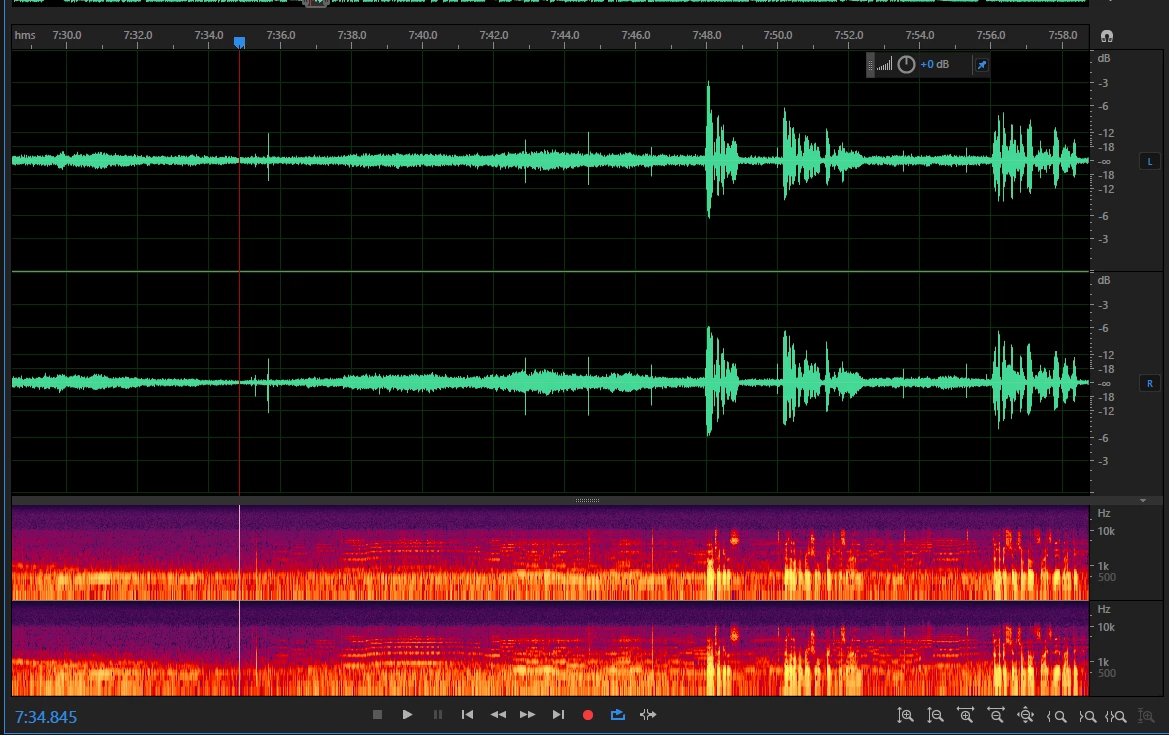
One one such recording there are some noticeable clicks and a few that are truly huge!
I have provided a picture below to illustrate this, and you can see the thin vertical lines between the narration clips.
It sounds to my ear like the big clicks possibly might be scratches/clicks on a record, accompanied with minor ones that possibly are LP dust clicks. As there is some piano music playing in the background, it might be that this is the case, and the narration has been done against a low level music backing on an LP - but I cannot be sure.
There is no way I can get the relatives to re-record these, and so I am faced with the task of restoring them to a good as condition as possible, even if it takes a month. I just hope it doesn't.
Methods
I have resolved a few of these problems by highlighting just 'the click' and using Amplify to reduce the click by large amounts such as -20dB.
I have also tried to remove them using Automatic Click Remover and the Click-Pop Eliminator, but they just cannot seem to cope with the biggies as you can see in the picture. There are however lots of clicks on this recording. It is taking forever !!
What would you guys recommend please? I could do with some advice or possible solutions please.
I have looked at possible solutions, and I wondered whether a similar approach to removing clicks from LP's might be the way forward? ( Re: Vinyl transfer and AA3.01 )
Thanks in advance
Pete
 AdChoices