
Sample Rate Is Not Letting My Adobe Audition To Work (I need help!)
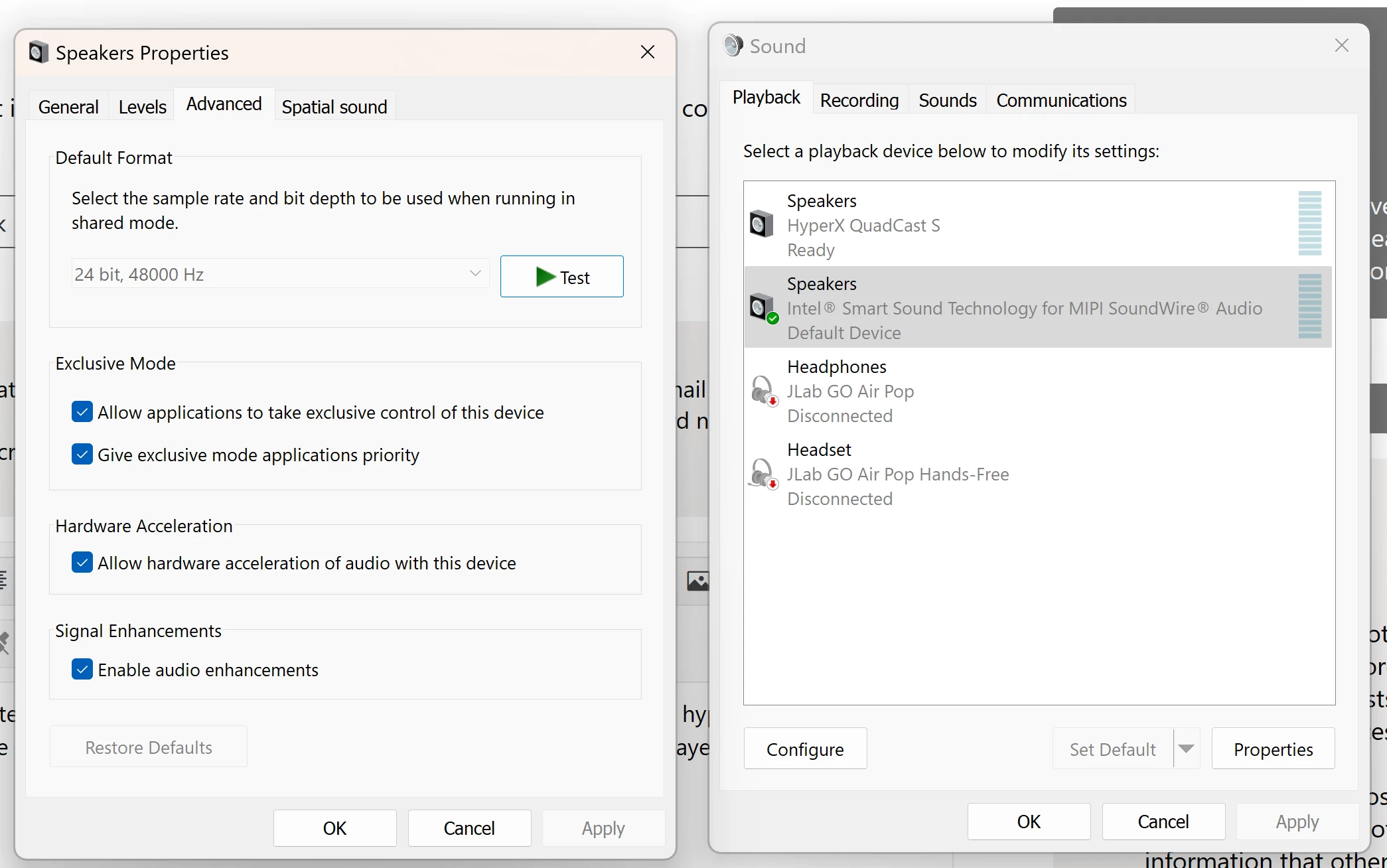
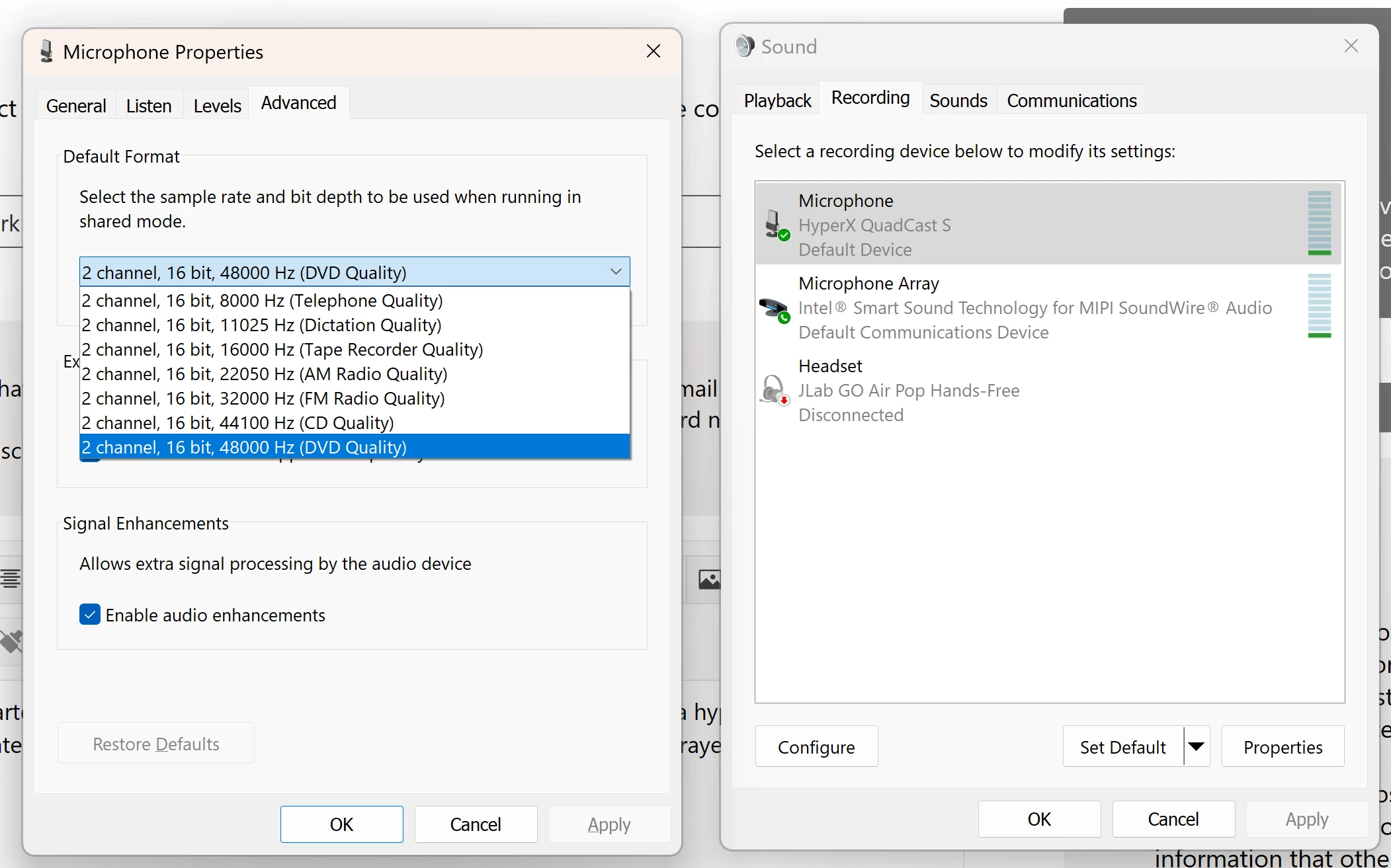
Hey everybody,so has of recently my Adobe Audtion is not working. At first I thought maybe it was the app or my laptop, but to make the story short, it turns out that its my sample rate of my mic and my laptop speakers not being the same rate. Alrighty, so I looked up everything that i can do to fix this and at the same time researching if it could be some other problem but I'm 100% sure it's the sample rate. Last time i used it was like 3 months ago and it worked find and I've had used it ever since and even then it would work find. My mic, it's a hyper x mic btw, not sure if that changes anything. Anyway, I've tried changing it but my speaker is all grayed stuck at 24 bit, 48000hz, while for my recording I can change it but it can only go up to 2 channel, 16 bit, 48000hz. Ive tried everything and this is my last resort so if i can get any type of help with this, I would really appreciate it!
Here are the screenshots:


 AdChoices