
Participant
March 10, 2023
Question

Save selection during recording

  • March 10, 2023
  • 2 replies
  • 281 views

In previous versions, while recording was in progress, I could select a portion of the audio being recorded and save that selection as a separate file, while the original recording continued.

In this way, I could work with that section of audio, on another PC, without stopping the recording (long recording sessions).

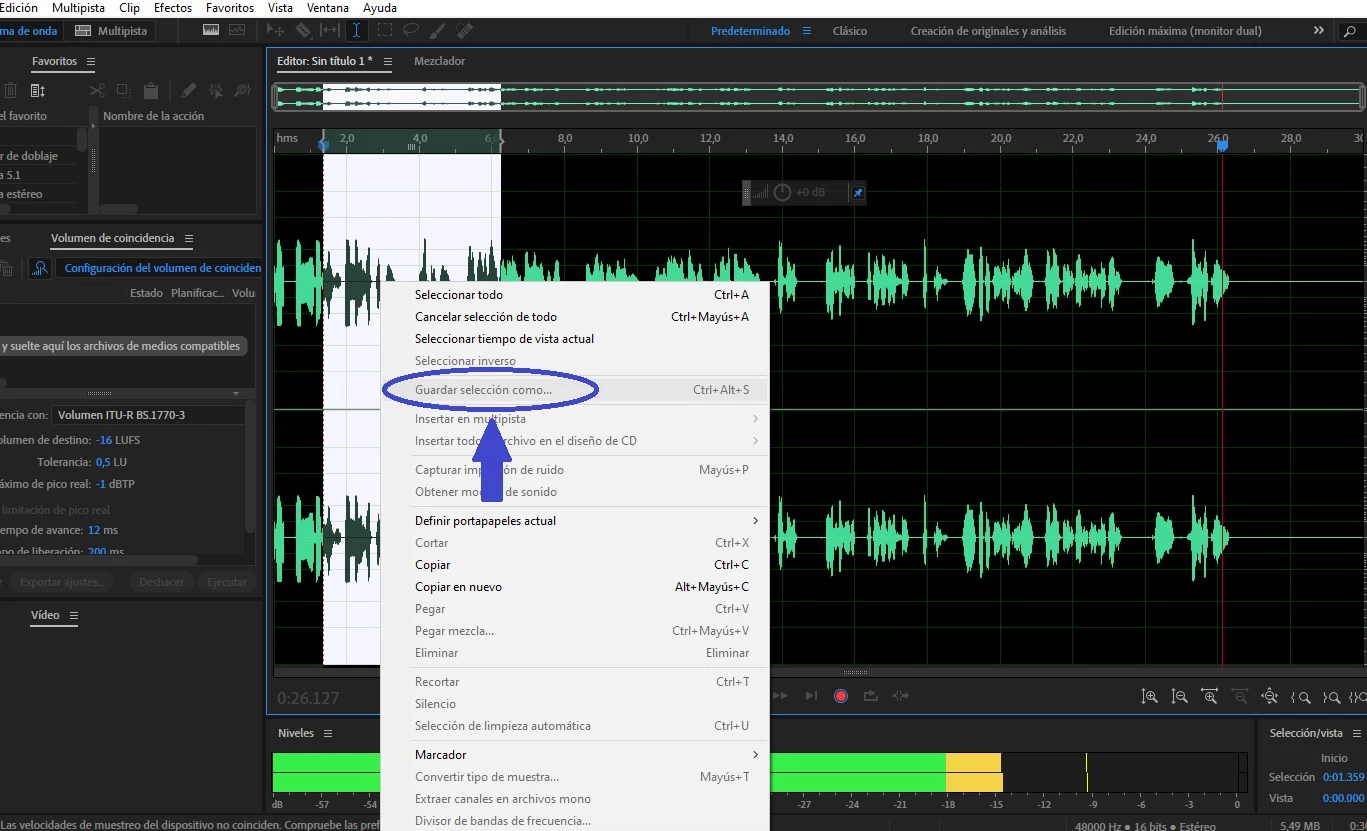
In Audition 2022, the "Save Selection" option is greyed out. It is only available when I stop recording.

Is there anything I can do to enable that tool?

Thank you.
This topic has been closed for replies.

2 replies

SuiteSpot
Inspiring
March 12, 2023

Steve_G is correct and the reason is to ensure that all resources are dedicated to recording and nothing else interferes with that

SteveG_AudioMasters_
Community Expert
Community Expert
March 10, 2023

I'm afraid that option hasn't been available for a while. I may be mistaken, but I think that the last version you might be able to do this with is Audition 3. The entire engine's been rebuilt since then (more than once) and I think that it's a consequence of that.