

Show Markers of All Files
Has anyone experienced problems with showing all markers in all files?
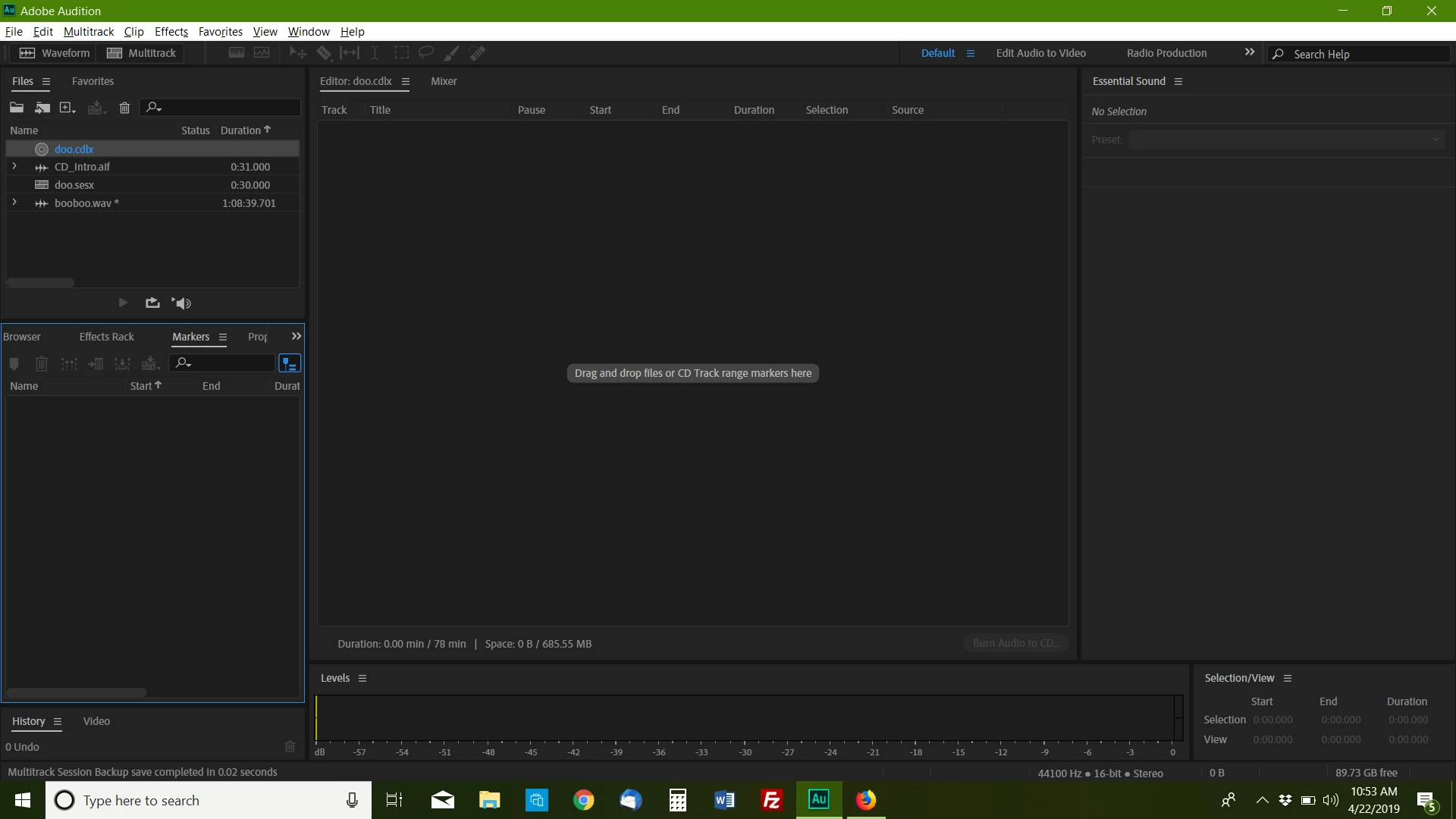
Prior to the update I was able to create CD Track markers in individual files and when I create a new CD Layout with "show markers of all files" selected in the markers panel, I could drag and drop the tracks from multiple files into the CD layout and then burn a new CD.
Now once I create a new CD layout the markers disappear for all of the audio files and they are not visible when the CD layout is selected in the Files panel. In order to see the marker list I have to toggle the show markers of all files off. I learned that I can select all tracks for each file independently and insert into CD layout or Multitrack session but this has been quite unreliable.
I have reset the preferences. And looked through the all the preferences for any reference to markers and came up with nothing. Any help would be appreciated. I really do not want to go back a version because I like to stay current with my updates but it is looking like that may be the only solution.
Thank you for your time and consideration.


 AdChoices