

Answered
Silence Audio ABOVE a Certain Threshold?
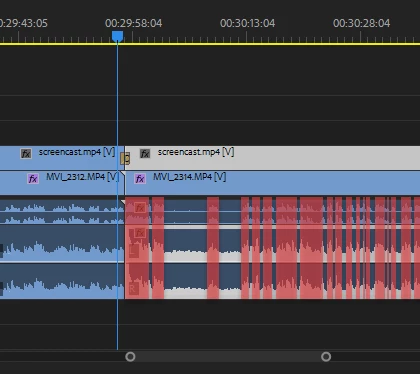
Is there an easy way to silence / mute audio ABOVE a certain threshold? I am familiar with AutoGate and removing noise below a certain threshold.
My screencapture above shows audio in Premiere Pro but I do have Adobe Audition so I'm hoping this feature exists?
If so, what exactly are the steps in Adobe Audition CC 2018?
Just in-case you're curious what my use-case is, I have audio of me talking and a screencapture using Camtasia. I want to silence my voice and amplify the underlying audio as much as possible.


 AdChoices