
Participating Frequently
April 25, 2017
Question

"Silence selected clips in time selection" behaviour

  • April 25, 2017
  • 1 reply
  • 2045 views

This menu option

Clip -> Silence selected clips in time selection

Behaves differently for two separate tracks in the multitrack editor, and I can't fathom why.

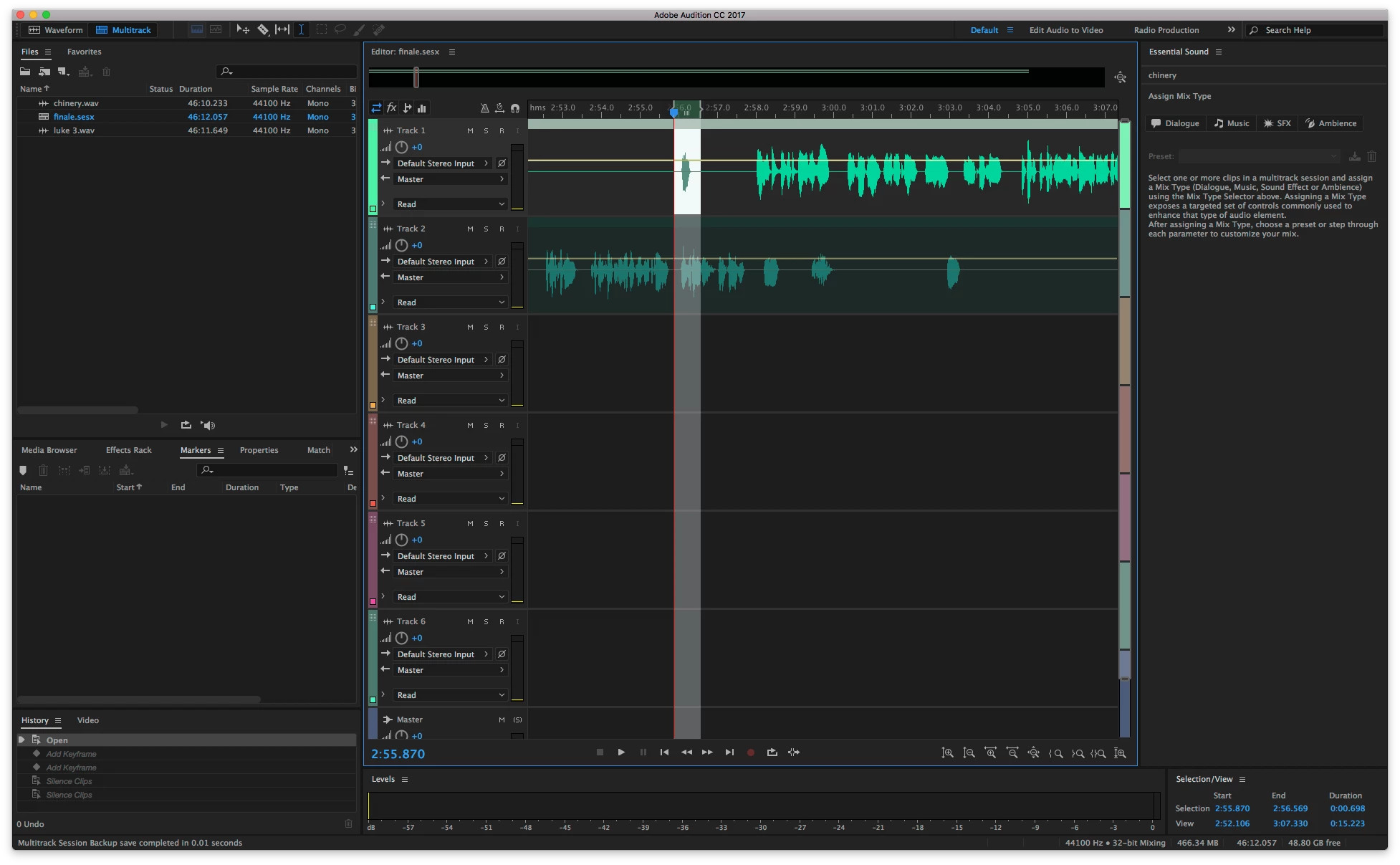
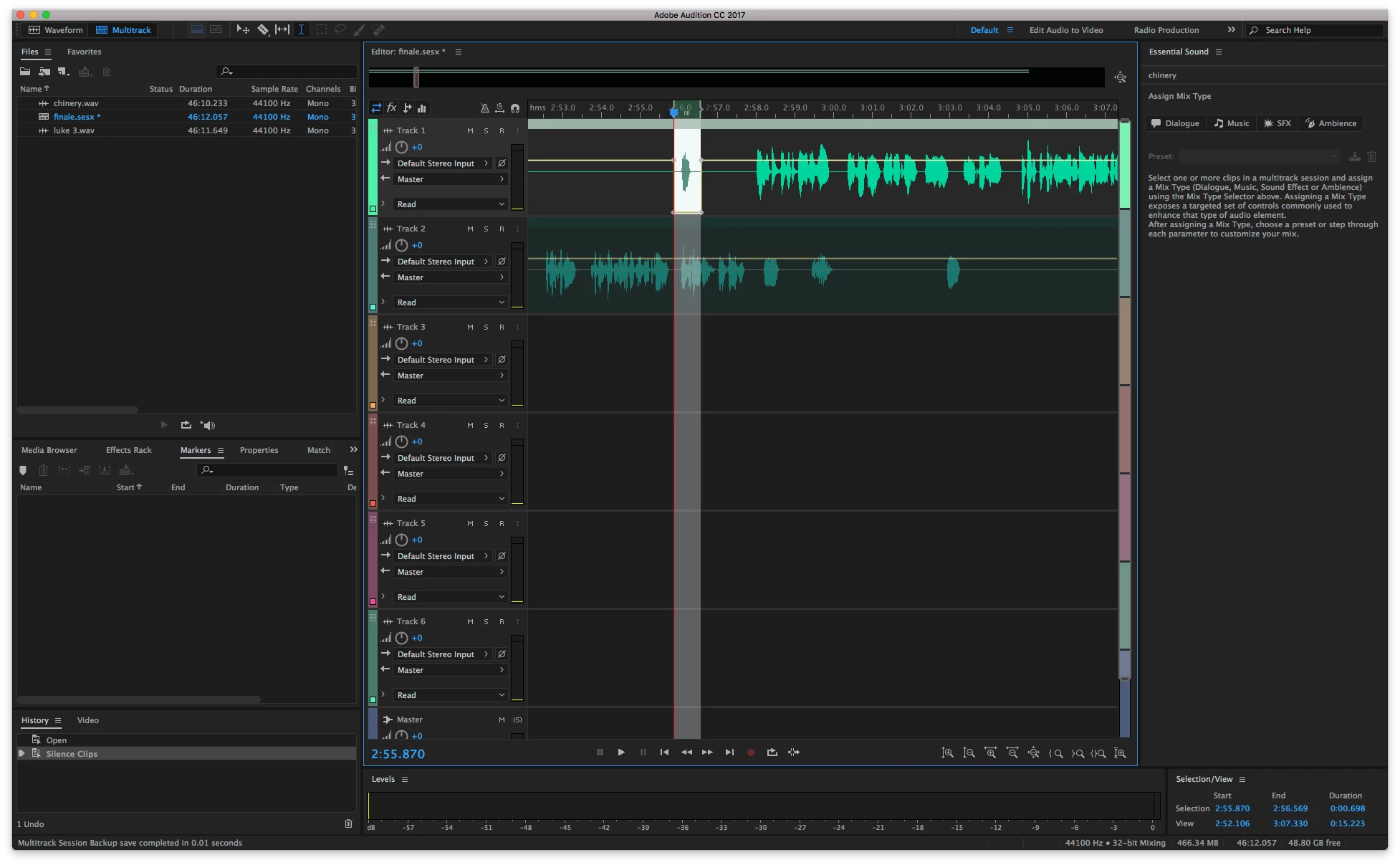
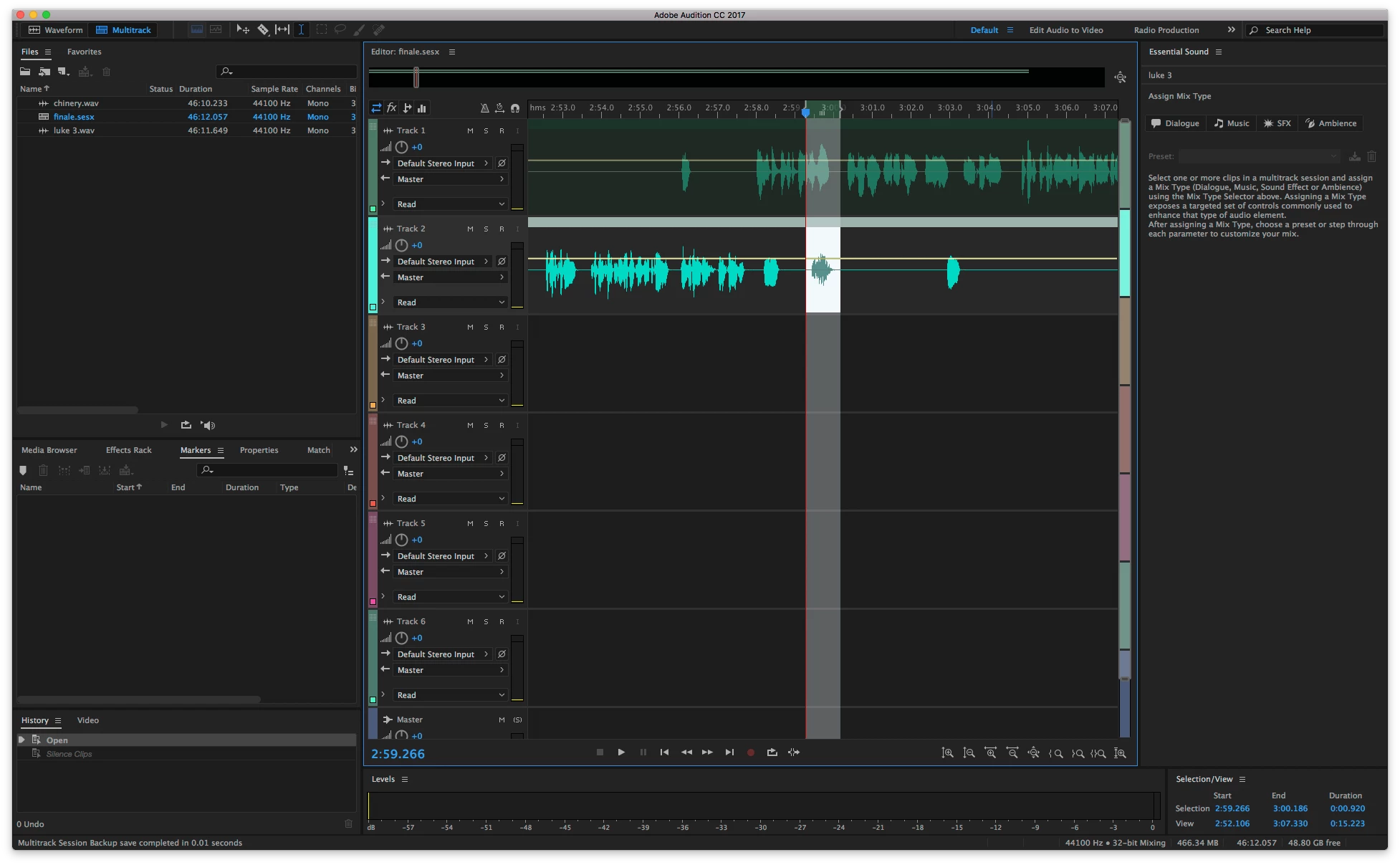
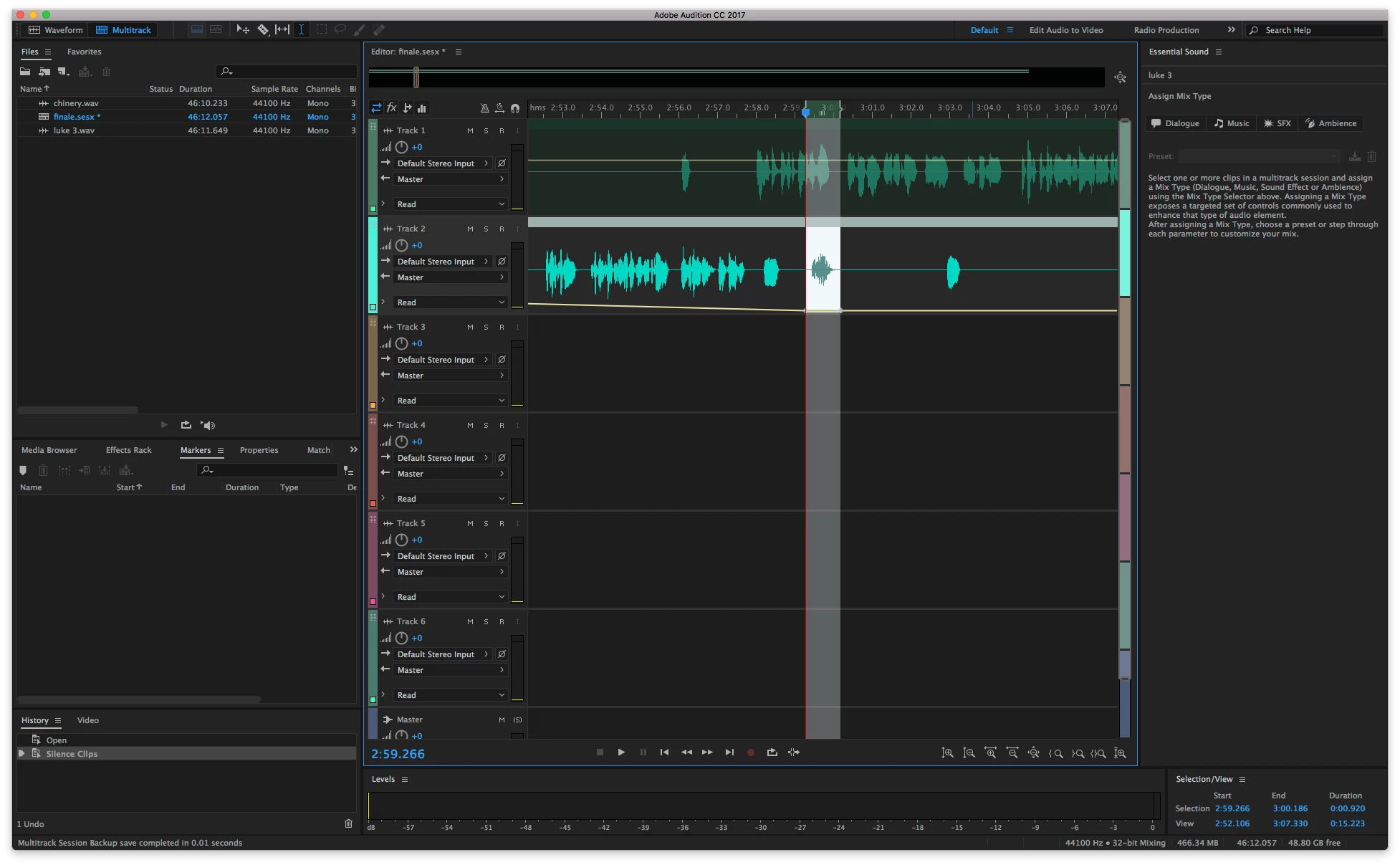
On one track (the desired functionality) it simply silences the selected audio, but on the other it sets two keyframes at -inf and hence affects the entire track.

Does anyone have any idea what has caused this? Is it something I can fix for the second track?

Track one (good behaviour) before:
Track one (good behaviour) after:
Track two (bad behaviour) before:
Track two (bad behaviour) after:
This topic has been closed for replies.

1 reply

ryclark
Participating Frequently
April 25, 2017

I can't think of any logical reason for that to happen. If you move the clip from the faulty track down to another one instead does the Silence Selected Clips in Time Selection work OK there?

chineryAuthor
Participating Frequently
August 15, 2017

After posting the above I think I started a whole new multitrack project and the problem didn't come back, so I couldn't test your suggestion. I don't do a lot of editing! But I've just come across it again on another new project.

I tried doing Clip -> Lock in Time, then dragged the track down to the one below. Unfortunately it hasn't changed the behaviour.

Any other suggestions? I've also tried splitting the tracks, and obviously the new keyframes do not affect the audio before the split, but the behaviour (on the new split track) is the same.

chineryAuthor
Participating Frequently
August 16, 2017

With a bit more testing I've managed to reproduce the behaviour reliably with these steps

New multitrack project

Insert a track into track 1

Split the track

Select a region across the split

Select Silence Selected Clips in Time Selection – the silencing across the two clips works

Now select a region in the rightmost clip and try the silencing again, the bad behaviour is exhibited

It seems that the cause is something to do with the fact that the clip 'starts' at -Inf. However this is not the full story; if you follow the steps above, and then split the rightmost clip again (creating a new clip on the right which does not start at -Inf) then the behaviour continues.

So this seems to be a (the?) cause, but I could not find a fix (i.e. a way to 'undo' the behaviour), other than reverting to before the silence that caused the problem.