

Simulate Logic Pro Strip Silence?
I'm working to simulate the Logic Pro Strip Silence feature.
In short, it identifies all silent areas in its multi-track editor, slices and then deletes the empty regions, so it ends up looking like the following.
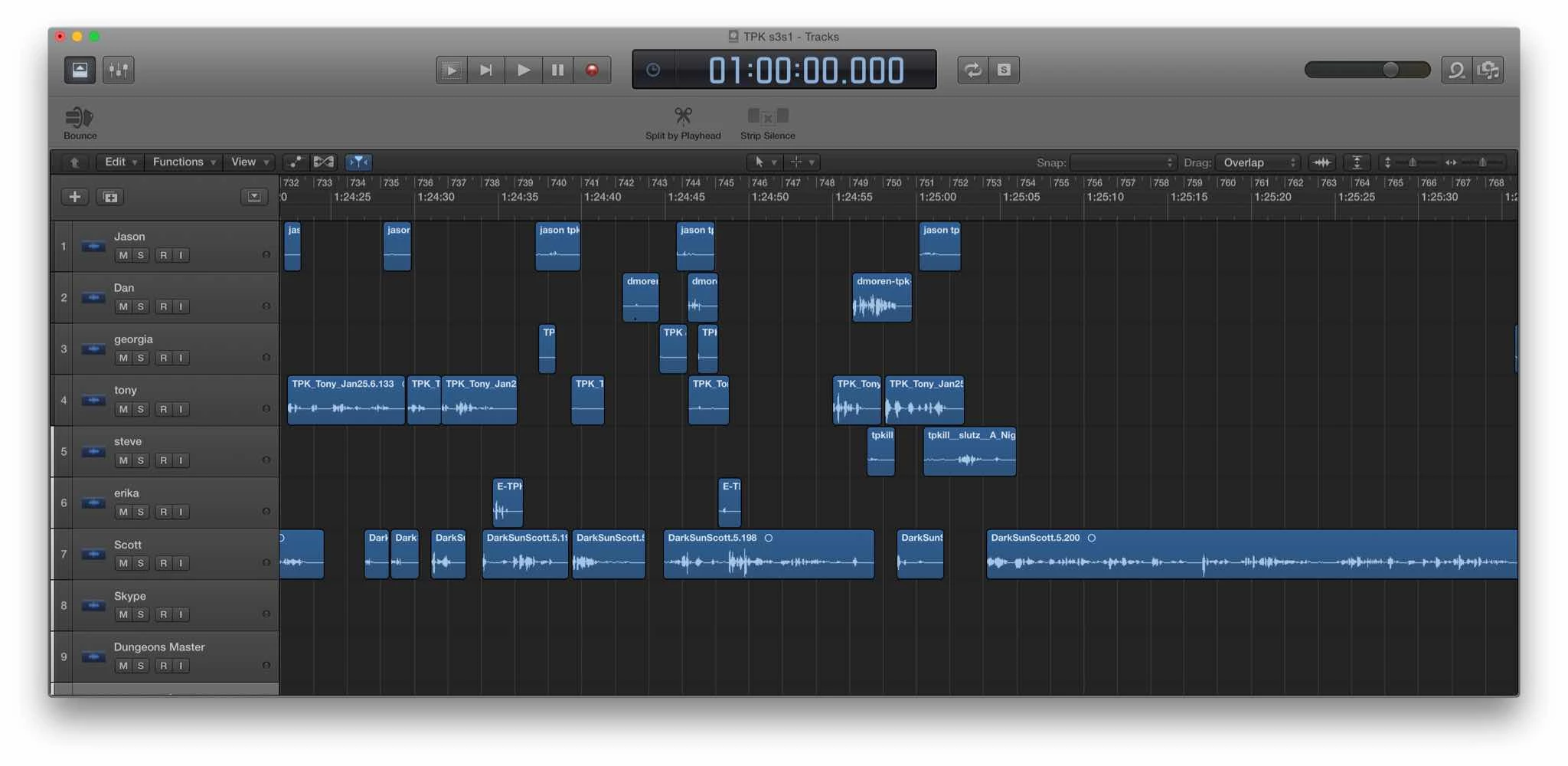
In Audition, I can add Markers in the Diagnostics panel to identify silent and speaking areas and then have those marker regions sent to the multi-track file with just a few clicks. I end up with screenshot 1 below. But, I then have to manually delete each of the silent areas to get to screenshot 2 below. Manually deleting them all won't work as I edit long podcasts and would delete hundreds of areas.
Any thoughts on a better way to do this?
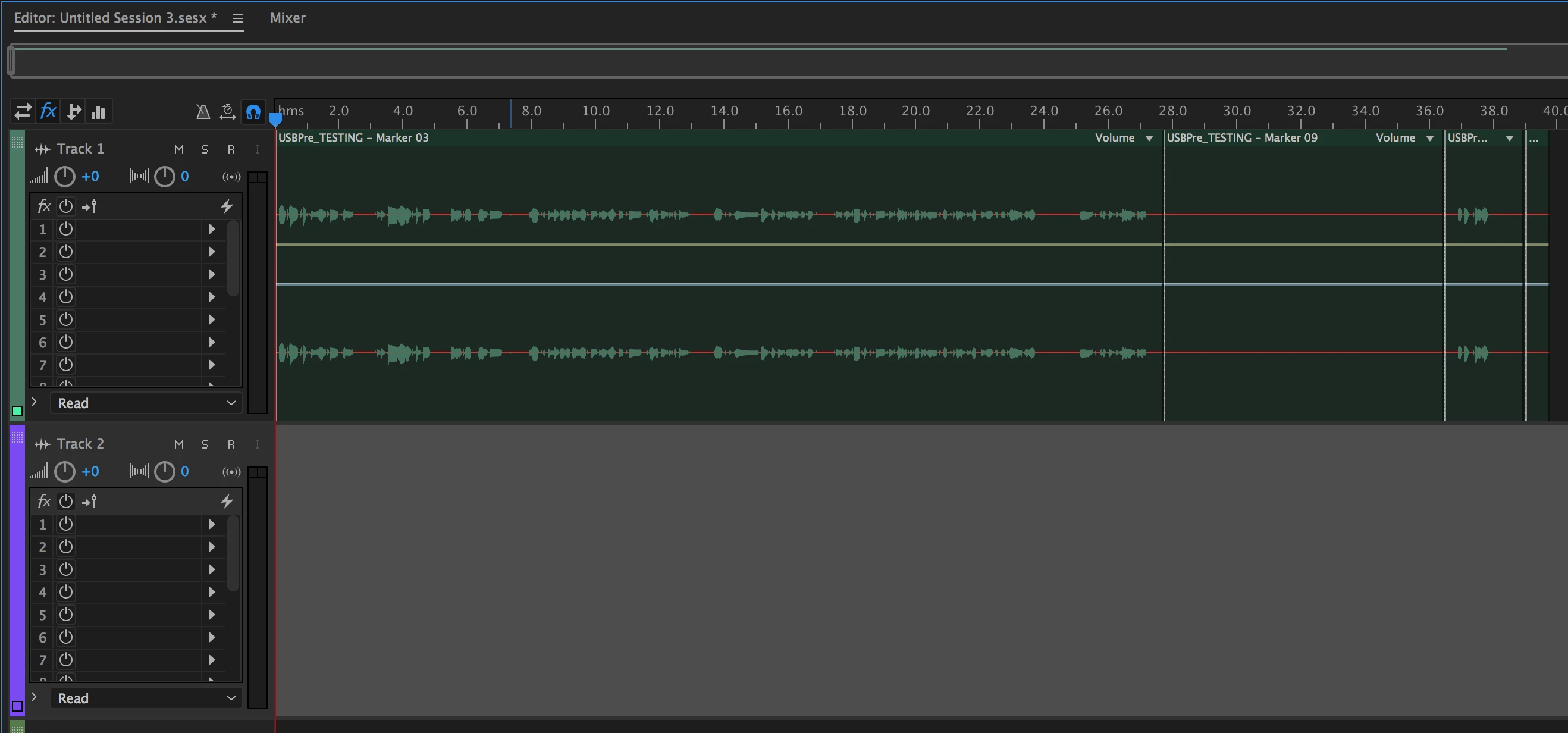
Screenshot 1 - I can get to this pretty easily. Silent areas are marked and cut, but not yet removed.
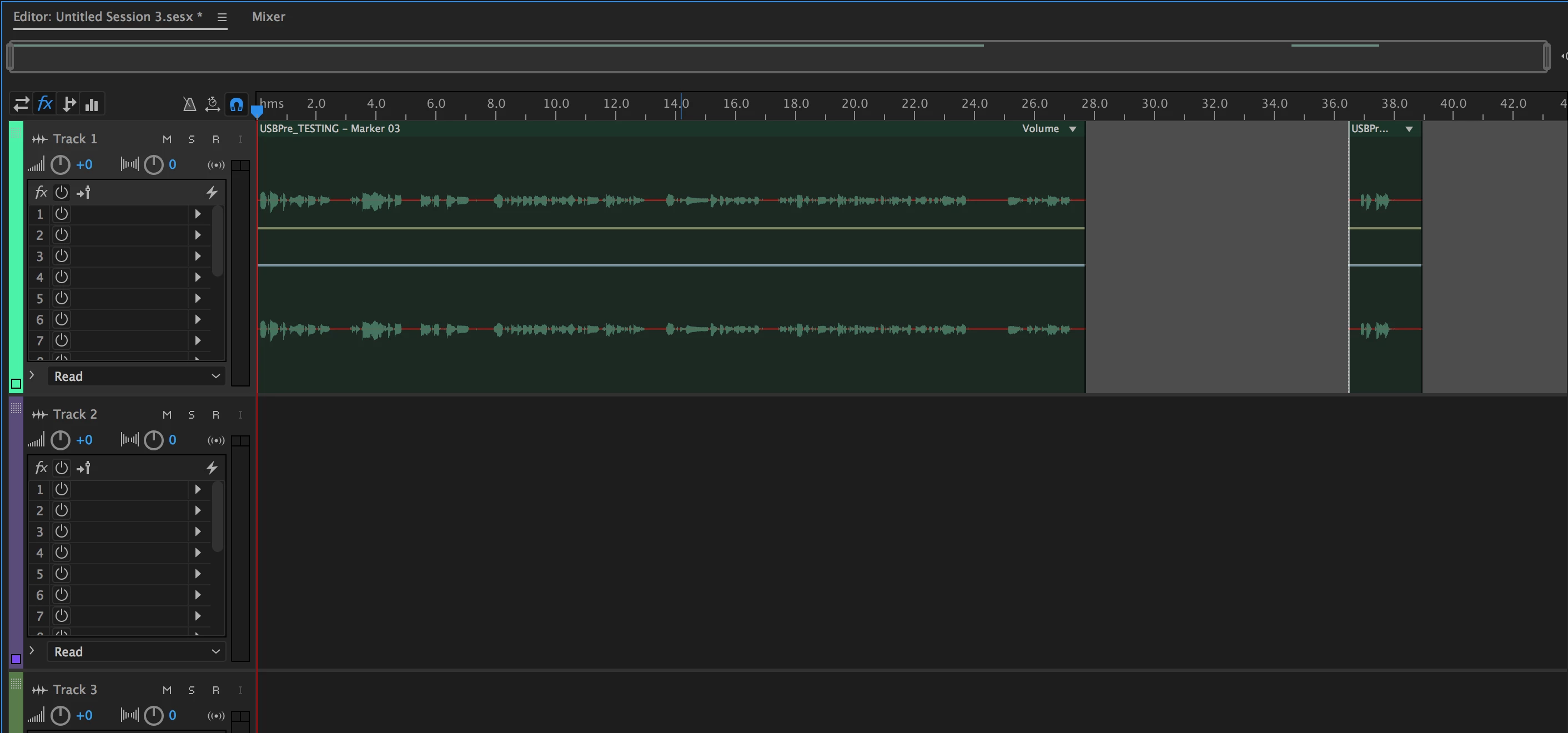
Screenshot 2: I have to manually select and delete each silent area to get to my ideal place, here. I edit VERY long podcasts so doing this manually isn't going to work.


 AdChoices