


Known Participant
December 12, 2023
Frage

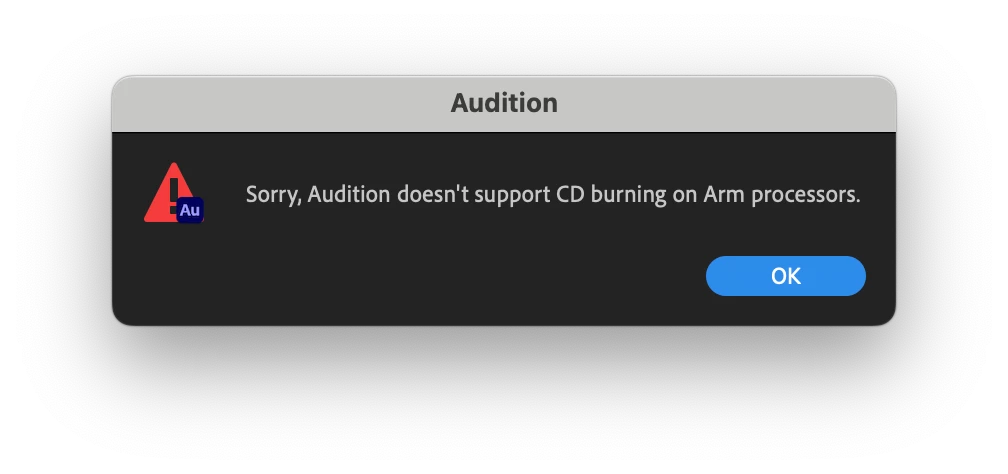
"Sorry, Audition doesn't support CD burning on Arm processors."

  • December 12, 2023
  • 3 Antworten
  • 903 Ansichten

Adobe, fix this please! Audition 2023 burns CDs just fine on my 2022 Mac Studio with external SuperDrive, yet Audition 2024 can't handle such an advanced task?! This is ridiculous. 
3 Antworten

Participant
April 30, 2025

I have a new Mac Studio running Mac OS Sequoia 15.4.1 and Audition 25.2.0.123 and am getting this same message:  "Sorry, Audition doesn't support CD burning on Arm processors."  Adobe, please fix this!  On my old Intel Mac running Audition 23.6.9.4, I had been burning classical CDs for my own collection from purchased audio files (when a commercial CD is no longer being sold) many times a year, so this is really unacceptable.  Audition is such a great program, but losing the ability to burn CDs takes away a very important feature!

stiv41Autor
Known Participant
October 19, 2025

I'm the OP here... when I posted this two short years ago, my solution was "oh it's ok, I can still download Audition 2023 through my Creative Cloud subscription." but - not anymore! Now what?

Daryl_C_7119
Participant
July 16, 2024

I'm having this issue as well using Audition 2024.  Can't burn to CD.  Frustrating and needs to be fixed.  I had to take the exported audio files, put them in apple music and rename them to burn them to CD. 

SteveG_AudioMasters_
Community Expert
Community Expert
December 12, 2023

It's not ridiculous. As far as I can make out, this is a generic problem - software like Ashampoo won't work with ARM processors either - they say that 'Systems with ARM processors are not supported' and just leave it at that. This appears to be related to the fact that ARM processors don't work anything like a 'normal' processor, especially in terms of how they address hardware, and that appears to be something of an issue when it comes to CD drives, etc.


But - one user found out that he  was able to burn a CD using an M1 Mac by quitting Audition, going to the Applications folder, selecting the Audition application file, pressing Command + I, and putting a check in the box by "Open using Rosetta". After restarting Audition the CD burning function worked normally. Since then though, it's been suggested that this doesn't work any more, either because Rosetta isn't available or the Command+I keystroke action has changed - I don't know which because I don't have one.


So I'm afraid that the situation isn't entirely clear. Chances are though that if you can download and run Rosetta 2, it will work, and let you burn CDs. Rosetta is essentially an emulator - it translates Intel code so that it will run on Macs.

stiv41Autor
Known Participant
December 12, 2023

Well, I guess ridiculous to the user's point of view. Audition 2023 to 2024 didn't seem like a drastic change in the software; I don't notice any huge differences and wouldn't realize which version I'm running without checking. But 2023 burned fine while 2024 doesn't. Yeah maybe there's some major technical hurdle behind the scenes that they just couldn't overcome, but it feels more like "hey, most people don't burn CDs anymore, let's just drop in this error message and move on."


Through my Creative Cloud subscription I could download 2023 again and burn from there, so I solved my problem this year. (Right, "open using Rosetta" isn't an option anymore.) Still frustrating.