
Answered
Sound Essential Ducking in CC2018
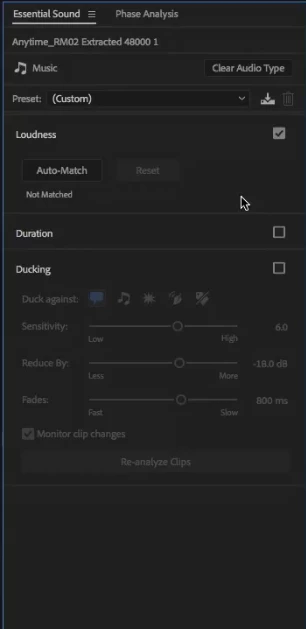
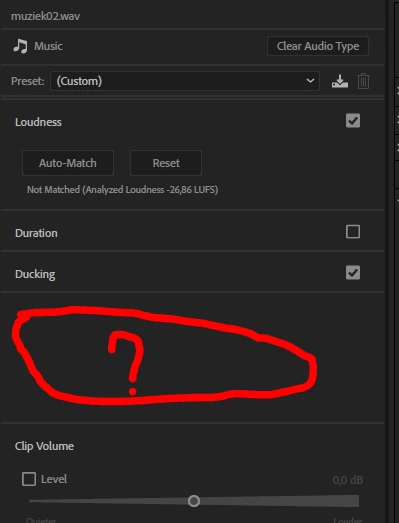
I saw a tutorial from Jason Levine <https://www.youtube.com/watch?v=UM60tcC0UeY&t=897s> which I was practicing but I can not see the sliders in the ducking frame, below i have two printscreens the rigth one from me and the left one from the tutorial, both are on the music file. I have seen the tutorial over and over but I see not what I am doing differently?? I have the latest update. what i am missing???


 AdChoices