


Participant
February 25, 2021
Answered

Speakers are not working

  • February 25, 2021
  • 1 reply
  • 775 views

For some reason Audition doesn´t recognize my speakers.


Note: Please excuse the german program language. I will try to translate as closely to the original as possible.


When I click on the "Play" button, the following error occurs:

"Audition has recognized a problem with the current Audio-Device-Settings

Details: The standard-output is not reacting and might not be connected."
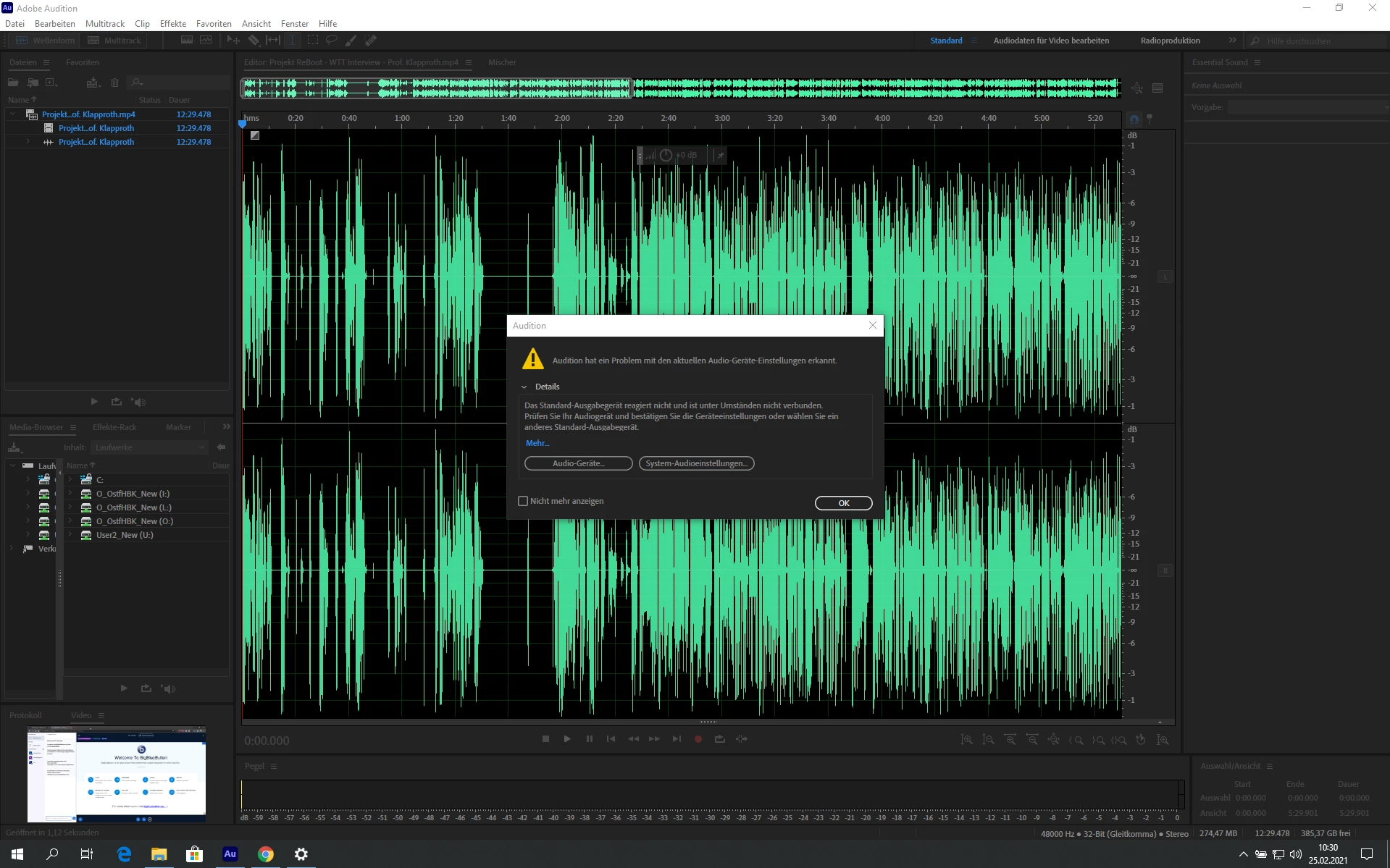
 

When I go to the device settings I am greeted with this:

"Speaker (Realtek USB Audio) (Not in running order)"
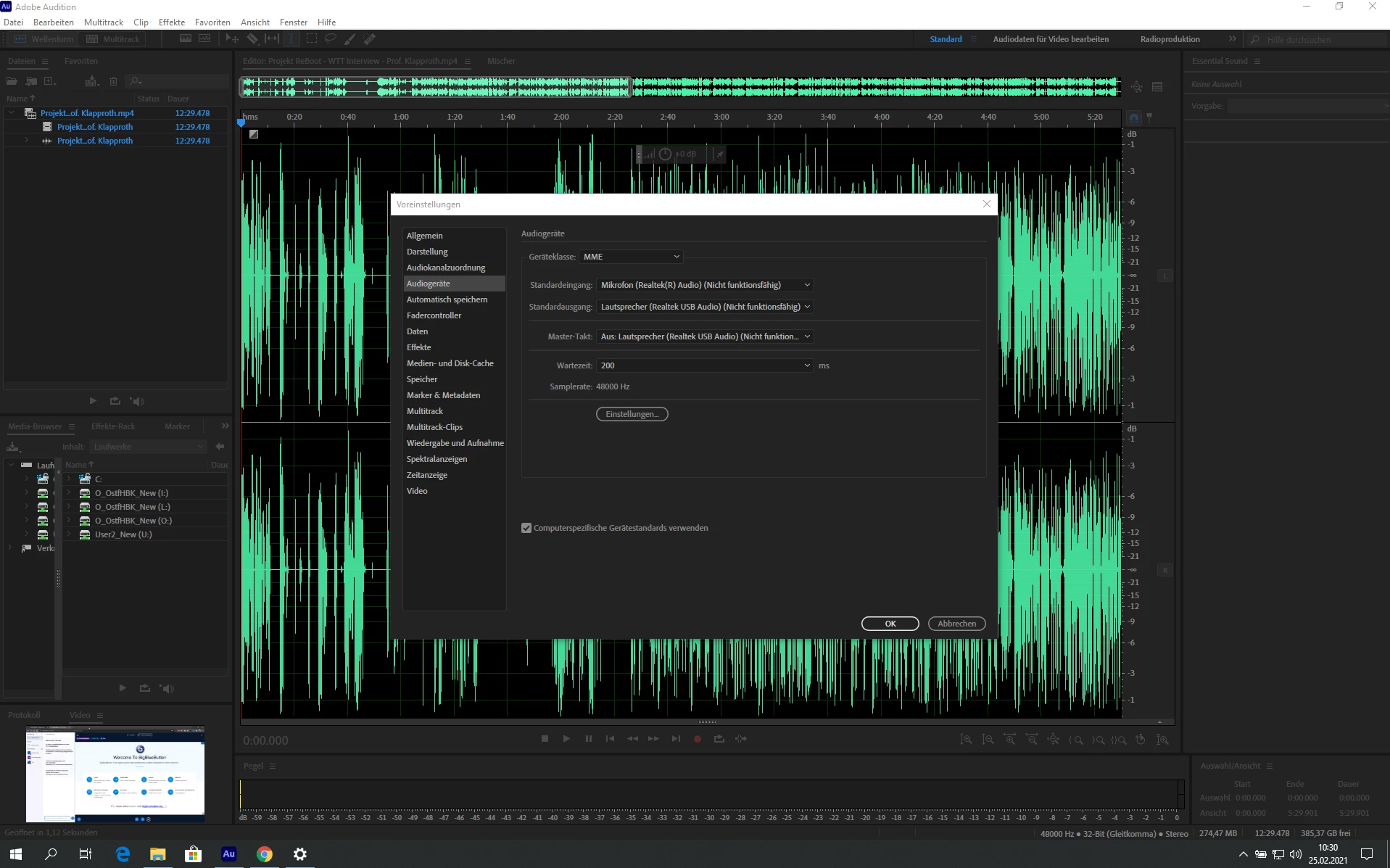
 

I simply do not know how to fix this. The speakers are working perfectly fine in any other application. Audition seems to be the only program that has any trouble recognizing them. I also tried to switch to other selectable speakers (internal laptop speakers), but those don´t work either so it´s not speaker specific. Audition is up-to-date.

Correct answer Peter Paas

The support website recommended a related issue on the "recommended" bar to the right of my issue that I wasn´t able to find earlier by searching through the issue search bar.


The solution seems to be to select "none" in the Audio input selection. Weird fix but it works for me.


- Issue can be closed - 

1 reply

Peter PaasAuthorCorrect answer
Participant
February 25, 2021

The support website recommended a related issue on the "recommended" bar to the right of my issue that I wasn´t able to find earlier by searching through the issue search bar.


The solution seems to be to select "none" in the Audio input selection. Weird fix but it works for me.


- Issue can be closed - 

Participant
September 18, 2025

Check Preferences > Audio Hardware to set your speakers as default, confirm the same in your system sound settings, reconnect/update drivers and restart Audition.