


owenm76541354
Participant
February 2, 2021
Answered

Spectral Frequency Display Blocky

  • February 2, 2021
  • 2 replies
  • 1151 views

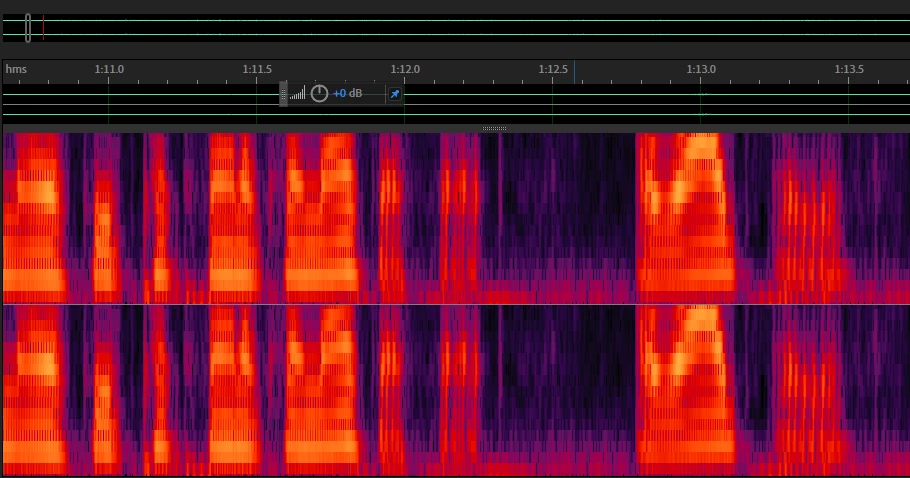
I was recently trying to edit some audio in the spectral frequency display but when I proccessed even if I waited for it to render it always appeared blocky. Is there a way to fix this? I'd really rather not compress this as to loose audio quality, but I'm open to any other solution. Thanks for the help! 
This topic has been closed for replies.
Correct answer SteveG_AudioMasters_

If you right-click on the scale at the RHS of the spectral display, you'll get access to all the controls for it. Specifically, if you zoom right in on a waveform you would typically need to adjust the resolution - the easy way to do this is with Ctrl+Shift and the up and down arrow keys; it becomes reasonably obvious when you've hit a more appropriate display.


This is all quite normal behaviour, and has nothing to do with what you can hear!

2 replies

March 11, 2021

I have a similar but different problem. My spectral frequency display has gone "landscape" ie horizontal on the piece that I have just recorded. I have tried right clicking on the RHS of the display but none of thos controls seems to solve my problem.


Anyone know what I should be doing or not have done?

March 11, 2021
March 11, 2021

that file cant be previewed here so I will find another format

SteveG_AudioMasters_
Community Expert
SteveG_AudioMasters_Community ExpertCorrect answer
Community Expert
February 2, 2021

If you right-click on the scale at the RHS of the spectral display, you'll get access to all the controls for it. Specifically, if you zoom right in on a waveform you would typically need to adjust the resolution - the easy way to do this is with Ctrl+Shift and the up and down arrow keys; it becomes reasonably obvious when you've hit a more appropriate display.


This is all quite normal behaviour, and has nothing to do with what you can hear!

owenm76541354
Participant
February 2, 2021

Fantastic, thank you! This was exactly what I was looking for. Not sure how I didn't see something about it sooner
