



Question
Spectrally deleting audio causes an audio artifact/click
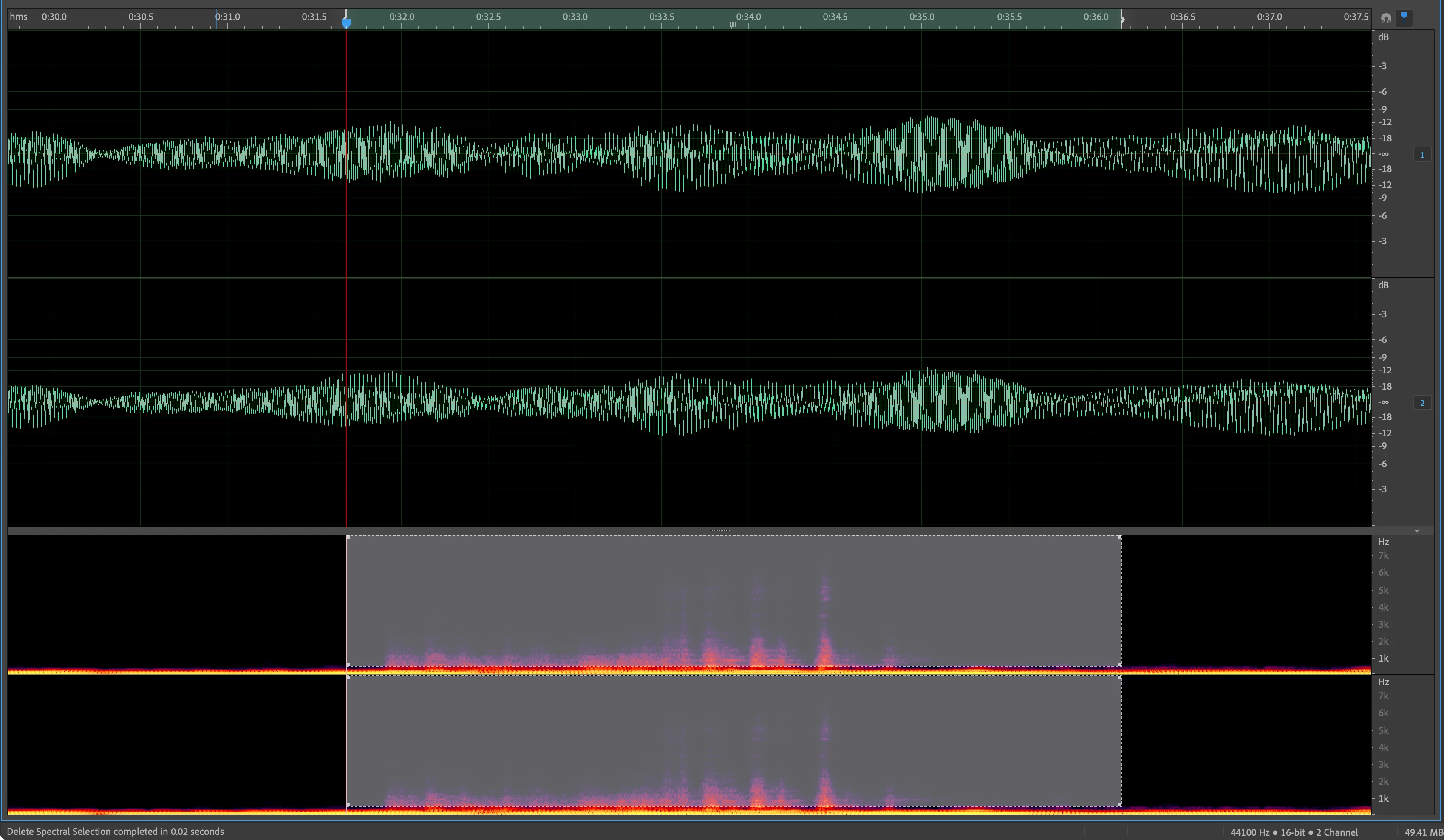
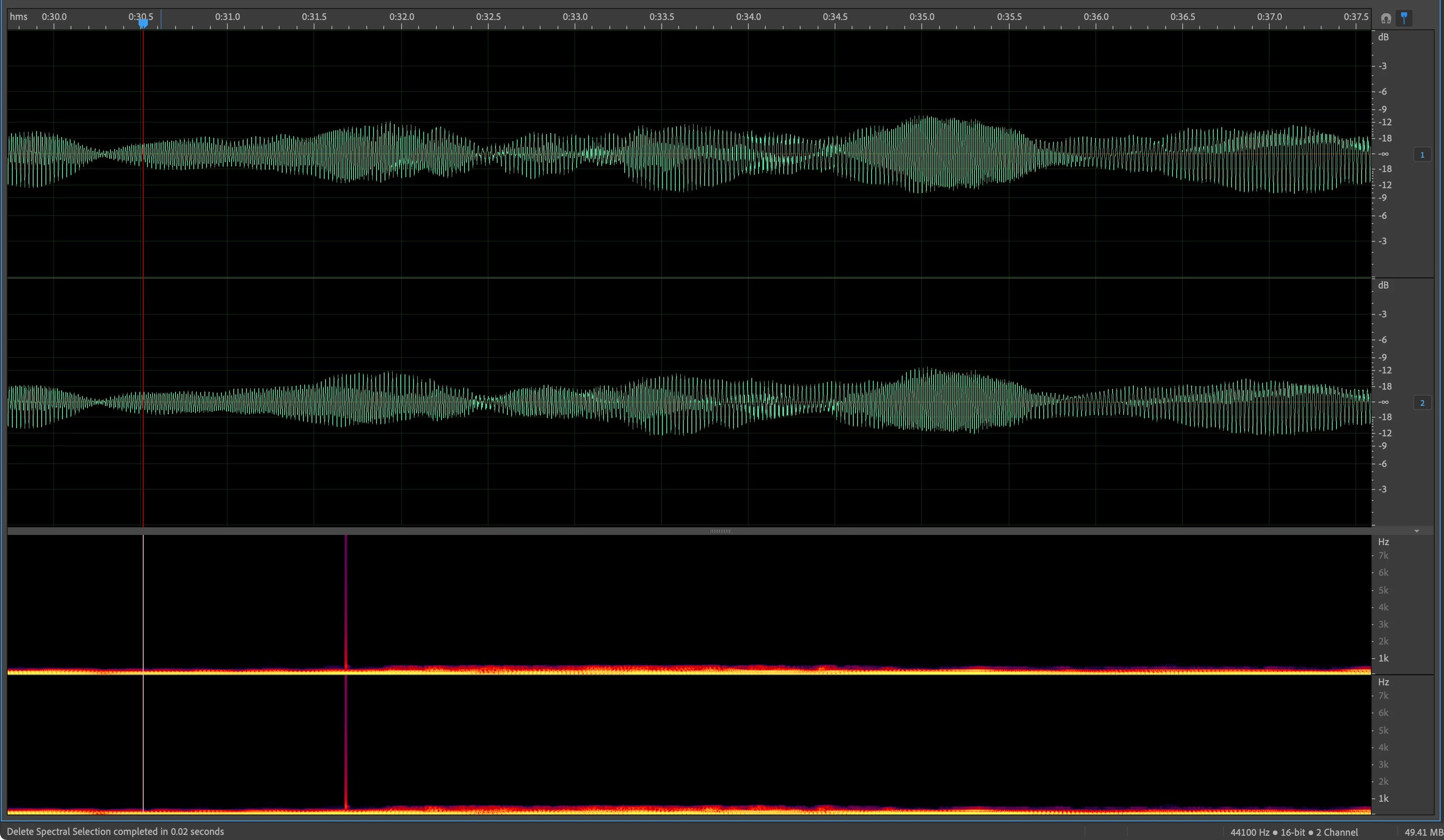
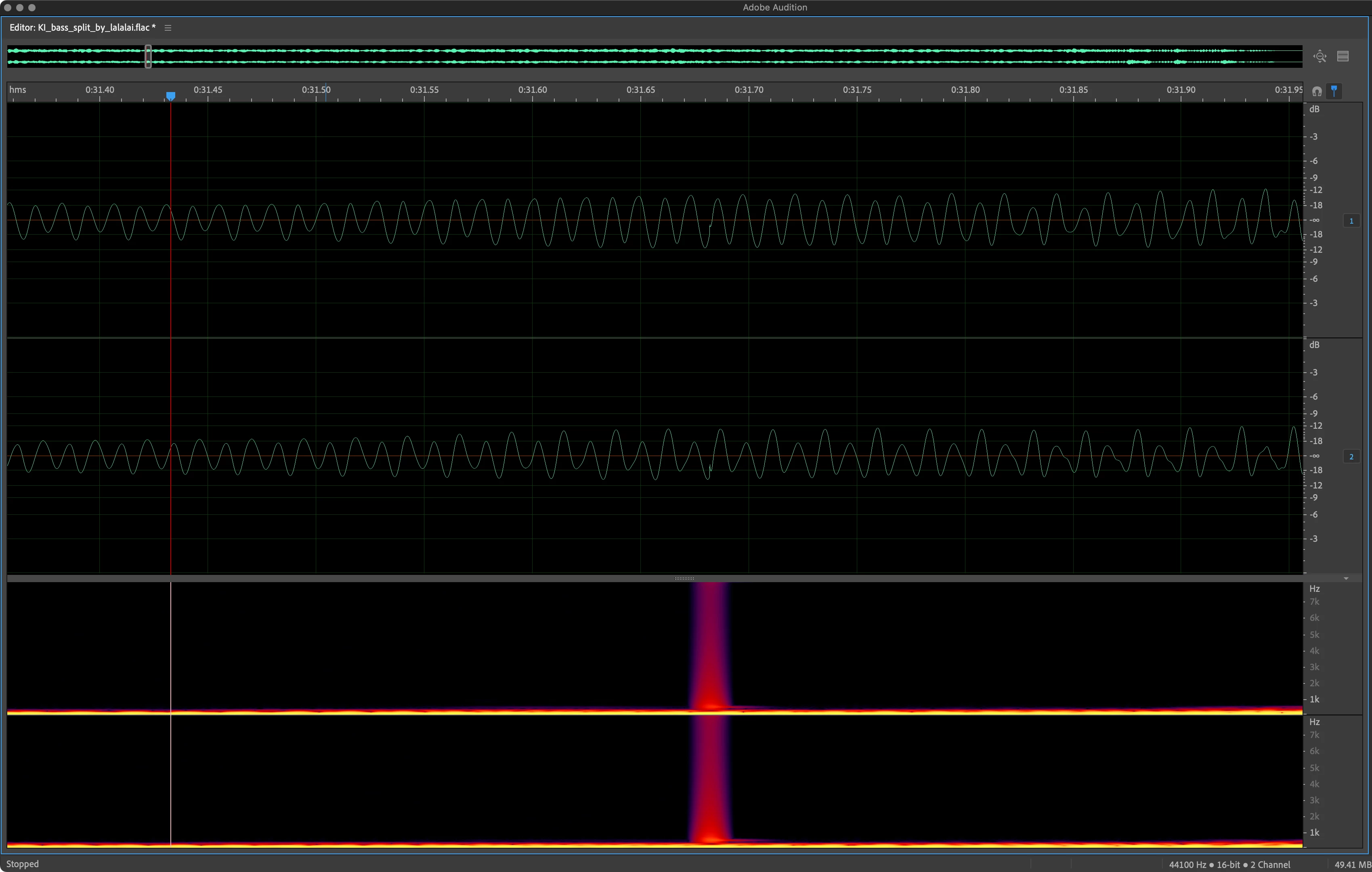
When Spectrally deleting or even muting waveform audio in the Spectral Frequency Display window, instead of a clean removal, it will semi regularly cause a digital audio artifact/click at the very start of where the selection occurred. This is frustrating because there's no way to remove the click as trying to do so just creates more of these. I've tried changing both the Smooth delete/cut boundaries and all edit boundaries from 5ms to everything possible but that doesn't make a difference either.
I feel it's a bug because if instead of deleting or muting you Deamplify the same audio by like -99 db, it doesn't happen.
MacOS 15.7.1 (24G231) and Audition 25.6, but this issue has been present for many versions.
 AdChoices