


Participant
August 28, 2025
Answered

Static in saved files. Please help!

  • August 28, 2025
  • 2 replies
  • 225 views
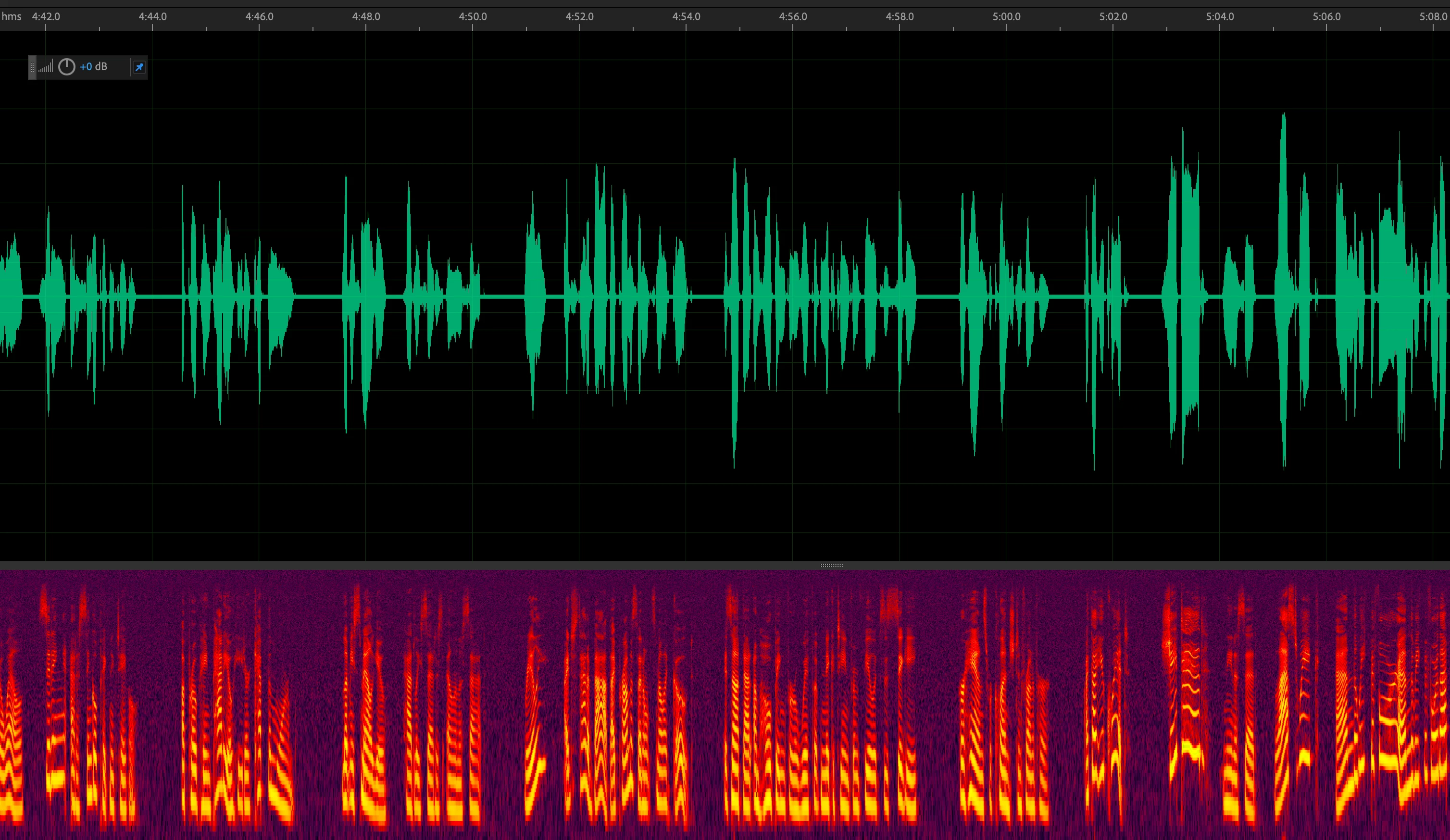
I have kind of an urgent question if anyone has any input. I'm working on an audiobook using Adobe Audition. The input for the audiobook is fine and I'm watching it as I record. I saved a bunch of the raw files and when I opened them back up, they look like the attached image.

The entire file is pretty much corrupted with a static sound. I only noticed this after I saved the file and opened it back up. The history is now gone.

I also tend to save raw files before I do any editing or mastering. I had a file that was perfectly fine before I edited it and after. And now that file too has the static throughout. It's only happening with some files. Here are my questions...

1. Are the files corrupt? This is happening AFTER a valid recording once the file is saved.
2. Is there any salvation for these affected files?
Correct answer clever_giggles08031

I'm not sure if I'm logged in under the same user name but the original post was mine. I have now confirmed that somewhere in my recording process, I changed from a bit depth of 16-bit to 8-bit. I did not specifically make this change but it definitely could have been a quick slip of the mouse when creating a new file. 

The reason it was so baffling to me is that I edited many of the files and even exported them to mp3 files with no static at all. It's only when I saved the .wav file and opened it back in AA that the static because extremely obvious. 

I have to assume this was user error but I'm sharing just to add the behavior I observed to the knowledge base. 

The answer for me, unfortunately, was to trash 12 chapters of the audiobook I'm working on and re-record. 

2 replies

SteveG_AudioMasters_
Community Expert
Community Expert
August 29, 2025

Please forgive me for being just a little suspicious... could you post a small clip of one of these static-ridden files that we can listen to? I'd quite like to know what the nature of this static is., as it's very unusual for static to affect a file after it's been created.

clever_giggles08031AuthorCorrect answer
Participant
August 30, 2025

I'm not sure if I'm logged in under the same user name but the original post was mine. I have now confirmed that somewhere in my recording process, I changed from a bit depth of 16-bit to 8-bit. I did not specifically make this change but it definitely could have been a quick slip of the mouse when creating a new file. 

The reason it was so baffling to me is that I edited many of the files and even exported them to mp3 files with no static at all. It's only when I saved the .wav file and opened it back in AA that the static because extremely obvious. 

I have to assume this was user error but I'm sharing just to add the behavior I observed to the knowledge base. 

The answer for me, unfortunately, was to trash 12 chapters of the audiobook I'm working on and re-record. 

SteveG_AudioMasters_
Community Expert
Community Expert
August 30, 2025

Well that does make sense! if you convert or save a file as 8-bit, then you end up with a noise floor of about 48dB, so somewhat worse than an old cassette recorder. I'm going to mark your reply as correct, and thanks for reporting back.

Kevin-Monahan
Community Manager
Community Manager
August 28, 2025

Hello there,

Thanks for the post. The files in question are very likely corrupted after saving, resulting in static replacing genuine audio—this is a known but rare issue with Audition, and unfortunately not easy to recover from without prior backups or uncorrupted versions. Sorry about that.


Thanks,
Kevin


Kevin Monahan - Sr. Community & Engagement Strategist – Pro Video and Audio